What it is
LATHE is a vocal channel strip with fourteen modules in one order: IN, POP, GATE, RIDE, an EQ, COMP 1, TAME, ESS, COMP 2, TONE, three sends called DOUBLE, ECHO and SPACE, and OUT. A key in the top bar, LISTEN, measures a take and sets starting values for part of the strip by rules that its report writes out.
IN trims, inverts and high-passes. POP turns down the low burst of a plosive, GATE closes or expands between phrases, and RIDE is a fader that moves by itself to hold the voice near a TARGET level. COMP 1 and COMP 2 are CLAMP's compressor engine used twice. TAME and ESS each turn a band down only while it is too loud. The EQ has five bands and runs on BEVEL's engine. TONE saturates. DOUBLE, ECHO and SPACE take what leaves TONE, make a wet signal on its own, and add it back. OUT sets width and level and has an optional ceiling, which is RIDGE's engine.
The order cannot be changed, except for the EQ, which sits after ESS or, with its BEFORE key, before COMP 1. A module that is switched off keeps its delay, so switching it on or off never moves anything in time. With every module off or neutral and the ceiling off, the output is the input delayed by the reported latency, bit for bit.
The display shows the last five seconds of the take stage by stage, and each module has a view with handles you can drag. Nothing in this manual describes the sound, because nothing has been listened to. LISTEN does not hear: it measures a take and applies written rules.
Setting it up
Formats and channels
LATHE is an effect, in Audio Unit and VST3 formats. The VST3 is built from the same code, but no test loads it in a host. The bundle declares macOS 11.0 as the minimum, and the panel is 1440 by 900 pixels, resizable from 70 to 170 percent. The main input and output are mono or stereo, and LATHE refuses two in and one out and every surround layout. The optional sidechain input is mono or stereo and starts switched off. Three layouts, each with the sidechain off, mono or stereo, make nine, and the table says where each was tested.
| Main in and out | Sidechain off | Sidechain mono | Sidechain stereo |
|---|---|---|---|
| 1 in 1 out | processor | processor, Audio Unit | processor |
| 1 in 2 out | processor | processor, Audio Unit | processor, Audio Unit |
| 2 in 2 out | processor | processor, Audio Unit | processor, Audio Unit |
| 2 in 1 out | refused | refused | refused |
Processor means the processor tests, which ran all nine layouts: at rest and in BYPASS the output was the input delayed by the reported latency, in LIVE it was the input itself, each bit for bit. Audio Unit means the host test on the installed Audio Unit, whose host can set only five of the nine layouts; in those five the track came out held back by the reported 25 samples, bit for bit, and the unit refused two in and one out. With 1 in 2 out the mono input is used on both sides before the first stage, and with 1 in 1 out the stereo wet of the sends is folded to mono as the mean of left and right and WIDTH on OUT does nothing.
Sidechain input
Only RIDE reads the sidechain, when MUSIC is above 0, and the key is never heard. With nothing connected, with the bus on but no channels supplied, or with MUSIC at 0, the target stays as set. The exception is 1 in 2 out with a mono sidechain: the host's buffer holds two channels with or without a key, so LATHE reads the second as the key.
Latency
Four things add delay, each a whole number of samples reported to the host: the look-ahead of GATE, RIDE, COMP 1 and COMP 2, the oversampling of TONE, and, only while CEILING ON is lit, the ceiling's look-ahead and oversampling. POP, TAME, ESS, the EQ, IN and the sends add none, and a module that is switched off keeps its delay. At the defaults the delay is 25 samples, TONE's 2X oversampling, though TONE is off. LIVE sets every look-ahead and TONE's oversampling to OFF and the ceiling off, so its delay is exactly 0. LATHE works the delay out from the controls and the sample rate, tells the host when it prepares and then on a 10 Hz timer, and shows it under the preset bar as LATENCY 25 SAMPLES (0.52 MS) for the default at 48 kHz.
GATE offers OFF, 1, 2, 5 and 10 ms, RIDE OFF, 5, 10 and 20 ms, COMP 1 and COMP 2 OFF, 1, 2 and 5 ms, and the ceiling 0.5, 1 and 2 ms. A look-ahead is rounded to whole samples, half up, so the same time gives the same samples in every module. In samples, with the milliseconds in brackets:
| Look-ahead | 44.1 kHz | 48 kHz | 88.2 kHz |
|---|---|---|---|
| 0.5 MS | 22 (0.499) | 24 (0.500) | 44 (0.499) |
| 1 MS | 44 (0.998) | 48 (1.000) | 88 (0.998) |
| 2 MS | 88 (1.995) | 96 (2.000) | 176 (1.995) |
| 5 MS | 221 (5.011) | 240 (5.000) | 441 (5.000) |
| 10 MS | 441 (10.000) | 480 (10.000) | 882 (10.000) |
| 20 MS | 882 (20.000) | 960 (20.000) | 1764 (20.000) |
| Look-ahead | 96 kHz | 176.4 kHz | 192 kHz |
|---|---|---|---|
| 0.5 MS | 48 (0.500) | 88 (0.499) | 96 (0.500) |
| 1 MS | 96 (1.000) | 176 (0.998) | 192 (1.000) |
| 2 MS | 192 (2.000) | 353 (2.001) | 384 (2.000) |
| 5 MS | 480 (5.000) | 882 (5.000) | 960 (5.000) |
| 10 MS | 960 (10.000) | 1764 (10.000) | 1920 (10.000) |
| 20 MS | 1920 (20.000) | 3528 (20.000) | 3840 (20.000) |
Oversampling adds whole samples that do not depend on the rate: TONE 25 at 2X and 29 at 4X, the ceiling 72 at 2X or 4X on top of its look-ahead, and nothing at OFF. The ceiling adds nothing while CEILING ON is off. In milliseconds:
| Sample rate | TONE 2X (25) | TONE 4X (29) | Ceiling 2X or 4X (72) |
|---|---|---|---|
| 44.1 kHz | 0.567 | 0.658 | 1.633 |
| 48 kHz | 0.521 | 0.604 | 1.500 |
| 88.2 kHz | 0.283 | 0.329 | 0.816 |
| 96 kHz | 0.260 | 0.302 | 0.750 |
| 176.4 kHz | 0.142 | 0.164 | 0.408 |
| 192 kHz | 0.130 | 0.151 | 0.375 |
Every long setting together, GATE 10 ms, RIDE 20 ms, COMP 1 and COMP 2 5 ms, TONE 4X and the ceiling at 2 ms with 4X, gives 1954 samples at 44.1 kHz, 2117 at 48, 3805 at 88.2, 4133 at 96, 7510 at 176.4 and 8165 at 192, between 42.5 and 44.3 ms.
The 48 kHz figures were read back from the processor, which printed 25, 0, 480, 960, 336, 29, 168, 2117 and 0 samples for the default, TONE's oversampling off, GATE at 10 ms, RIDE at 20 ms, COMP 1 at 5 ms with COMP 2 at 2 ms, TONE at 4X, the ceiling at 2 ms with 4X, every long setting together, and the same with LIVE. The control dump read each choice back one at a time: every reading is the table's cell plus the 25 samples of TONE's 2X (GATE at 10 ms read 505), except TONE (0, 25 and 29) and the ceiling's oversampling (4X read 145, with its default 1 ms). An impulse came out exactly that late at 44.1, 48 and 96 kHz, but only the 48 kHz figures are printed. The cells for 88.2, 176.4 and 192 kHz are arithmetic, not a read-back. The installed Audio Unit read 25 at 48 kHz, and 0 in LIVE, and followed each change; its test does not print its numbers.
Tail
LATHE reports the longest tail of the sends in use, plus the delay. ECHO's is its longer side's time times (the repeats to fall 60 dB plus one) plus 0.3 s, and it is 20 s with FREEZE on or FEEDBACK at 99.5 percent or more. SPACE's is 1.4 times DECAY plus 1 s and DOUBLE's is 75 ms. ECHO's is capped at 20 s and SPACE's at 30 s.
Licence and trial
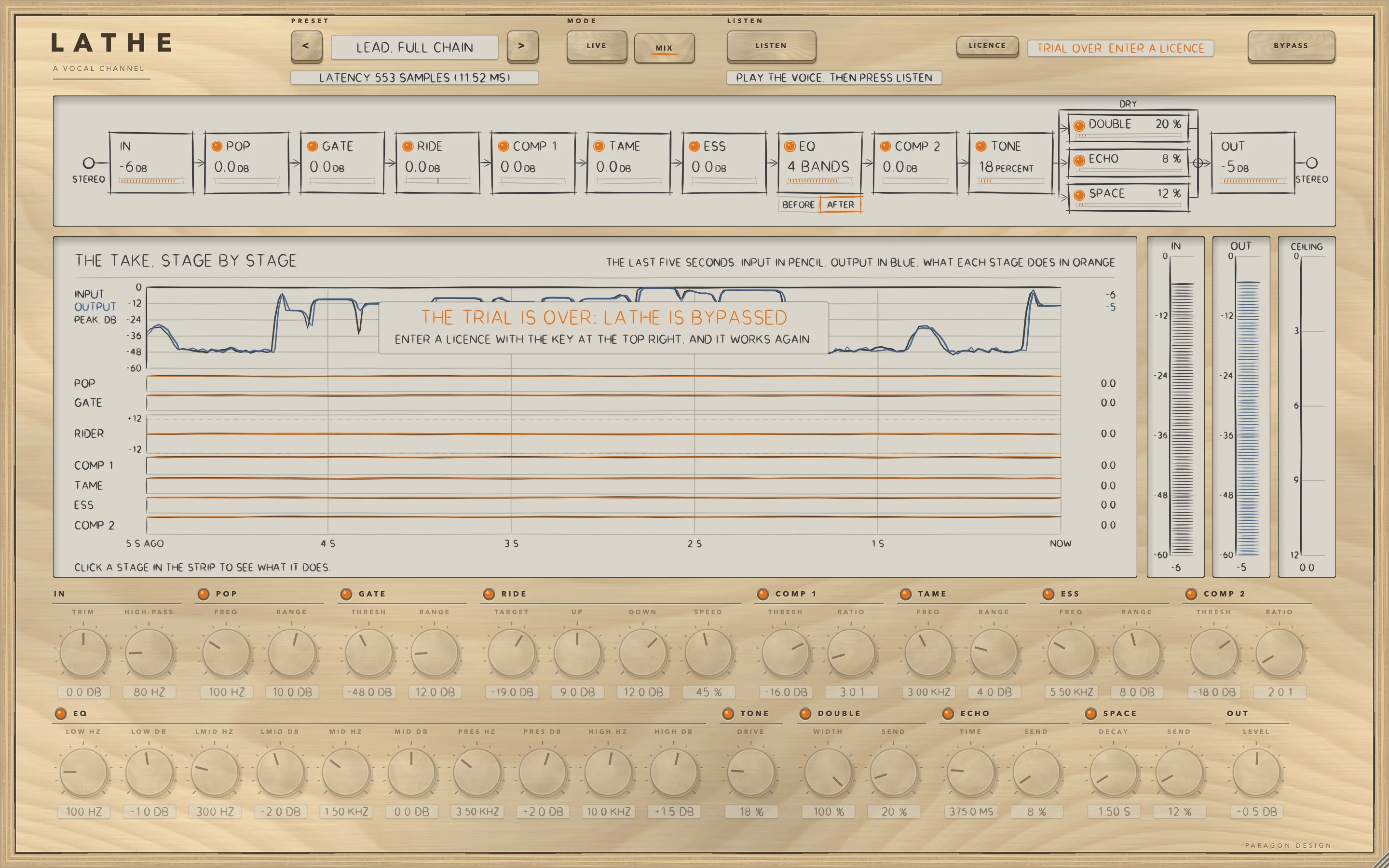
LATHE is a premium plug-in and works in full for 14 days. The days start the first time its window is shown, or after five minutes of audio, whichever comes first. Beside the LICENCE key a line reads TRIAL: 14 DAYS LEFT at the start, falls by one a day to 1 DAY LEFT, then reads TRIAL OVER: ENTER A LICENCE. After that LATHE switches on its own bypass: the audio passes unchanged, delayed by the reported latency, the display says THE TRIAL IS OVER: LATHE IS BYPASSED, and LISTEN, APPLY and UNDO do nothing. Press LICENCE and then CHOOSE FILE, or drop the licence file on the window, and LATHE works again at once.
In Logic Pro
- Click an Audio Effect slot in the channel strip, then choose Lathe Vocal Channel Strip from the pop-up menu (versions before 0.1.1 list it as Lathe). Audio Units plug-ins appear in the Audio Units submenu. If Lathe Vocal Channel Strip is not listed, check in the Plug-in Manager that it is active, and use Reset & Rescan Selection.
- On a mono channel strip the Mono plug-in format loads a mono plug-in, and on a stereo one the Stereo format loads a stereo plug-in. Mono->Stereo takes the mono strip into the plug-in's mono input and gives a stereo output from that point.
- To use RIDE's MUSIC, click the Side Chain pop-up menu in the plug-in header area, then choose one of the available sources. The side chain signal controls the plug-in and is not processed by it. Then raise MUSIC.
- To see the latency, hold the pointer over the plug-in slot: a help tag shows it in samples and seconds. To keep tracks in time, use the Compensation pop-up menu in Logic Pro > Settings > Audio > General: Audio and Software Instrument Tracks if only those strips carry latency, All if aux or output strips do too.
- To record a singer through LATHE, press LIVE: it then reports 0 samples. Apple's page says Low Latency Monitoring mode acts on the focused instrument track and tracks with Input Monitoring or Record Enable active, bypasses a plug-in whose latency pushes the track's total over the limit you set, up to 30 ms, keeps low-latency audio effects active, and turns off every Send slot unless Low Latency Safe is chosen. DOUBLE, ECHO and SPACE are inside LATHE and are not Send slots.
A first session
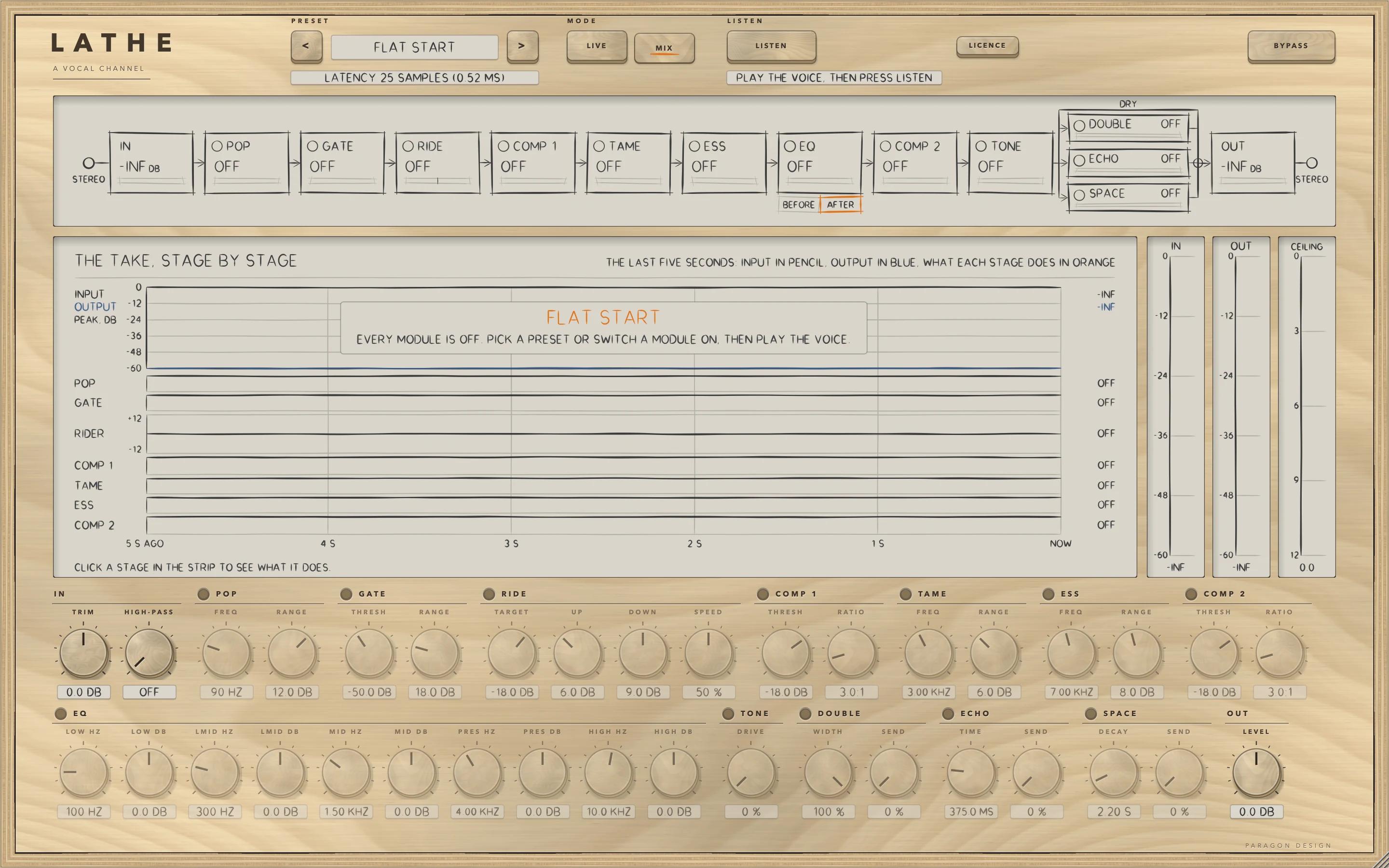
- Put LATHE on the vocal track. The preset bar reads FLAT START and the line under it reads LATENCY 25 SAMPLES (0.52 MS) at 48 kHz. With every module off and sound arriving, the display says EVERY MODULE IS OFF.
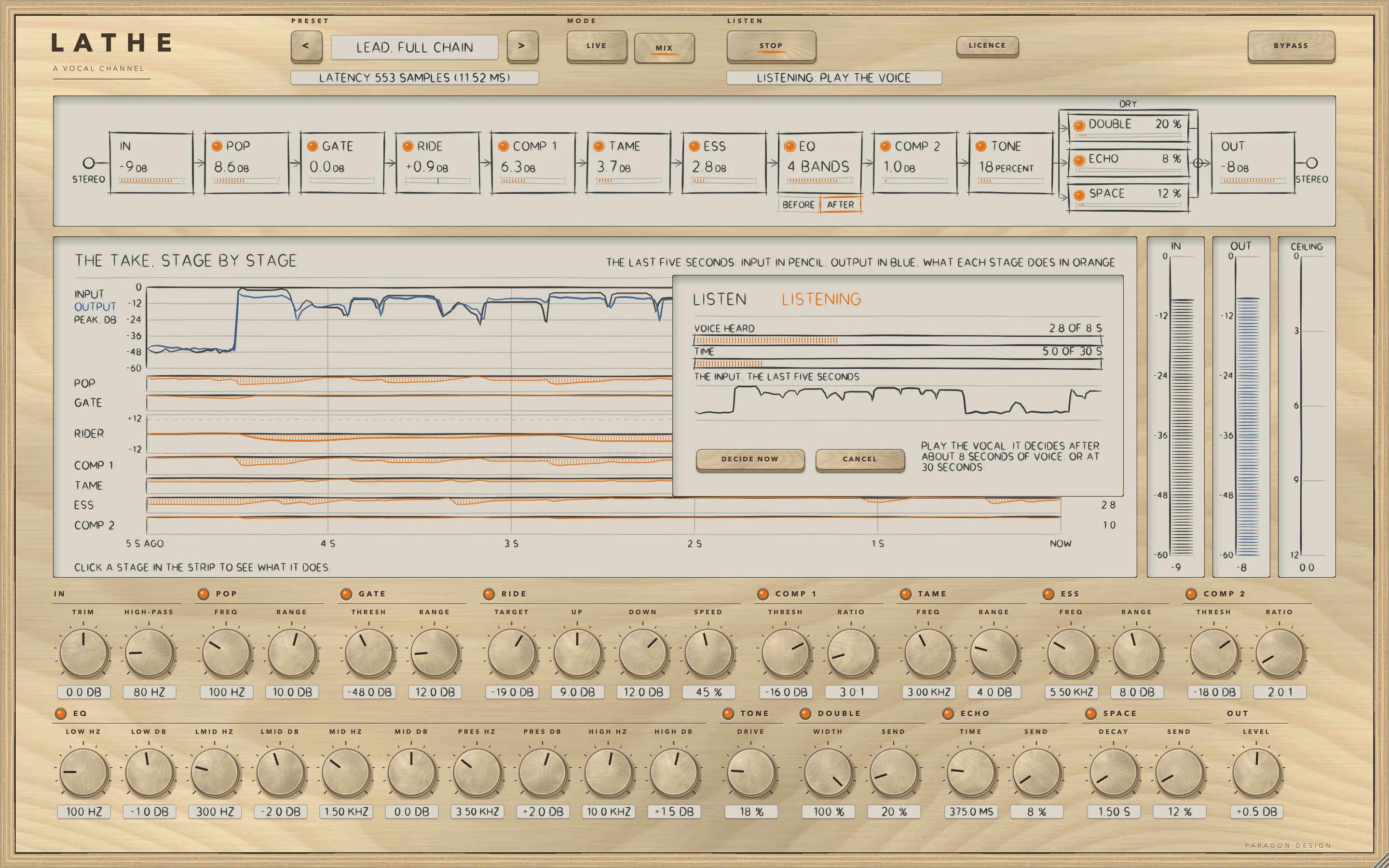
- Press LISTEN. The key reads STOP, the line beside it reads LISTENING: PLAY THE VOICE, and a card counts the seconds of voice heard against 8 and the seconds in all against 30. Play the vocal through the track. LISTEN decides after 8 seconds of voice, at 30 seconds in all, or when you press STOP or DECIDE NOW. Fewer than 3 seconds of voice reads NO VOICE.
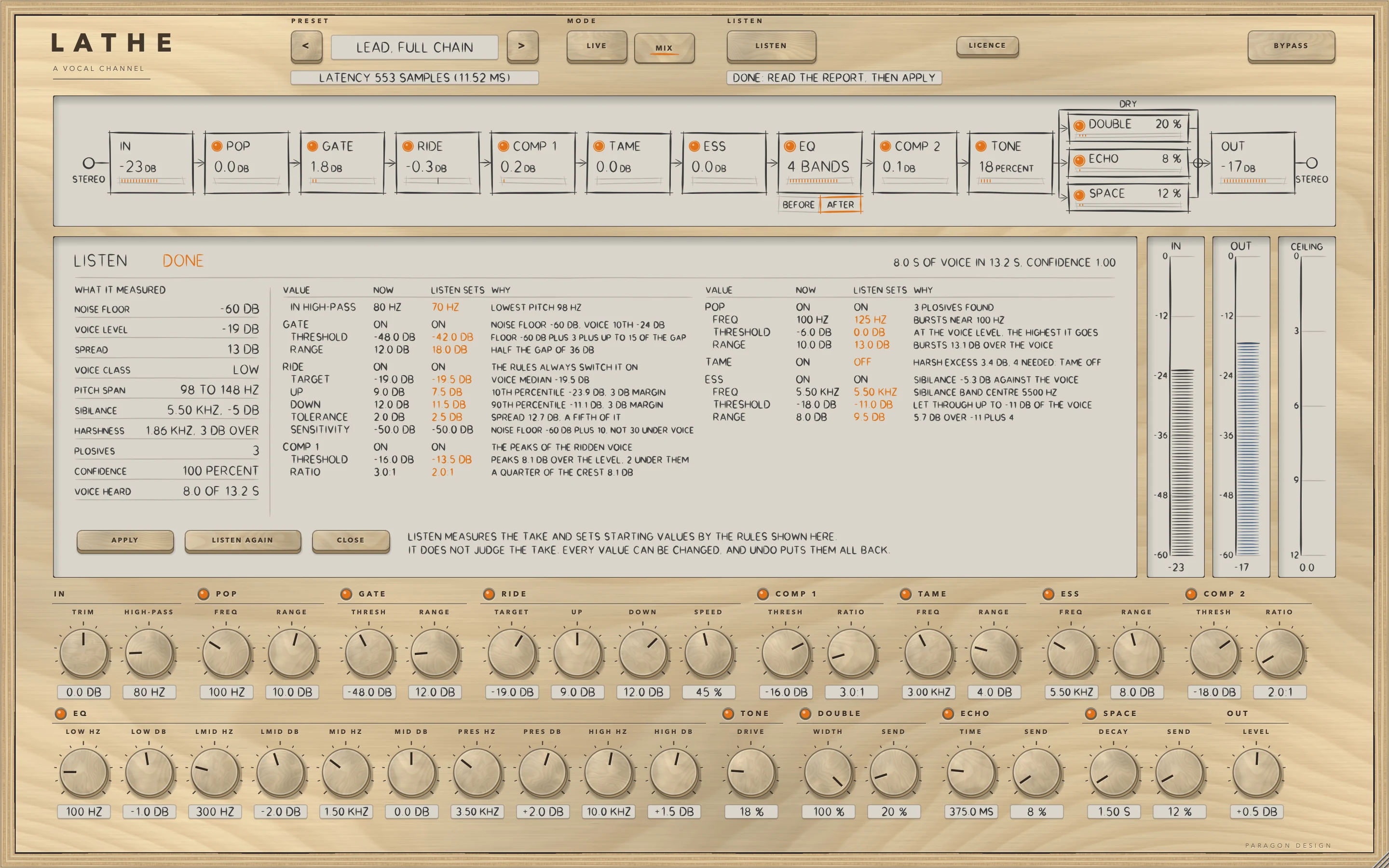
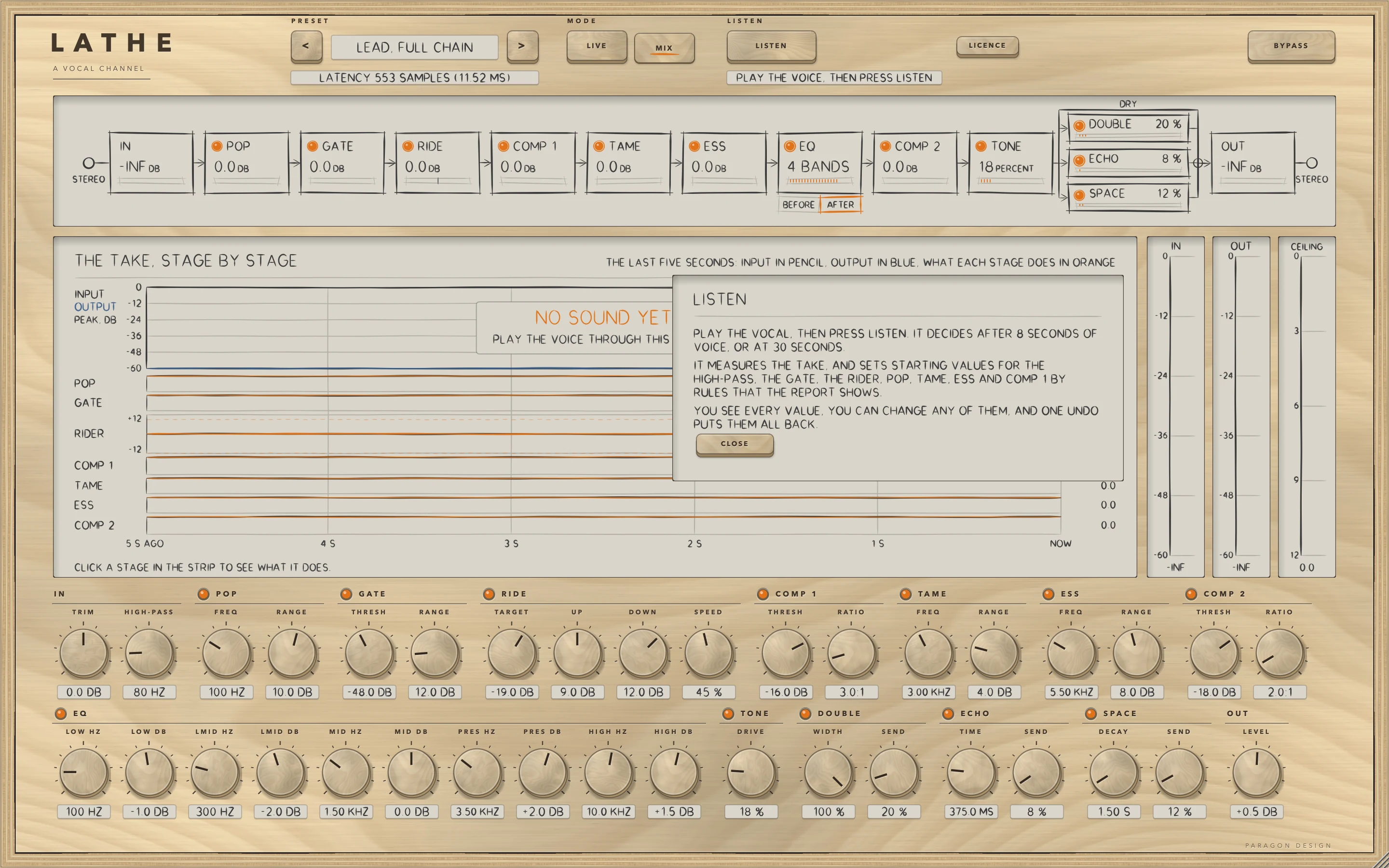
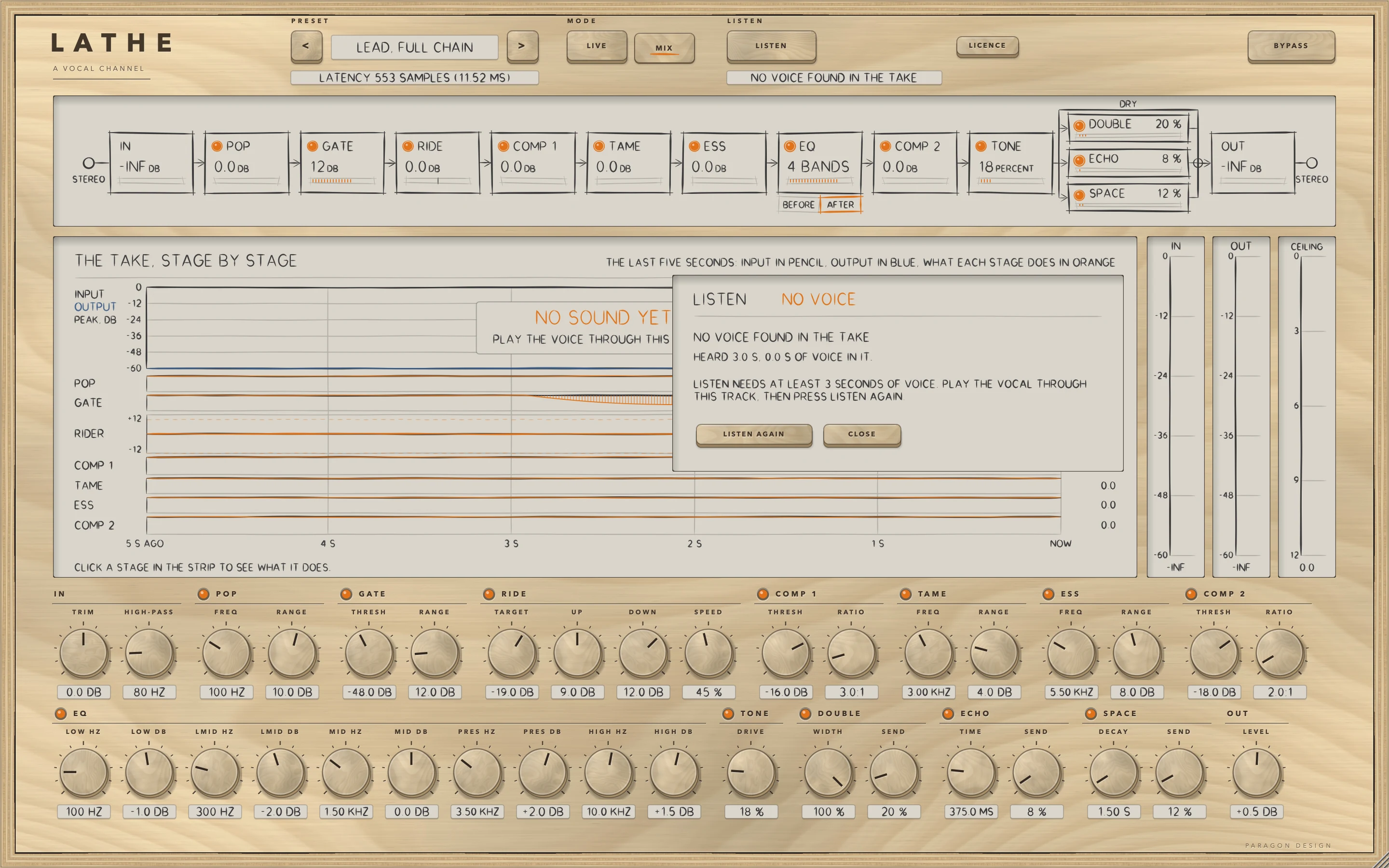
- Read the report, as in the figure: what was measured on the left, and on the right, for every value the rules set, the value NOW, the value LISTEN SETS and WHY. The figure is the synthetic voice with Lead, Full Chain loaded first.
- Press APPLY. LATHE sets the values as one step and the line reads DONE: APPLIED, UNDO PUTS THEM BACK. Play the vocal again, watch THE TAKE, click a station to see its view, and turn the big knobs under the display.
- Press BYPASS to compare. It keeps the delay and does not match levels.
- Press UNDO in the report to put back every value APPLY changed, or LISTEN AGAIN for another take.
How it works
Rest the pointer on a control for 0.7 s for a short description, and double-click a knob to return it to its default. The Control reference after this chapter lists every control with its limits and default.
Top bar and presets
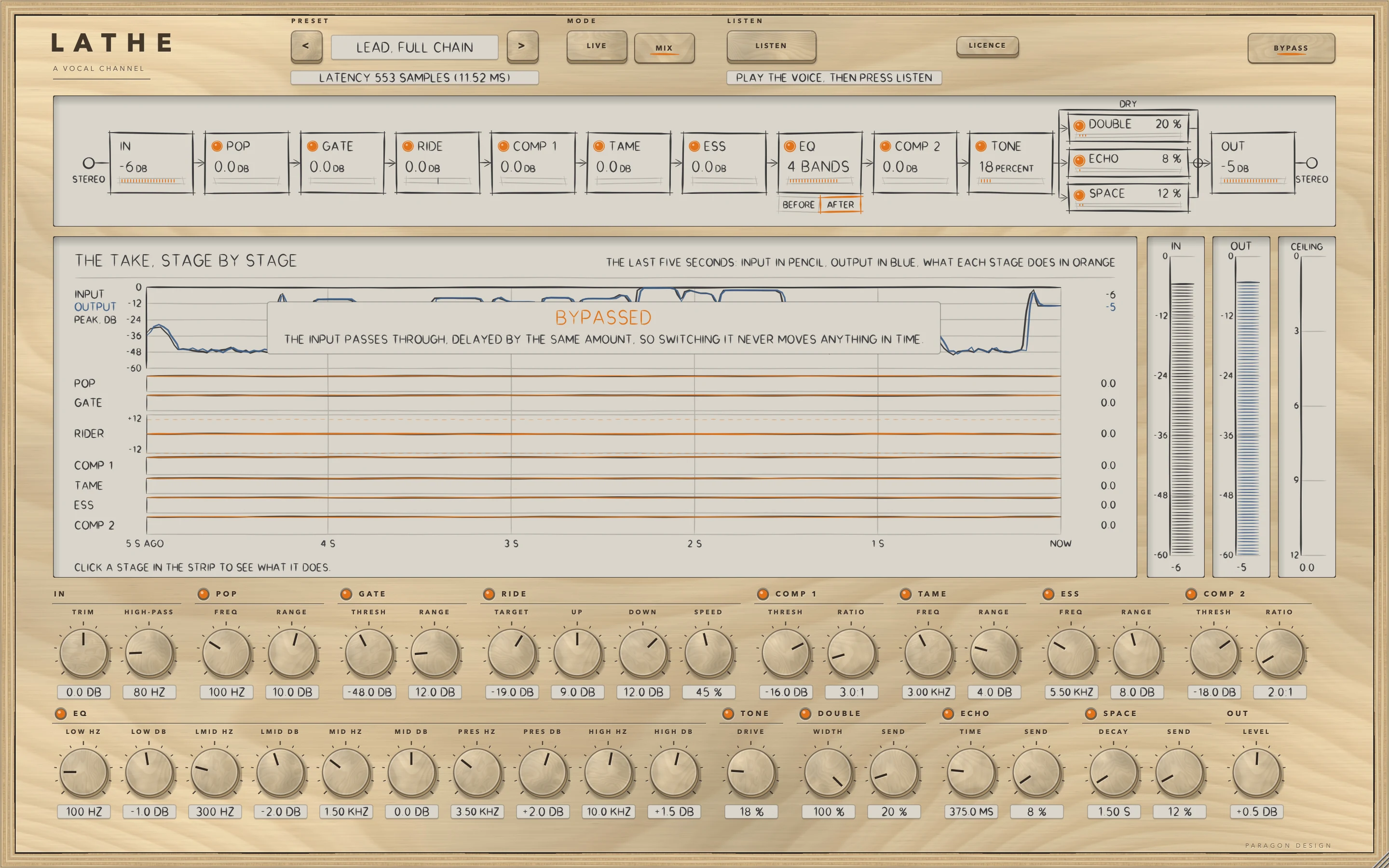
The keys < and > step through the 53 presets and a click on the name opens a menu by category. An asterisk after the name means a value the preset sets has moved since it loaded. LIVE and MIX choose between no delay and the delay the controls ask for. BYPASS crossfades over 5 ms to the input delayed by the delay in force, so it never moves anything in time, and it is also the host's bypass parameter.
The strip
The strip shows the signal path, one station for each module, with MONO or STEREO at its ends. A station reads: IN the peak at the input, before TRIM, and OUT the peak at the output, after BYPASS and any dip, both letting go at 24 dB a second; POP, GATE, COMP 1, TAME, ESS and COMP 2 the reduction in dB; RIDE the fader's gain; the EQ FLAT or the number of bands that are on and not at 0 dB; TONE the DRIVE in percent; each send its level in percent; and OUT, with the ceiling on, the ceiling's reduction as DB CUT. A module that is off reads OFF.
A lamp switches a module on or off. The lamp of ECHO or SPACE sets its send to 0, or back to the level it had, starting at 40 percent, a memory shared by every copy of LATHE in the same host. Click a station to select it, and again to go back to THE TAKE. BEFORE and AFTER under the EQ choose its place.
THE TAKE and the controls under it
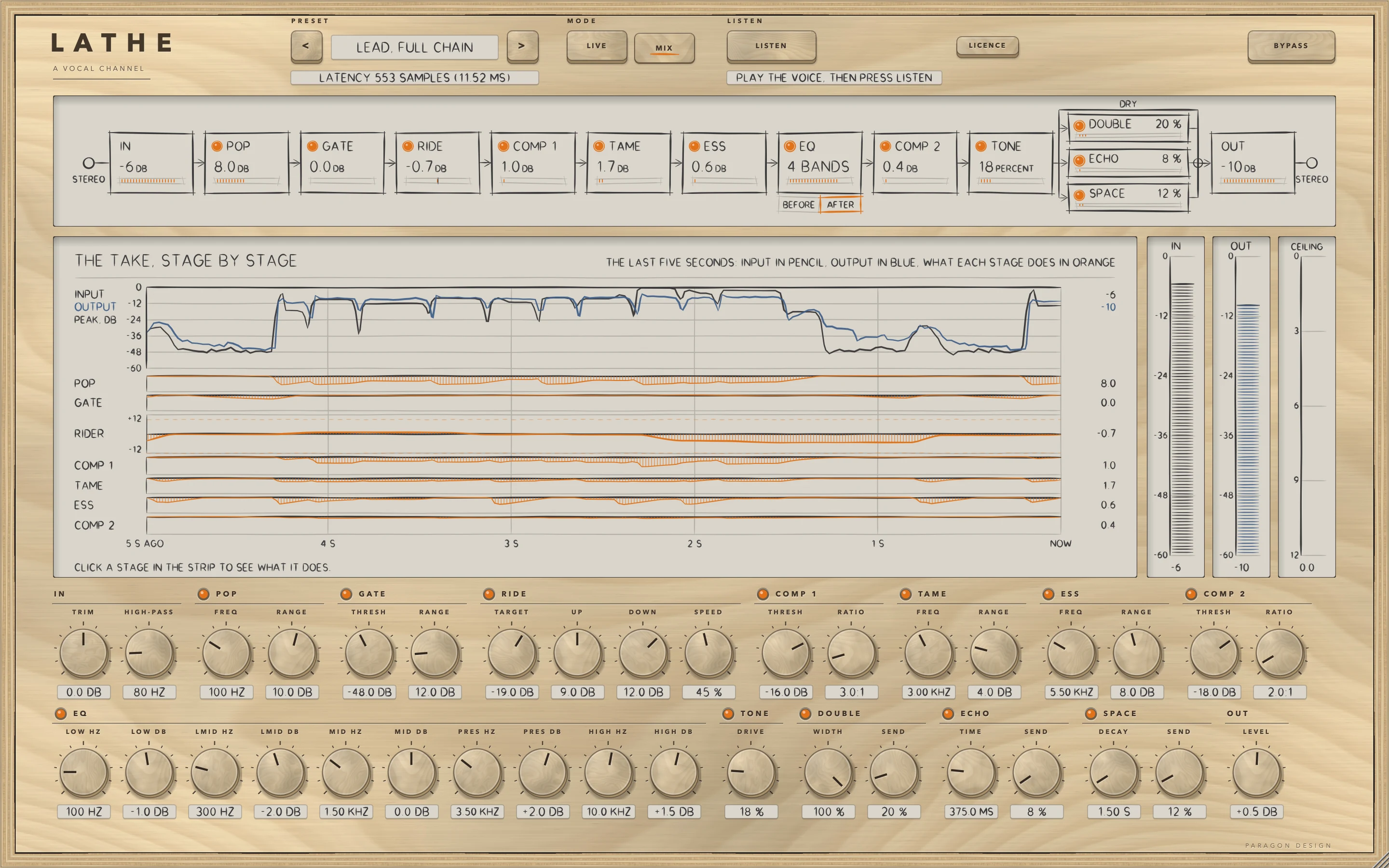
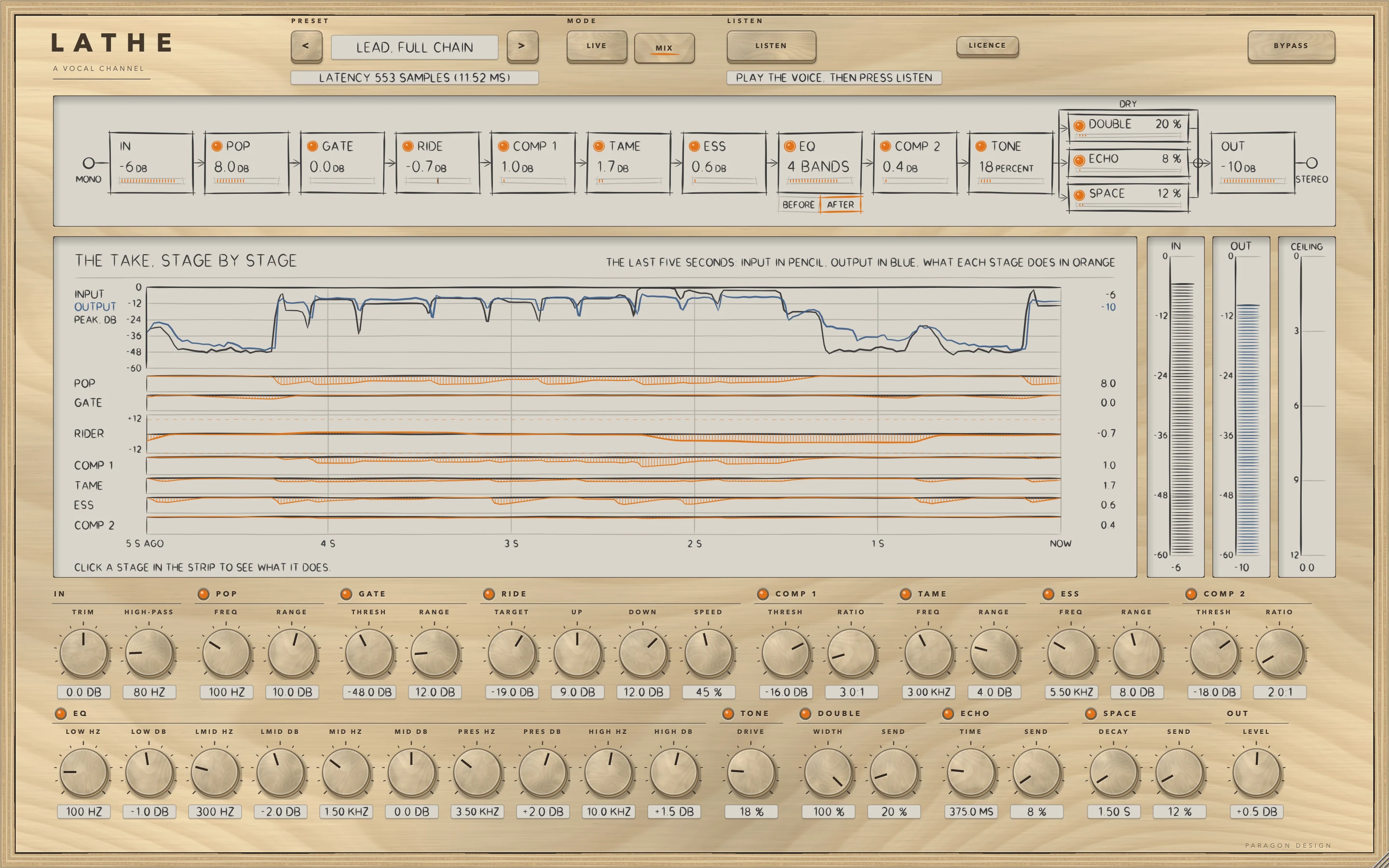
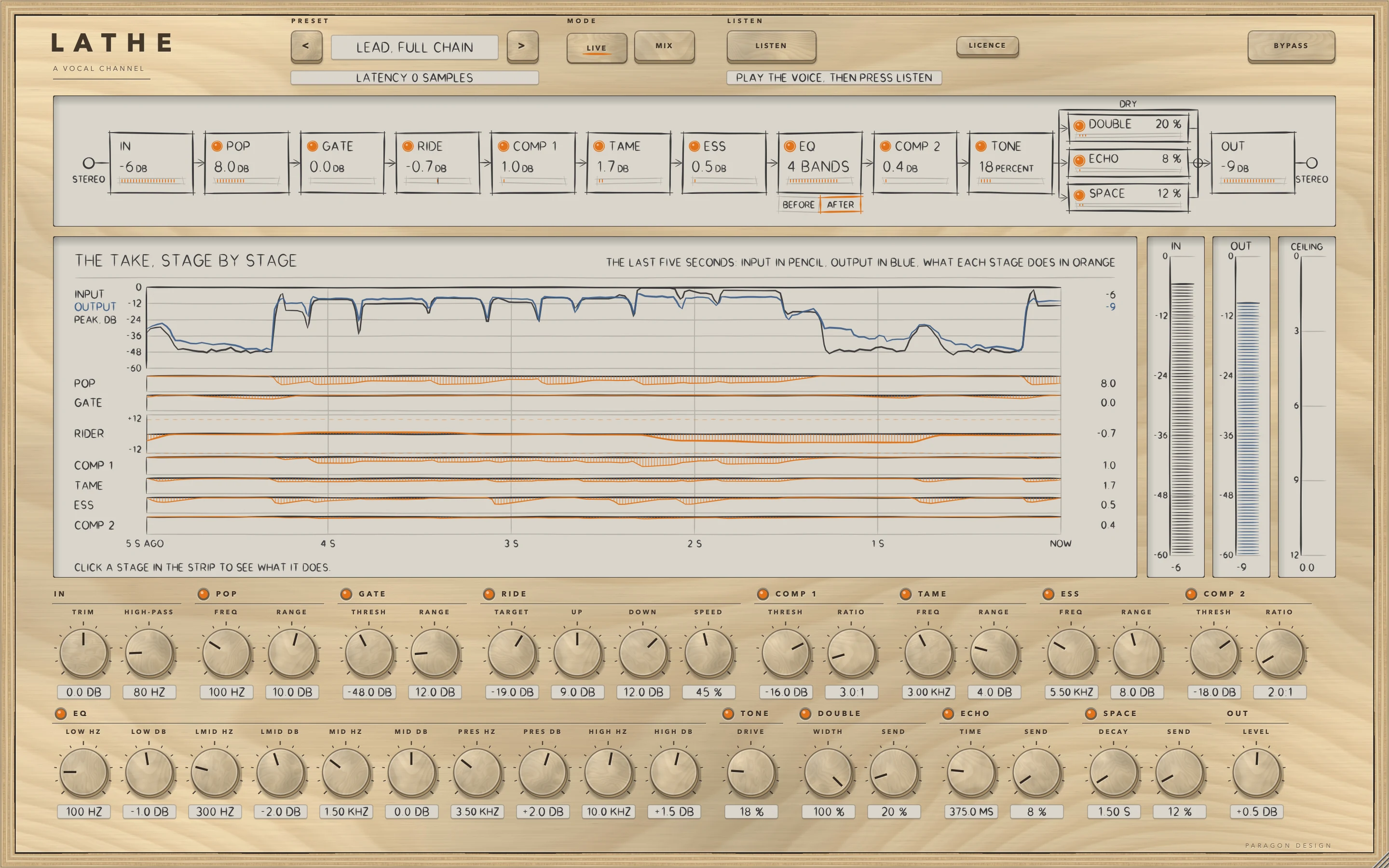
With no station selected the display is THE TAKE, STAGE BY STAGE: the input peak in pencil and the output peak in blue, from 0 to -60 dB, and a lane for each of POP, GATE, COMP 1, TAME, ESS and COMP 2, from 0 to 18 dB taken off, and for RIDER, each side of 0 dB as far as its limits, rounded up to 6, 12 or 18 dB. A module that is off shows OFF, and in BYPASS every lane is flat.
The area under the display then holds the 36 big controls of every module, the hero controls of the parameter table. Click a station and the area becomes that module's own groups of controls, with a THE TAKE key to go back. Every module's view has handles you drag: a double-click resets one, Alt moves it a tenth as far, each drag is a parameter gesture a host can record, and moving one switches its module on, except in IN, OUT, ECHO and SPACE.
Rest, LIVE and the dip
A module that is off keeps running inside, with its delay, so a switch is a short fade and no change of timing. LIVE sets every look-ahead and TONE's oversampling to OFF and the ceiling off, so the delay is 0 and the output at rest is the input itself.
A change that moves the delay or the order is made under a dip: the look-ahead of GATE, RIDE, COMP 1 or COMP 2, TONE's oversampling, CEILING ON, the ceiling's look-ahead and oversampling (even while CEILING ON is off or in LIVE), LIVE and MIX, and the EQ's place. The output fades to silence over 3 ms, the change is made at the next multiple of 32 samples, the output stays silent while twice the new delay plus 128 samples go through, and it fades back over 3 ms. In the longest case at 48 kHz that is 4362 samples (90.9 ms) between the fades. The strip works in pieces of 32 samples from the start of the stream, so the host's block size changes nothing.
Names in the host
To a host LATHE has 170 parameters and one unnamed program. UP and DOWN are Ride Range Up and Ride Range Down, MUSIC and OFFSET are Ride Music Amount and Ride Music Offset, BEFORE COMP 1 is EQ Before Compressor 1, and R TO L is Echo Right to Left. ECHO and SPACE have no on parameter: their lamps are their SEND parameters. A saved session brings back all 170 controls, with the four LISTEN keys off.
IN
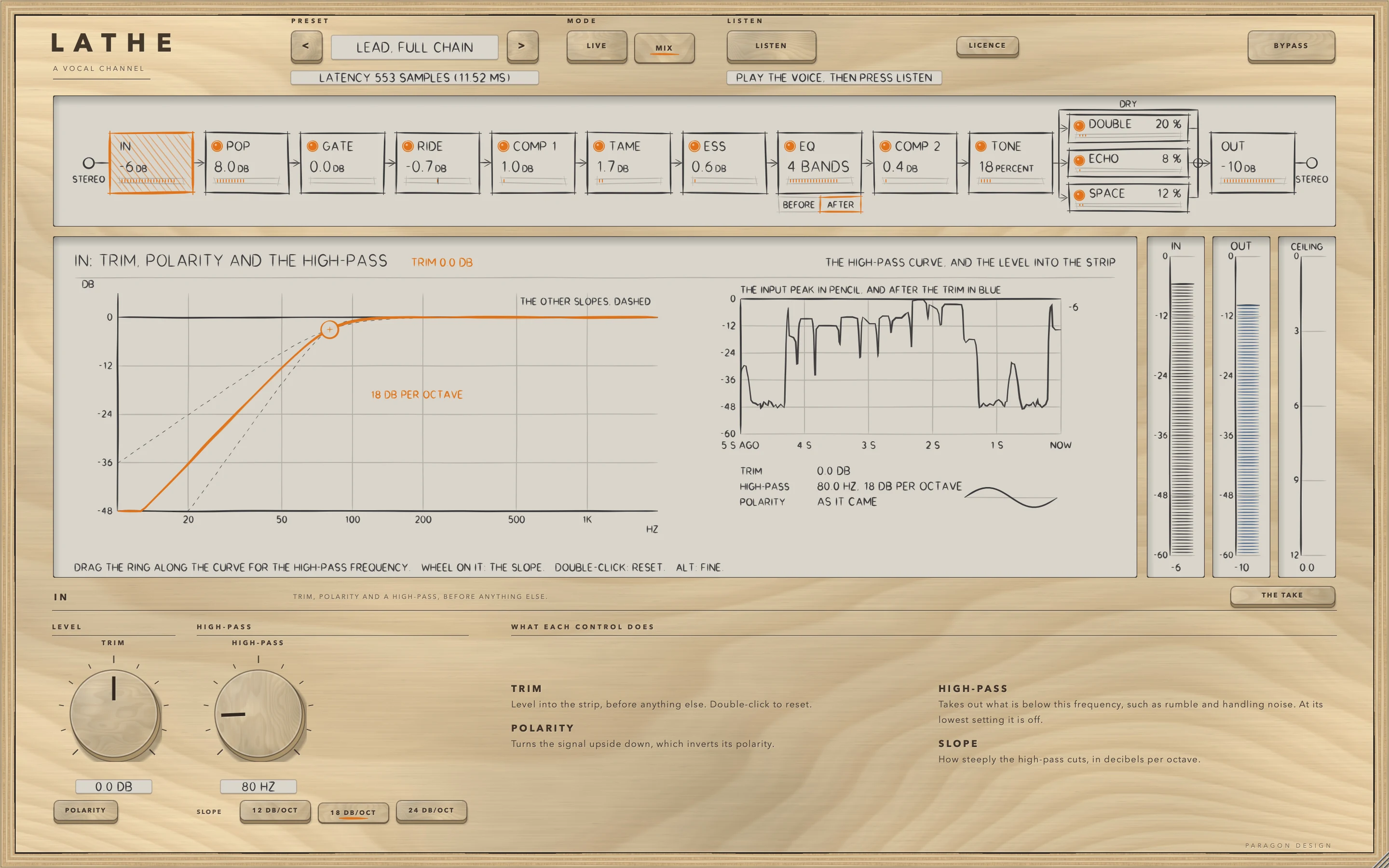
IN has no lamp and no delay. TRIM glides over 30 ms, and at 0 dB the signal is not multiplied at all. POLARITY turns the signal upside down, moving the gain through 0 over 5 ms so that there is no step. HIGH-PASS has a SLOPE of 12, 18 or 24 dB per octave. At 20 Hz it is OFF and the input passes untouched, bit for bit.
POP
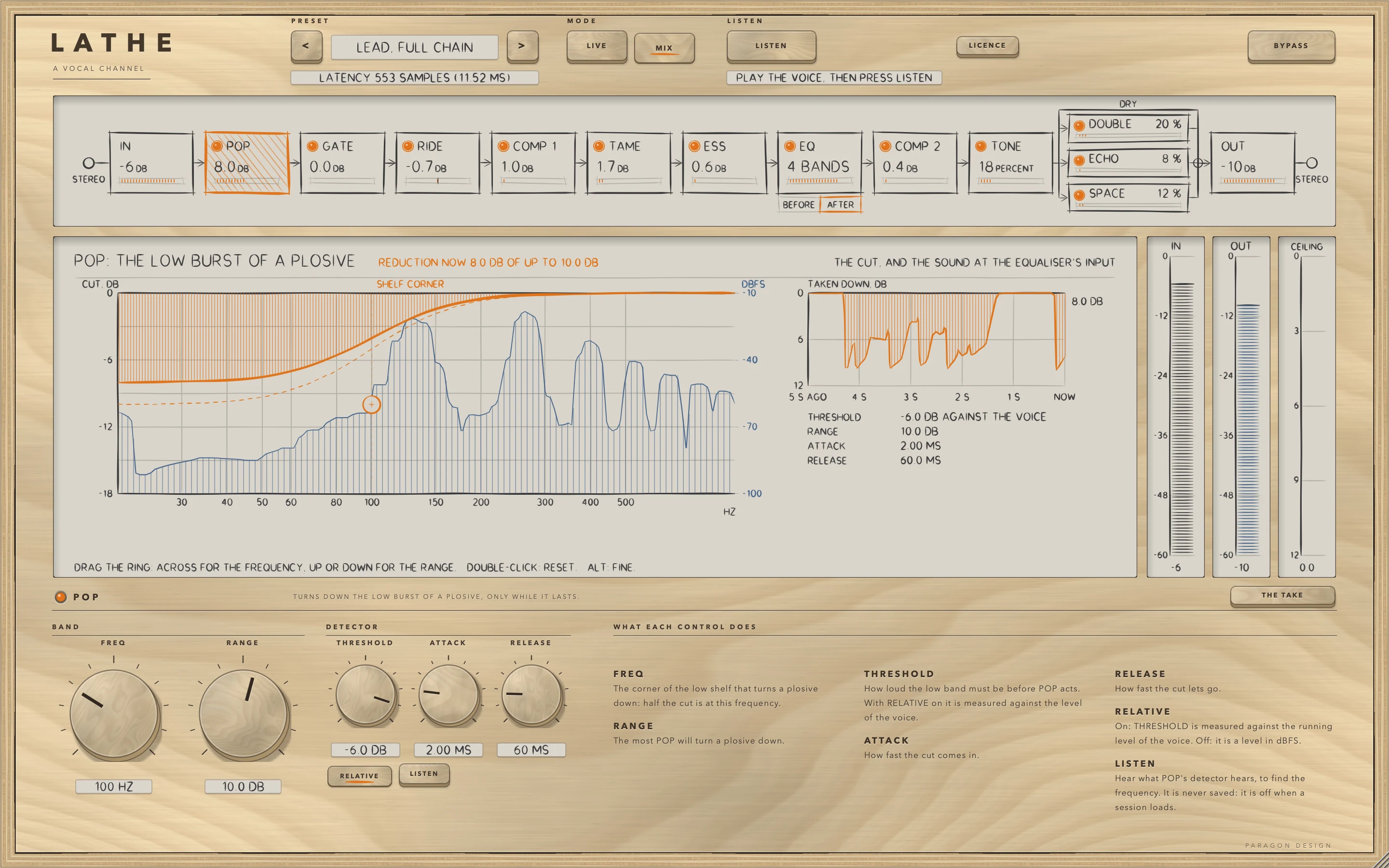
POP, TAME and ESS are one engine used three times. Each reads the input through a band-pass at its FREQ, works out the band's level at every sample, and turns the band down only while that level is over THRESHOLD. The reduction follows the overshoot with a slope of 1, up to RANGE, softened by a 6 dB knee, and ATTACK and RELEASE are the times of a one-pole follower. The two channels are linked by the mean of their power, so both sides get the same cut.
With RELATIVE on, the default, THRESHOLD is measured against the voice's running level: the voice band of RIDE over 300 ms, in dBFS RMS plus 3.01 dB so that a sine reads its peak, and never taken as under -60 dBFS. Nothing is turned down until that window is 1 percent full. With RELATIVE off, THRESHOLD is in dBFS. LISTEN plays the band the detector hears, not what is removed.
POP's cut is a low shelf with Q fixed at 0.7071. Its gain at FREQ is half its depth, and the full depth is reached below it. Its detector also passes everything below FREQ, so rumble and the burst of a plosive count. Once a cutter's reduction has been 0 for its release time, at least 10 ms, the cut leaves the path and the output is the input bit for bit.
GATE
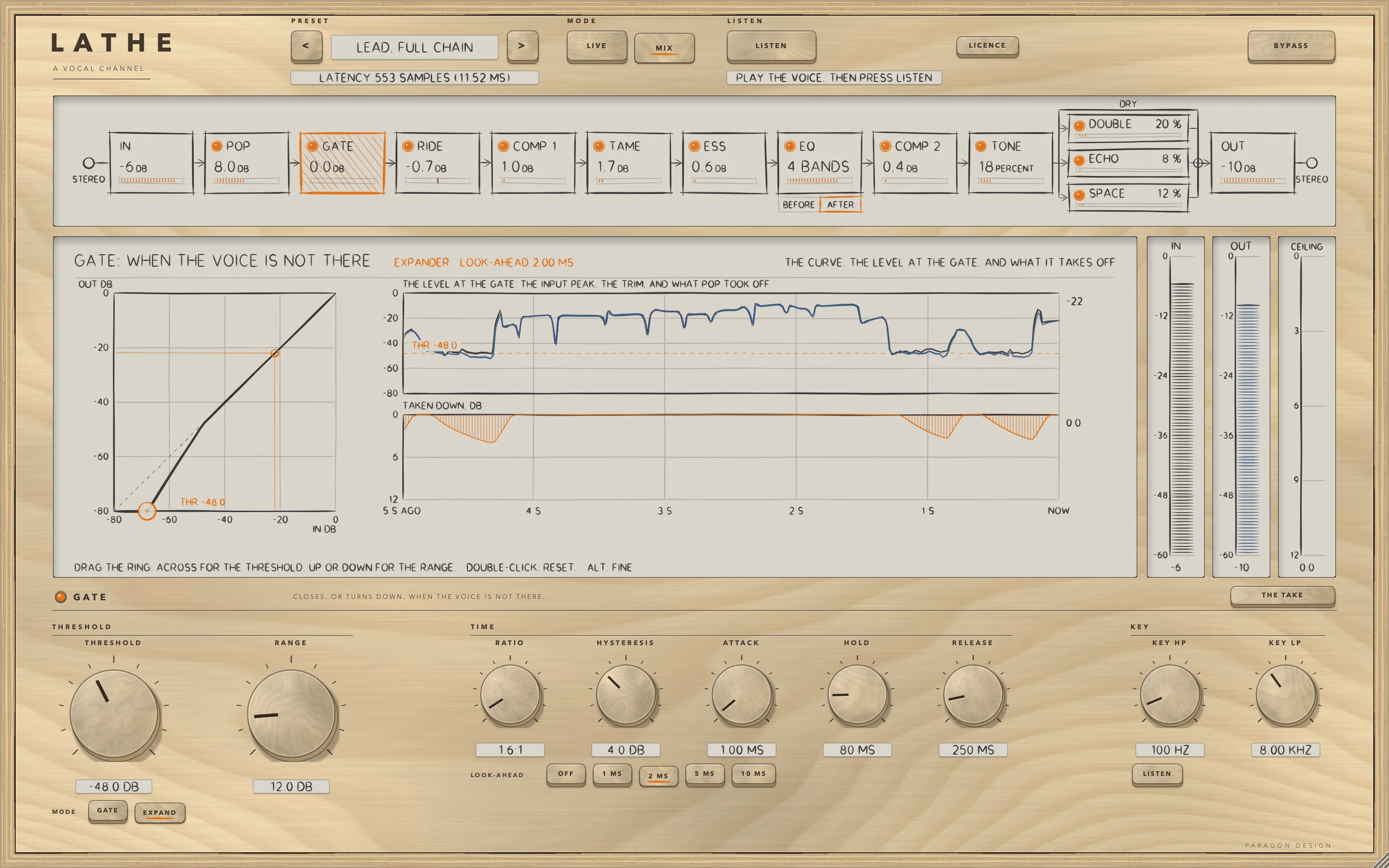
GATE reads a key: the input through second-order filters, a high-pass at KEY HP and a low-pass at KEY LP, each OFF at its end of the control, with the channels linked by their mean power. The reading is a mean square over 5 ms, shown as a sine's peak level, taken before LOOK-AHEAD delays the audio, so the gate is already moving when a word arrives. LISTEN plays the key after the two filters.
With MODE GATE the gate opens when the reading goes over THRESHOLD and closes when it falls to HYSTERESIS under it, once HOLD has run out. While it is up the signal passes at 0 dB, and while it is shut RANGE is taken off. With MODE EXPAND the gain is 0 dB at or over THRESHOLD and, under it, each dB costs RATIO minus 1 more dB, down to RANGE. ATTACK and RELEASE are the times of the gain's one-pole glide.
RIDE
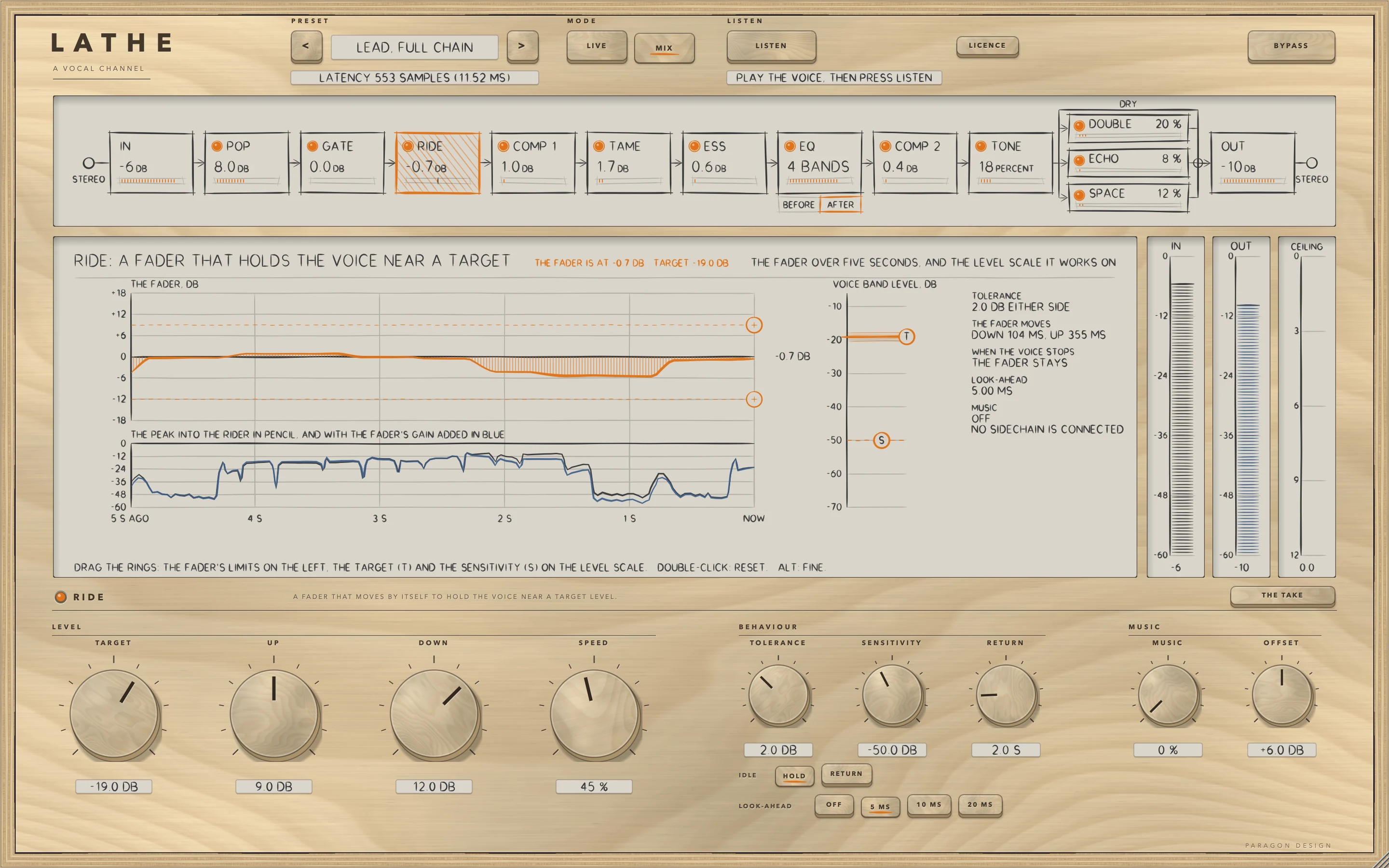
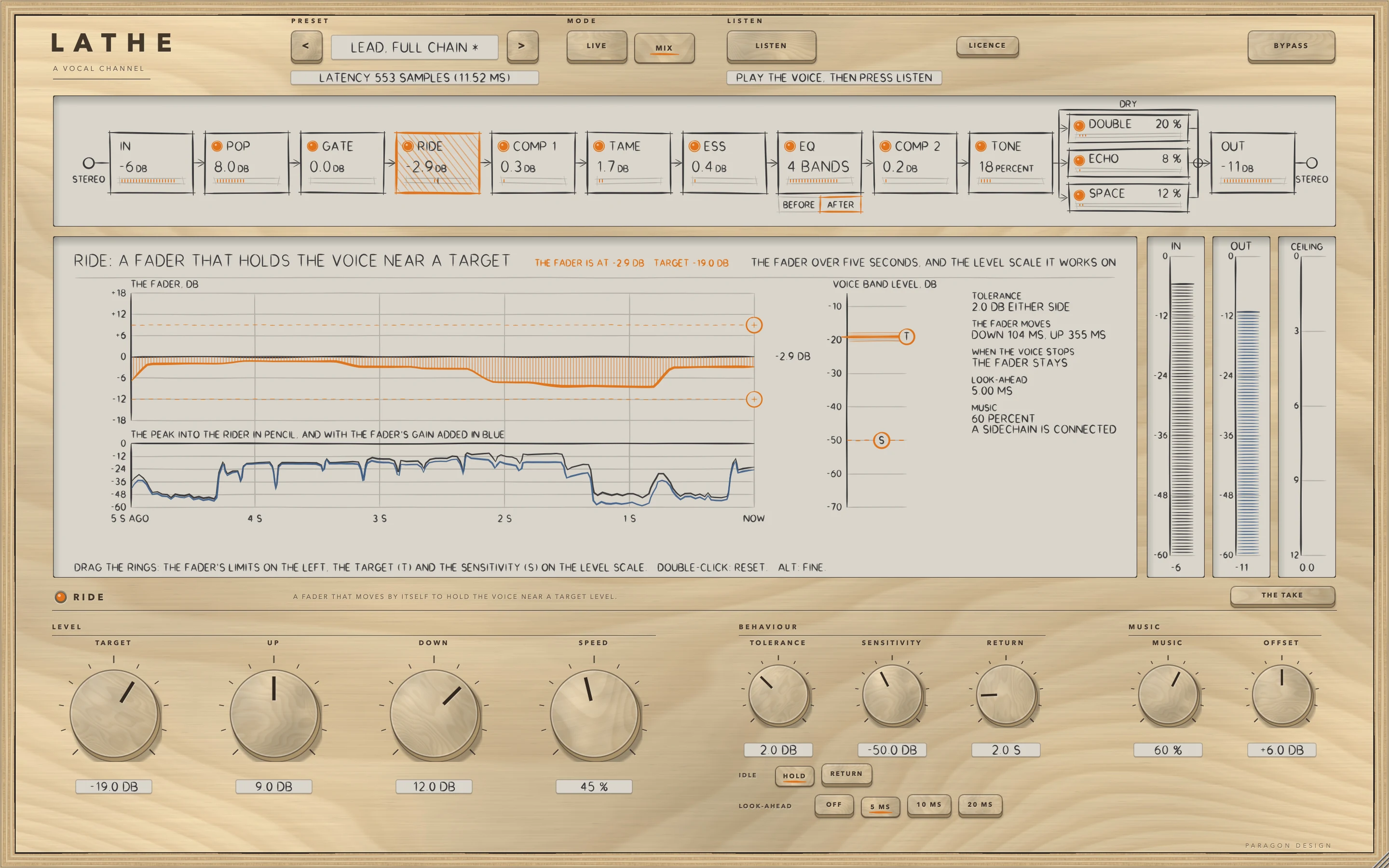
RIDE is a fader that moves by itself. It reads the voice band, a second-order Butterworth high-pass at 120 Hz and low-pass at 4 kHz, as an RMS over a 100 ms window in dBFS. A 5 ms reading of the same band decides whether the voice is present: present when it is over SENSITIVITY and no longer present 3 dB under it, and voiced while present and for 250 ms after. The gain chases the level only while the voice is present, after the first 22 ms of a phrase, and boosting also waits while the 5 ms reading is more than 6 dB under the 100 ms level. Cutting never waits.
The error is the level plus the gain, minus TARGET. The gain stays still while the error is inside TOLERANCE. Outside it, the gain moves to the value that puts the level at the edge of that zone, so the level settles at the edge and not at TARGET. It is held between minus DOWN and plus UP. SPEED sets the time constant of the gain on a logarithmic curve, shorter going down than up: 400 ms down and 1200 ms up at SPEED 0, 89.4 and 309.8 ms at 50, and 20 and 80 ms at 100. When the voice is not voiced, IDLE HOLD keeps the gain and IDLE RETURN takes it back to 0 dB over RETURN seconds. LOOK-AHEAD (OFF, 5, 10 or 20 ms) delays the audio the gain is applied to while the detector reads the signal as it arrives.
MUSIC and OFFSET use the sidechain. The effective target is (1 minus m times w) times TARGET plus m times w times (the music's level plus OFFSET), where m is MUSIC divided by 100, the music's level is the same band's RMS over 1 s, and w is 0 for music at -70 dBFS or under, 1 at -60 or over, and rises between. The result is kept between -40 and -6 dB. With no key the target is TARGET. The view draws the fader over five seconds, with TARGET and SENSITIVITY as rings marked T and S.
EQ
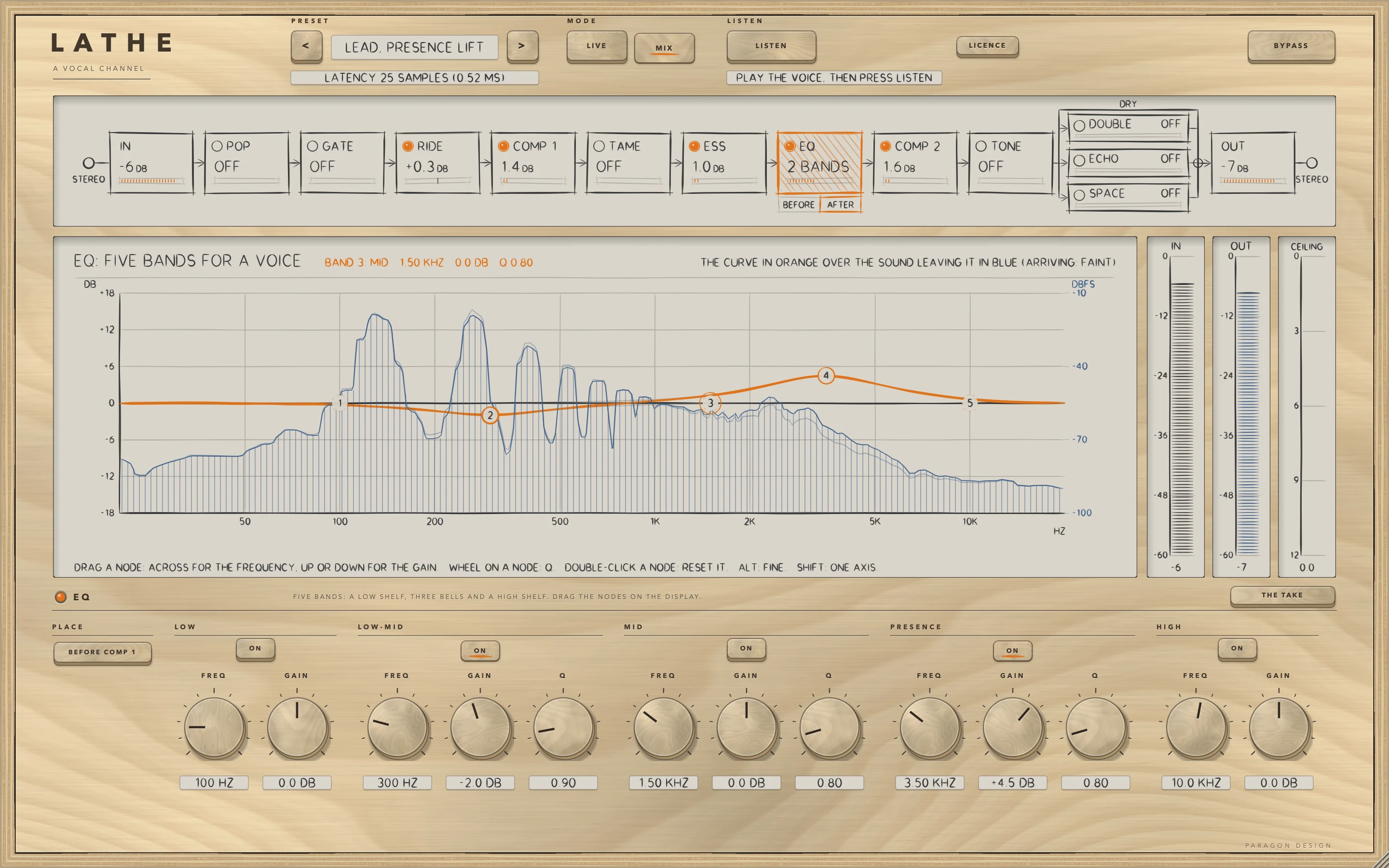
The EQ has five bands, each with an ON key: LOW, a low shelf; LOW-MID, MID and PRESENCE, bells; and HIGH, a high shelf. Every band has FREQ and GAIN (-15 to +15 dB), the bells have Q (0.3 to 5) and the shelves are built with Q 0.7071. The bells use the CLEAN law, in which a boost and a cut of the same size are exact opposites, and the phase is minimum, so the EQ has no delay. The module's lamp is a 5 ms crossfade to the input.
The EQ sits after ESS. BEFORE, under its station, moves it ahead of COMP 1 through a dip. The view draws the curve in orange over the sound leaving the EQ in blue. Drag a node for FREQ and GAIN, turn the wheel over it for Q, and double-click it to reset it. A node you move switches the module and its band on.
COMP 1 and COMP 2
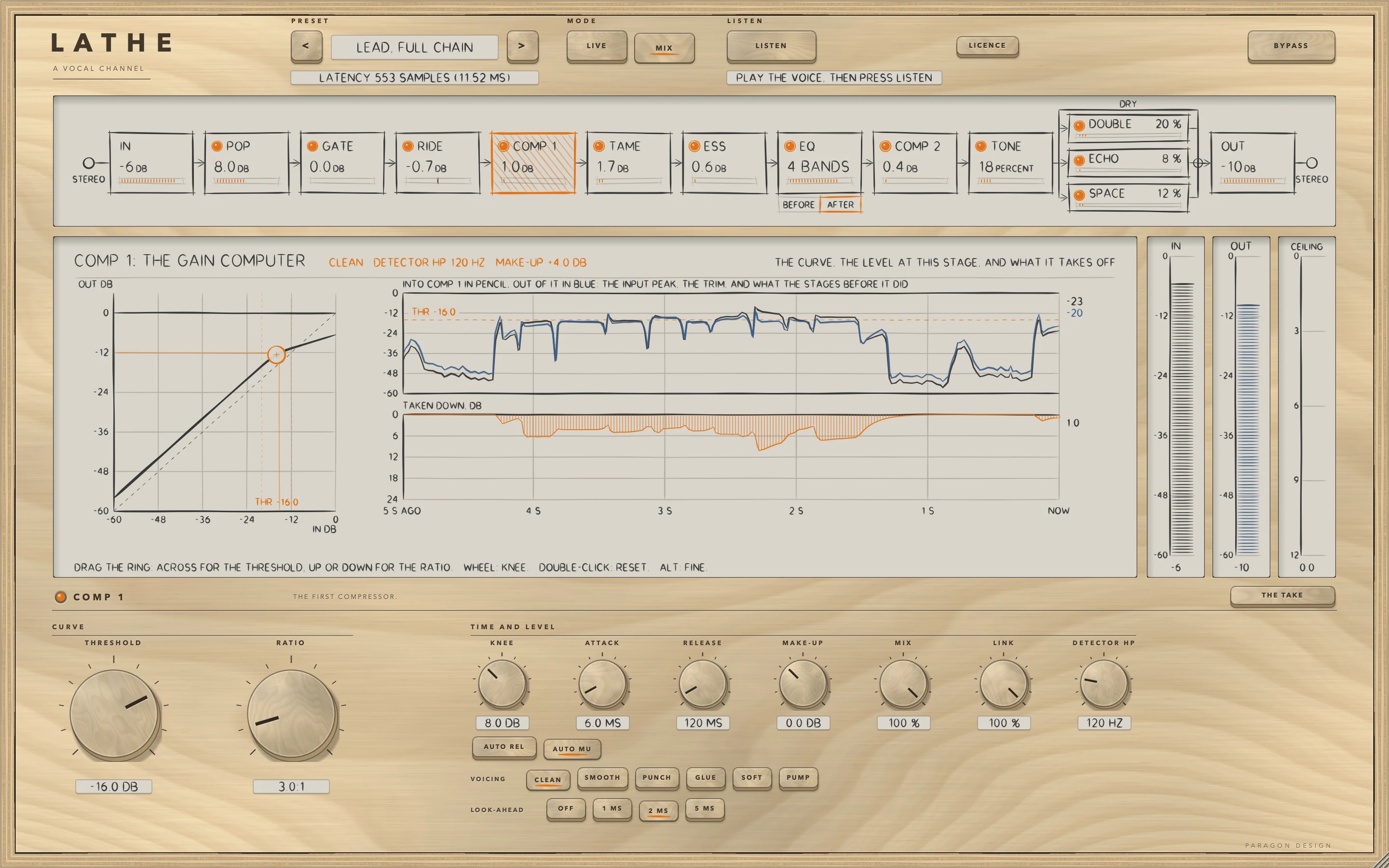
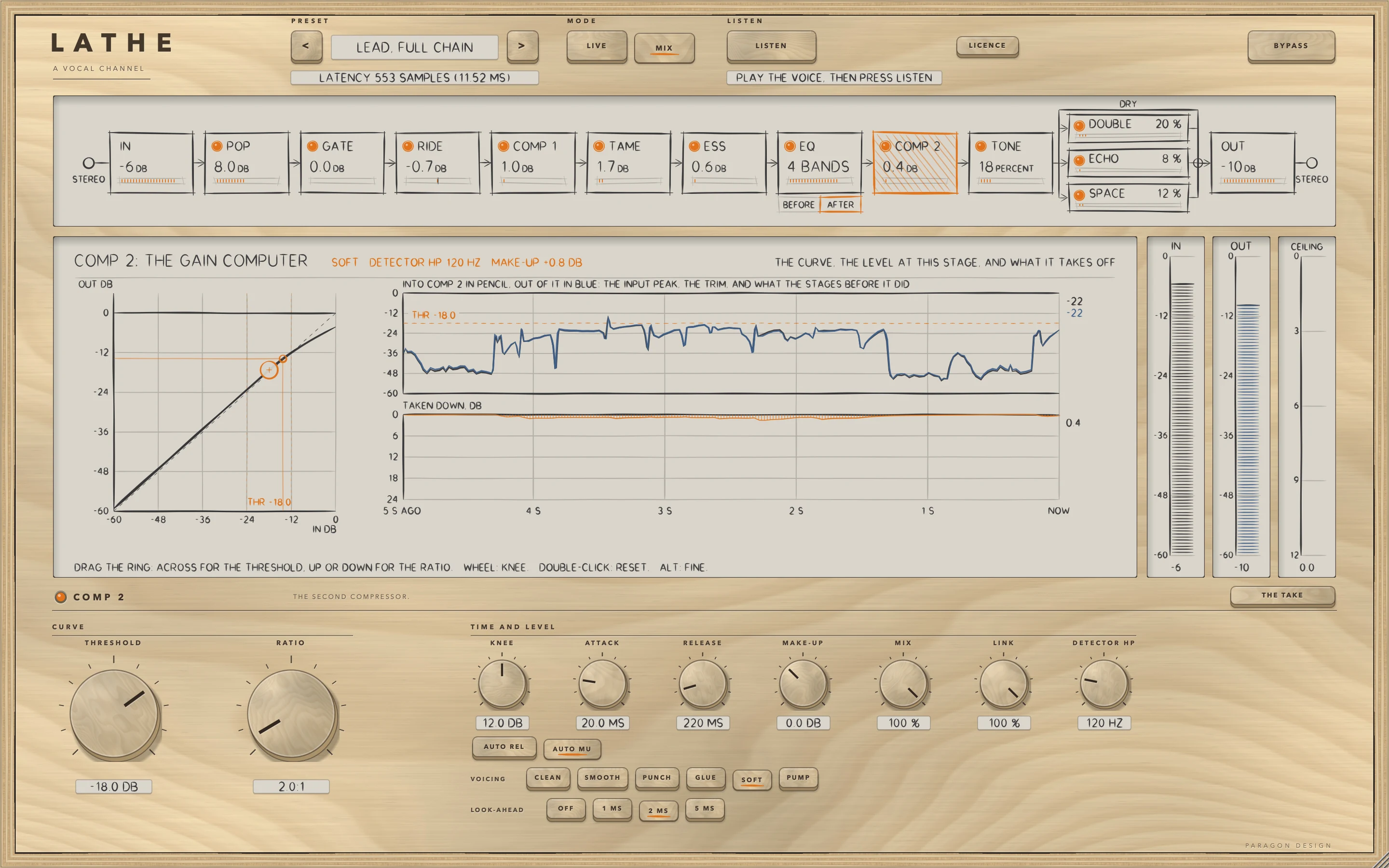
The two compressors are one engine with their own controls. They read the strip's signal only, so the engine's external sidechain and LISTEN are always off. THRESHOLD is the level, as a sine's peak, over which the signal is turned down, and RATIO reads INF:1 at its end stop. ATTACK is the time for the reduction to cover 63 percent of the way, times the voicing's factor, and RELEASE is not used while AUTO REL is on, which gives the voicing its own program-dependent law. MAKE-UP raises the compressed side only, AUTO MU adds the reduction a steady sine 6 dB over THRESHOLD receives, MIX blends the compressed signal with the input delayed to match, and LOOK-AHEAD (OFF, 1, 2 or 5 ms) delays the audio while the detector reads the signal as it arrives.
The six VOICING keys change how the detector reads the level and how the gain lets go. CLEAN is the default.
| Voicing | Detector | ATTACK is multiplied by | Release with AUTO REL off |
|---|---|---|---|
| CLEAN | the waveform, sample by sample | 1 | exponential |
| SMOOTH | half an average over 12 ms | 1.5 | starts at a quarter of RELEASE and rises towards it |
| PUNCH | the waveform | 3 | exponential |
| GLUE | 85 percent an average over 25 ms | 2 | starts at 40 percent of RELEASE and rises towards it |
| SOFT | 35 percent an average over 8 ms | 1.5 | starts at half of RELEASE and rises towards it |
| PUMP | the waveform | 0.5 | a straight line at 24 dB per RELEASE, after a 40 ms hold |
SOFT has no firm threshold: its ratio starts at 1:1 and the slope of its curve reaches 63 percent of its full value 9 dB over THRESHOLD. In the view, drag the ring across for THRESHOLD and up or down for RATIO, and turn the wheel over the curve for KNEE.
TAME
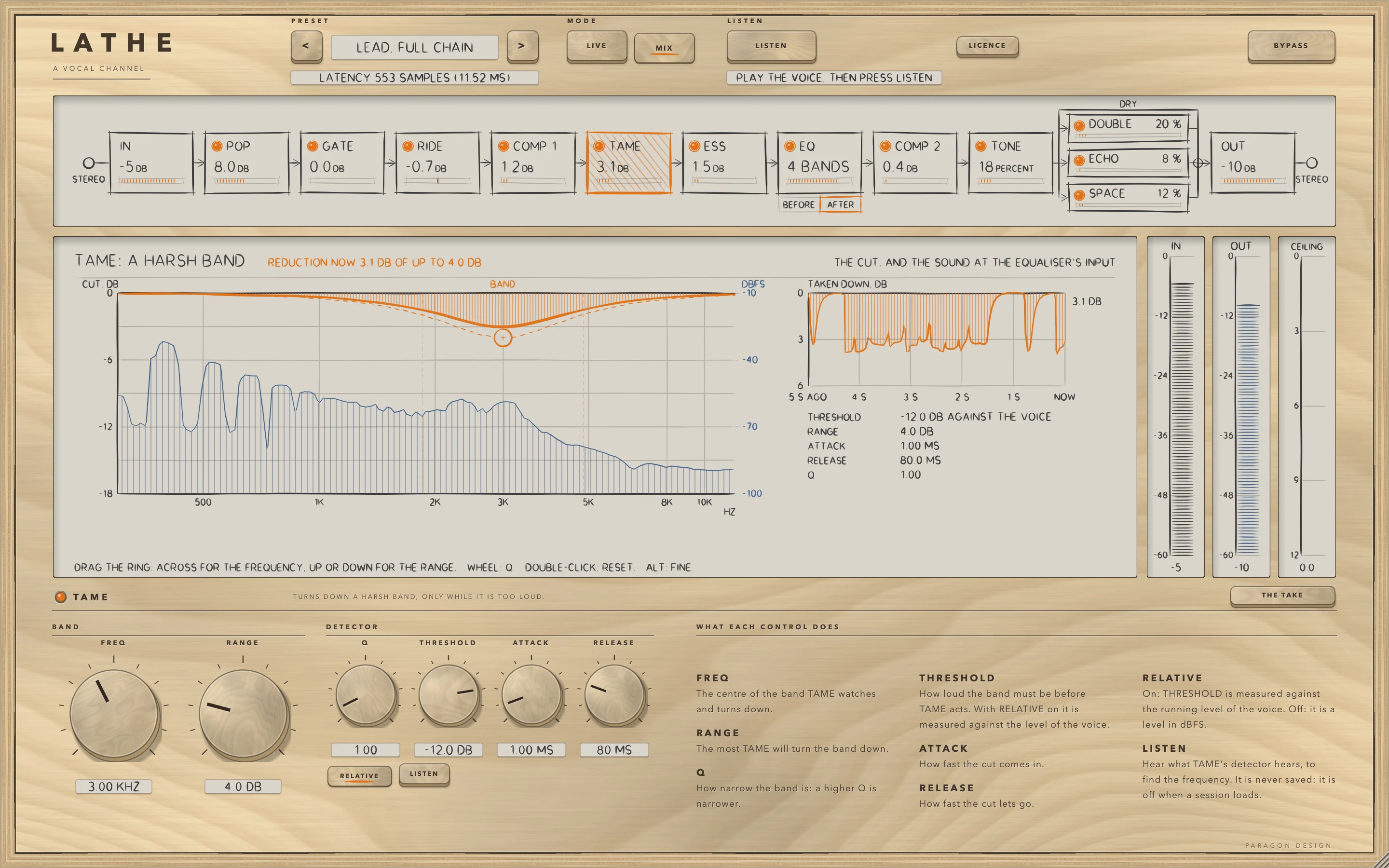
TAME is the cutter engine with a bell cut whose depth at FREQ is the whole reduction, and a Q you set, which the wheel over its ring also sets. It comes after COMP 1.
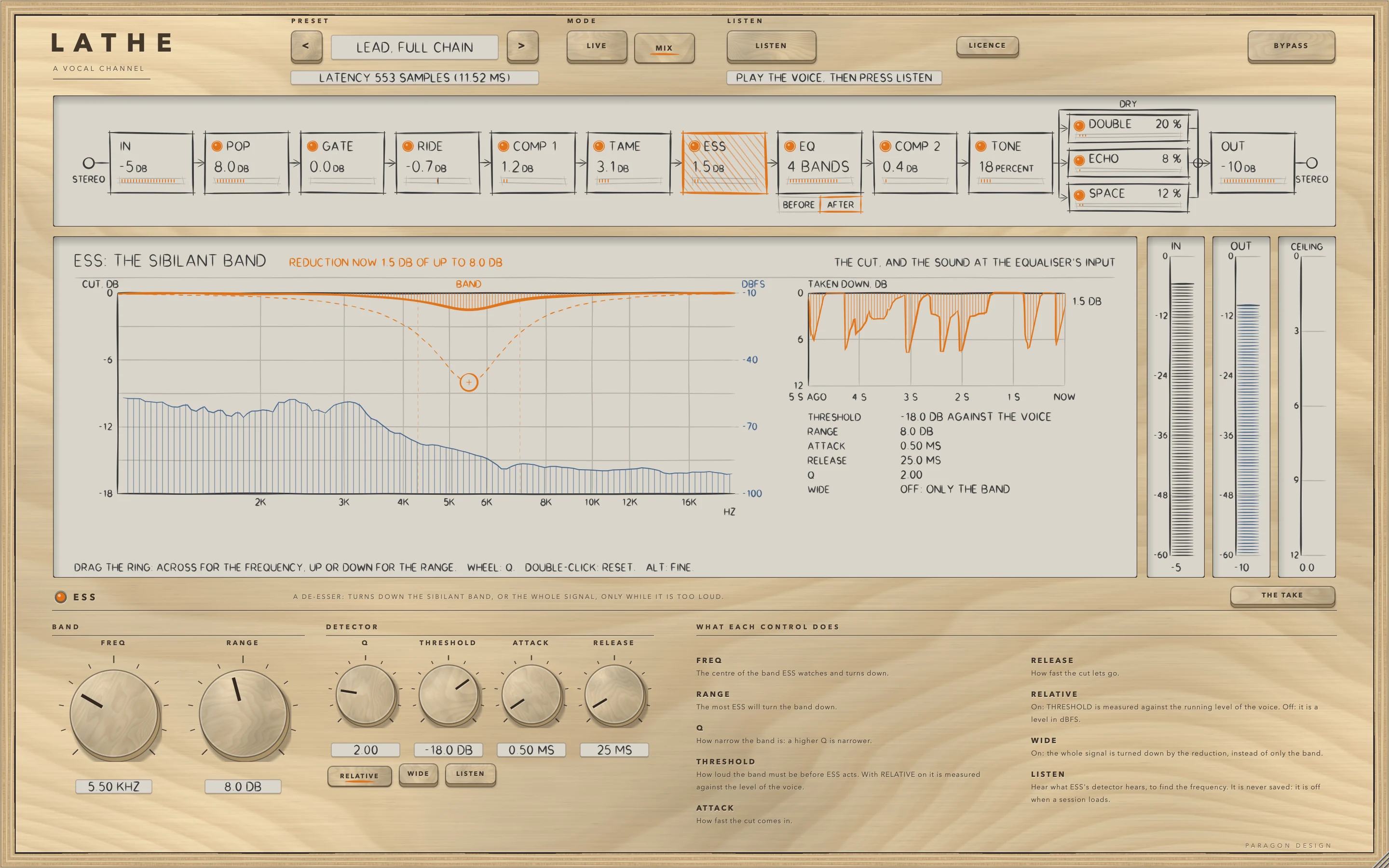
ESS
ESS is the same engine with a bell cut. With WIDE on, the reduction turns the whole signal down instead of the band alone. LISTEN plays what its detector hears, which helps to find FREQ.
TONE
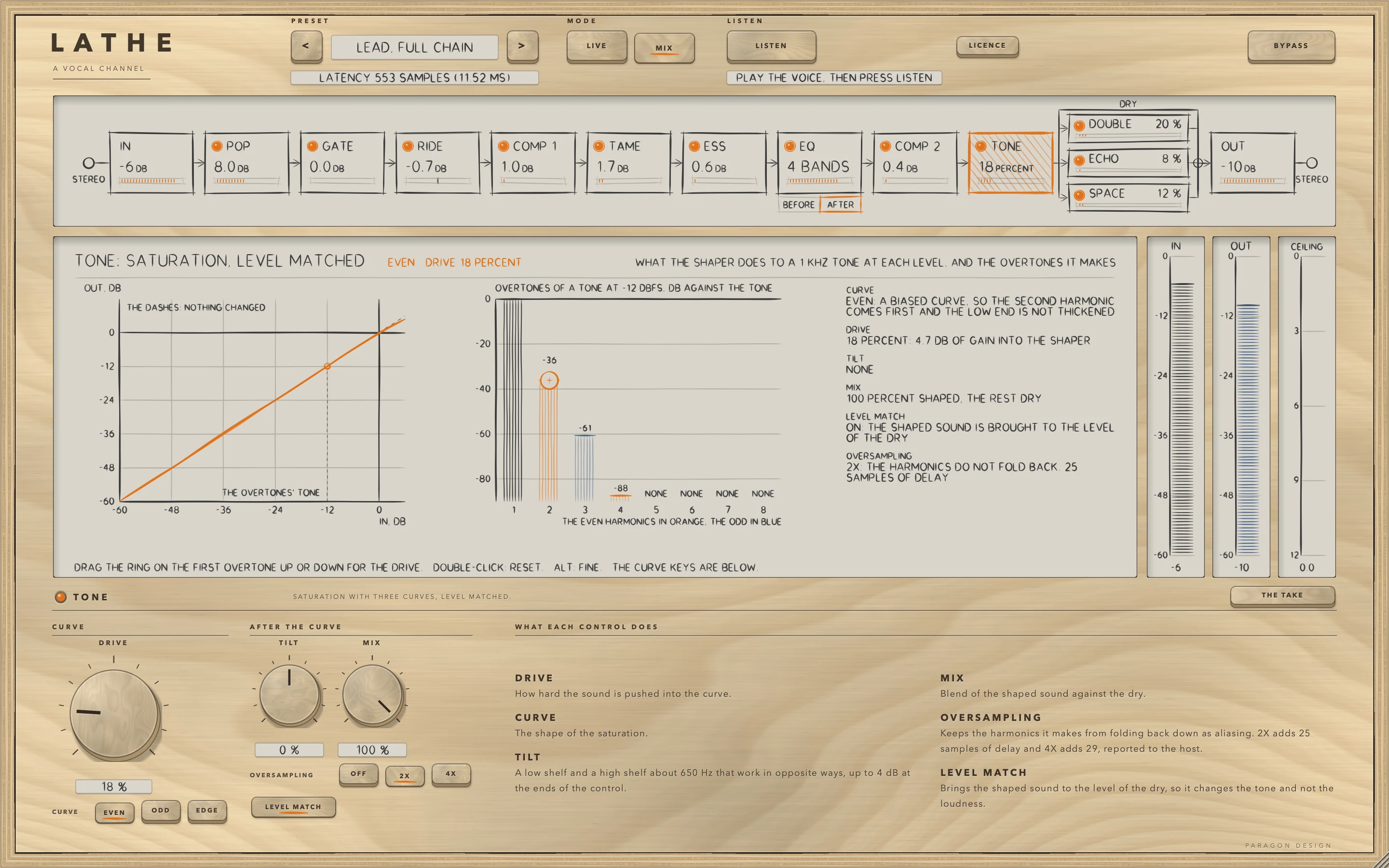
TONE adds harmonics with a shaper and tilts the result. DRIVE is 0 to 26 dB of gain into the shaper, 13 dB at 50 percent, and at 0 the shaper adds nothing, because the shaped signal is blended in over the first 6 dB of drive. CURVE chooses the shape: EVEN is a biased tanh between a low shelf up and the same shelf down, ODD a symmetric tanh with a low bump in front and the top lost as the level rises, and EDGE two unequal exponentials, one for each polarity, with an edge round 2.5 kHz. The table gives what each made of a 1 kHz sine at -12 dBFS with 2X oversampling, no level match and DRIVE at 50 percent, in dB against the fundamental.
| CURVE | 2nd | 3rd | 4th | 5th |
|---|---|---|---|---|
| EVEN | -26.1 | -42.1 | -60.9 | -84.9 |
| ODD | -240 or under | -28.8 | -240 or under | -56.0 |
| EDGE | -31.8 | -26.6 | -37.5 | -38.5 |
TILT is a low shelf and a high shelf about 650 Hz that move in opposite directions, up to 4 dB at the ends of the control, after the level match. LEVEL MATCH, on by default, brings the shaped signal to the level of the dry: on pink noise at -18 dBFS RMS, DRIVE at 90 percent changed the level by at most 0.106 dB matched (limit 0.35 dB), against -2.83, -4.89 and -7.25 dB unmatched in EVEN, ODD and EDGE. OVERSAMPLING keeps the harmonics from folding back as aliases: a 9.5 kHz tone at -6 dBFS driven at 100 percent made its largest alias at -12.6, -11.6 and -10.9 dB with OFF in EVEN, ODD and EDGE, and at -89.3, -87.8 and -72.3 dB with 2X.
DOUBLE
DOUBLE, ECHO and SPACE are sends. Each takes a copy of what leaves TONE and makes a wet signal on its own, and LATHE adds the send's gain times that wet to the dry before OUT. SEND runs from 0 to 200 percent, a gain of 0 to 2, glides over 30 ms and at 0 adds exactly nothing. ECHO's and SPACE's engines are not run once their send has reached 0. When a send comes back, its engine starts empty, unless its FREEZE is on, in which case the loop comes back as it was.
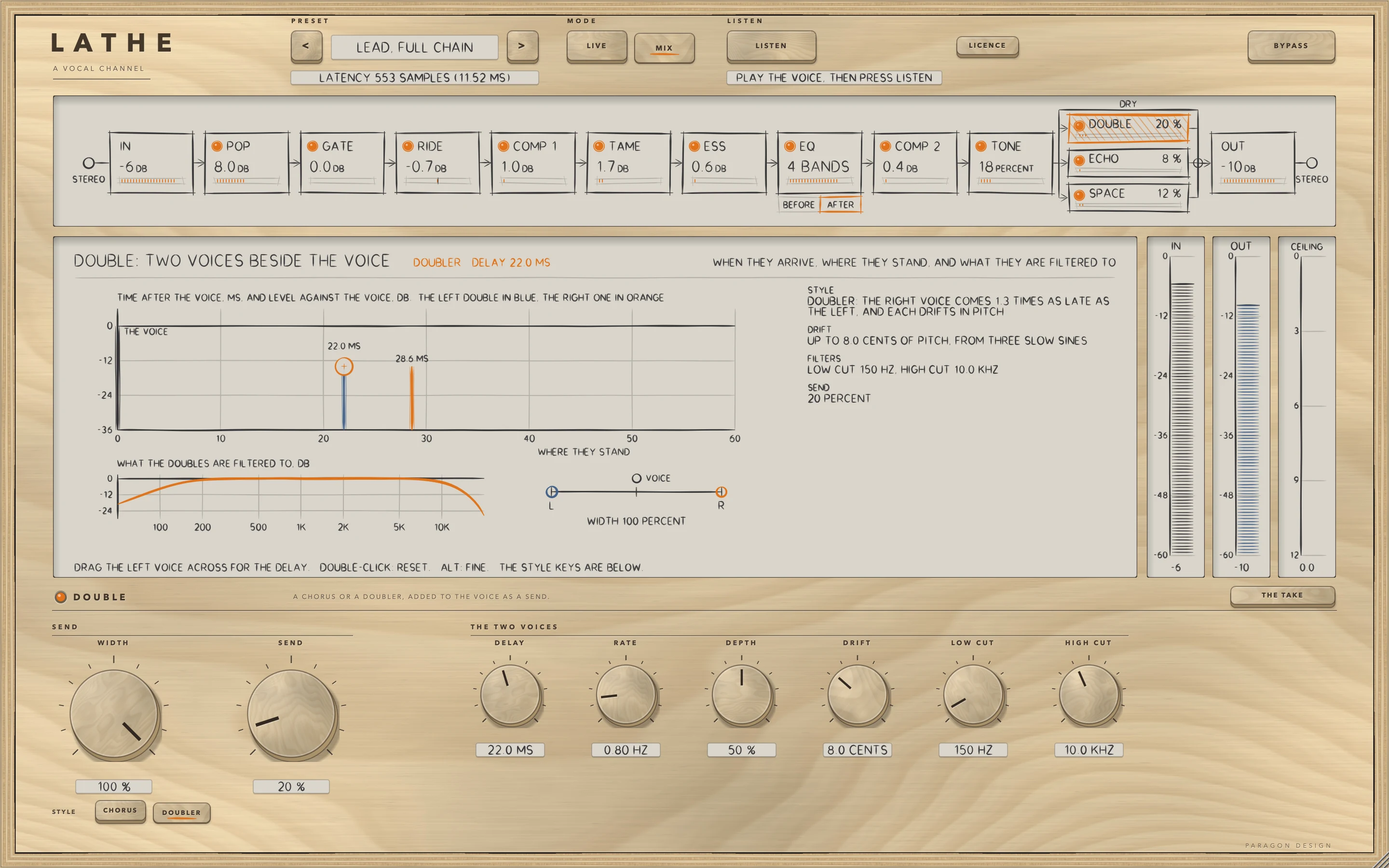
DOUBLE makes its wet from the mean of the two channels, filtered by LOW CUT and HIGH CUT, and two voices read one delay line. With STYLE CHORUS each voice's delay moves by a sine of RATE and DEPTH, the right voice a quarter of a turn behind. With STYLE DOUBLER, the default, the left voice has DELAY and the right voice 1.3 times that, and each moves by three slow sines scaled so that its pitch moves by at most DRIFT cents. At WIDTH 0 both sides carry the mean of the two voices. DOUBLE's line and filters run whether it is on or off, so switching it on fades in over 10 ms a double that is already there. The double is a delayed copy, so a mono sum of it with the voice is a comb: with CHORUS at DEPTH 0 and DELAY 22 ms its deepest notch is 20 log10 (1 minus the send gain), -6.02 dB at a gain of 0.5.
ECHO
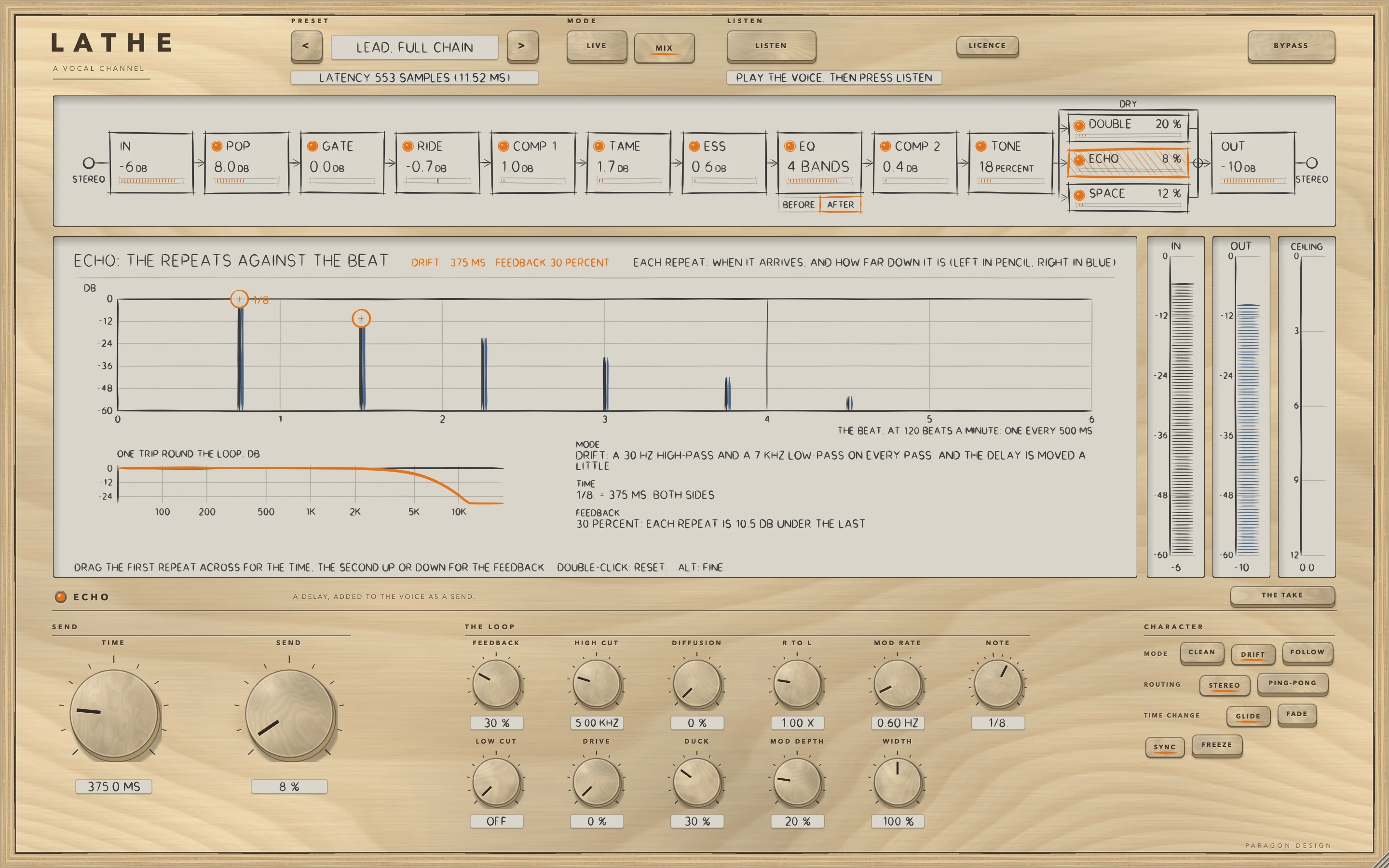
ECHO is a delay. TIME is the left side's delay and R TO L makes the right side's a multiple of it. With SYNC on, NOTE sets the time from the host's tempo, or from 120 beats a minute when the host gives none. NOTE has 16 values from 1/64 to 1/1, with triplets marked T and dotted notes marked with a point, and starts at the dotted eighth, 375 ms at 120 beats a minute. FEEDBACK is how much of each echo goes round again, with a soft limiter above 95 percent.
MODE decides what the loop does to each echo. CLEAN leaves it to LOW CUT and HIGH CUT. DRIFT, the default, adds a 30 Hz high-pass and a 7 kHz low-pass to every pass and moves the delay slowly. FOLLOW lowers the loop's low-pass as TIME rises: 9 kHz at 40 ms or less, 4.5 kHz at 160 ms and 1.8 kHz at 1 s or more. TIME CHANGE GLIDE moves the delay to its new time, so the pitch bends while it does, and FADE crossfades two reads over 30 ms. FREEZE holds the loop and stops the input feeding it. DUCK turns the wet down while the voice is loud, to 0.050 of it (-26.0 dB) at most, and the loop itself is not ducked, so the repeats after a burst are there.
SPACE
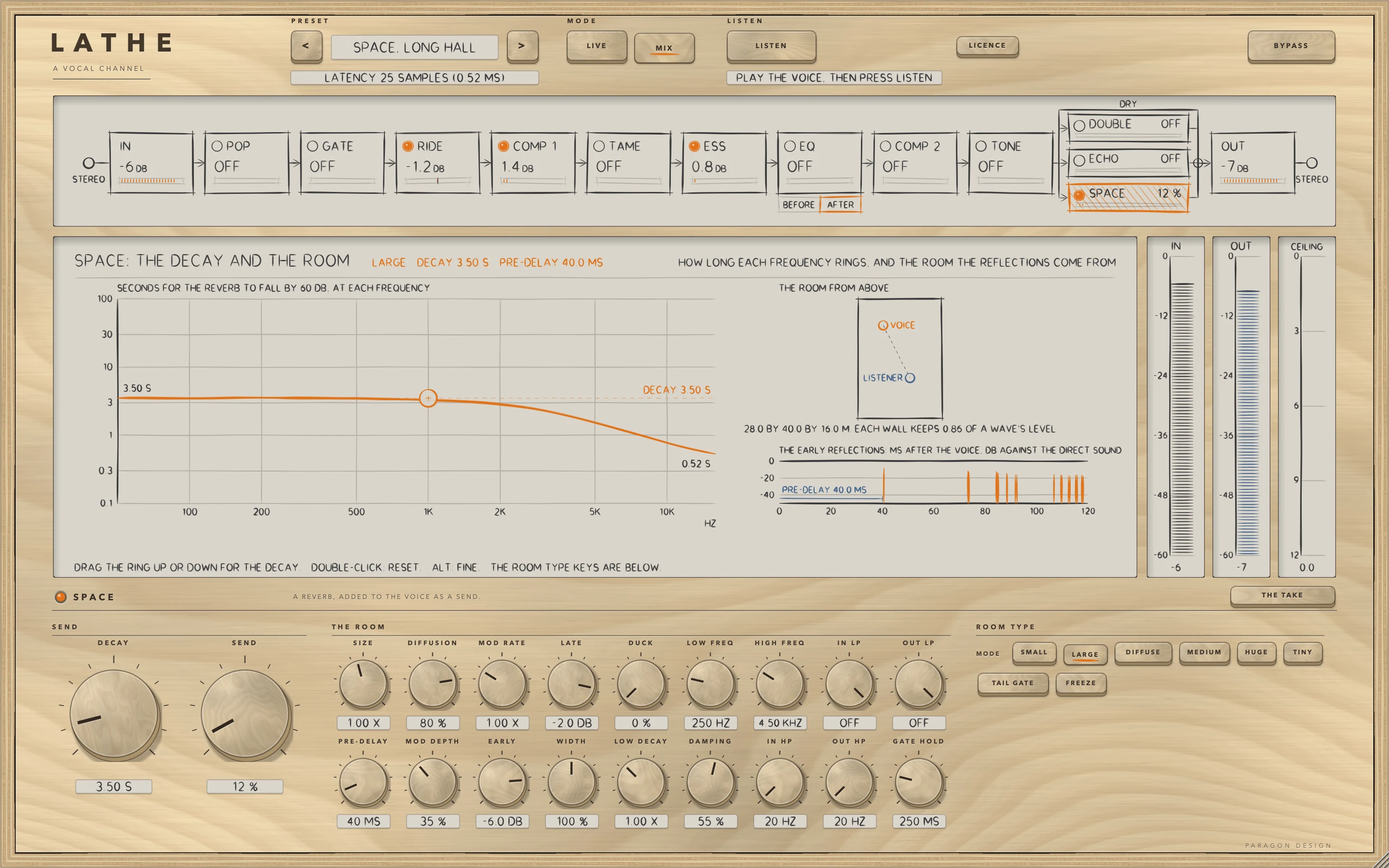
SPACE is a reverb with six MODE keys. In every mode but DIFFUSE the early reflections come from a box-shaped room, of the size the key's tooltip gives at SIZE 1: SMALL 5 by 7 by 3 m, LARGE 28 by 40 by 16 m (the default), MEDIUM 9 by 12 by 5 m, HUGE 45 by 80 by 30 m and TINY 4 by 5 by 2.6 m. DIFFUSE has none. The late field is 16 delay lines mixed through a matrix, each with a loop gain worked out from the decay asked for at three frequencies: DECAY at the middle, LOW DECAY and LOW FREQ below, DAMPING and HIGH FREQ above. DUCK turns the reverb down while the voice is loud, to 0.100 of it (-20.0 dB) at most. TAIL GATE cuts the reverb off once GATE HOLD has run out after the input stops. FREEZE holds the reverb and stops the input feeding it. A change of MODE ducks the wet for 60 ms.
OUT
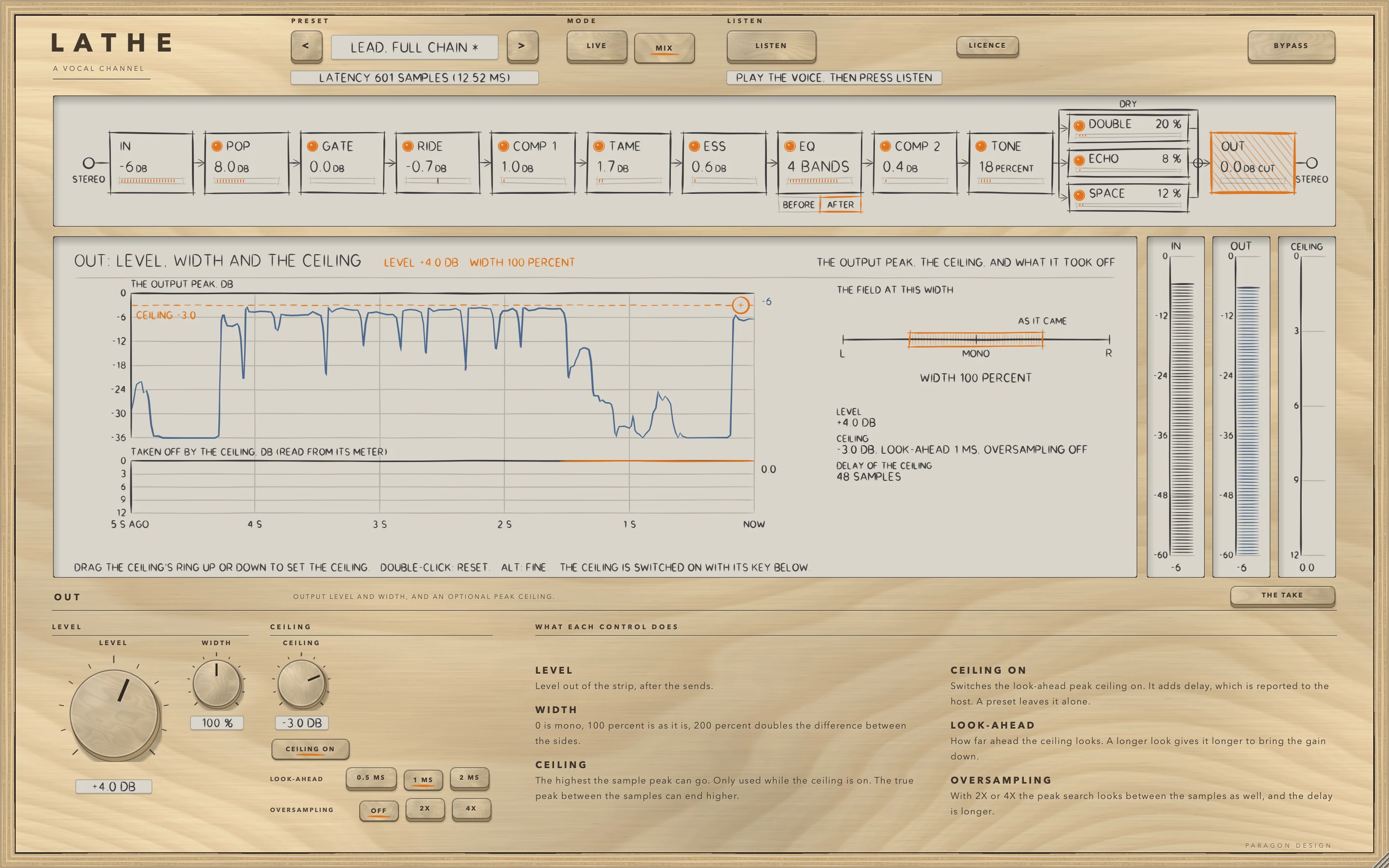
OUT is the last stage. WIDTH scales the side of a mid and side split, which at 100 percent is exactly the input, and it acts on two channels only. LEVEL is a gain after the sends, and at 0 dB it does not multiply at all. Both glide over 30 ms. The ceiling comes last, so it is the last thing the signal meets.
The ceiling is off until CEILING ON is pressed. CEILING is the highest the sample peak can go, held by a look-ahead peak limiter. LOOK-AHEAD (0.5, 1 or 2 ms) is how long it has to bring the gain down, and OVERSAMPLING (OFF, 2X or 4X) makes its peak search look between the samples as well. It uses the limiter's own fixed settings: attack 10 ms, release 150 ms with the automatic release on, no soft clip and no dither. With the ceiling off the limiter is not in the path at all: nothing is changed and there is no delay. A preset leaves the four ceiling controls alone. With OVERSAMPLING OFF nothing is promised about the true peak between the samples, and with 2X or 4X it can still end a little over (see Limits).
Control reference
Every control on the panel, as the plug-in itself labels it. The description is the tooltip the plug-in shows when you rest the pointer on the control.
Top bar
| No. | Control | What it does | Range | Default |
|---|---|---|---|---|
| 1 | PREVIOUS PRESETKey | Previous preset | ||
| 2 | NEXT PRESETKey | Next preset | ||
| 3 | LIVEKey | LIVE: no look-ahead, no oversampling and no ceiling, so there is no delay at all (0 samples, 0 ms) and a singer can hear it while recording. In MIX the controls as they are give 25 samples (0.52 ms). | ||
| 4 | MIXKey | MIX: the look-aheads, the oversampling and the ceiling that the controls ask for are used, and the delay is reported to the host. It is 25 samples (0.52 ms) with the controls as they are. | ||
| 5 | LISTENKey | Play the vocal. LISTEN decides after 8 seconds of voice, or at 30 seconds, measures the take and, with APPLY, sets the high-pass, the gate, the rider, the three cutters and the first compressor to starting values you can see and change. | ||
| 6 | LICENCEKey | Opens the licence panel: the trial, a licence file, a key. | ||
| 7 | BYPASSKey | Hear the input, delayed by the same amount, so switching it never moves anything in time. |
IN
| No. | Control | What it does | Range | Default |
|---|---|---|---|---|
| 8 | TRIMKnob | Level into the strip, before anything else. Double-click to reset. | −24 to 24 | 0 |
| 9 | POLARITYKey | Turns the signal upside down, which inverts its polarity. | ||
| 10 | HIGH-PASSKnob | Takes out what is below this frequency, such as rumble and handling noise. At its lowest setting it is off. | 20 to 400 | 20 |
| 11 | SLOPEKey | How steeply the high-pass cuts, in decibels per octave. | ||
| 12 | SLOPEKey | How steeply the high-pass cuts, in decibels per octave. | ||
| 13 | SLOPEKey | How steeply the high-pass cuts, in decibels per octave. |
POP
| No. | Control | What it does | Range | Default |
|---|---|---|---|---|
| 14 | POP LAMPKey | Switches the module on or off. | ||
| 15 | FREQKnob | The corner of the low shelf that turns a plosive down: half the cut is at this frequency. | 40 to 250 | 90 |
| 16 | RANGEKnob | The most POP will turn a plosive down. | 0 to 18 | 12 |
| 17 | THRESHOLDKnob | How loud the low band must be before POP acts. With RELATIVE on it is measured against the level of the voice. | −60 to 0 | −6 |
| 18 | RELATIVEKey | On: THRESHOLD is measured against the running level of the voice. Off: it is a level in dBFS. | ||
| 19 | LISTENKey | Hear what POP's detector hears, to find the frequency. It is never saved: it is off when a session loads. | ||
| 20 | ATTACKKnob | How fast the cut comes in. | 0.1 to 10 | 2 |
| 21 | RELEASEKnob | How fast the cut lets go. | 10 to 300 | 60 |
GATE
| No. | Control | What it does | Range | Default |
|---|---|---|---|---|
| 22 | GATE LAMPKey | Switches the module on or off. | ||
| 23 | THRESHOLDKnob | The level where it opens. A gate closes HYSTERESIS under it once HOLD has run out; an expander turns down under it. | −80 to 0 | −50 |
| 24 | MODEKey | A gate: open or closed, with hysteresis. | ||
| 25 | MODEKey | An expander: turns down gradually, by the ratio, from the threshold. | ||
| 26 | RANGEKnob | How far down it takes the signal when it is closed. | 0 to 80 | 18 |
| 27 | RATIOKnob | EXPAND only: how firmly it turns down what is under the threshold. | 1.2 to 10 | 2 |
| 28 | LOOK-AHEADKey | How far ahead the gate looks, so that it is open when a word starts. It adds delay, which is reported to the host. | ||
| 29 | HYSTERESISKnob | GATE only: how far under the threshold the level must fall before the gate can close. | 0 to 12 | 4 |
| 30 | LOOK-AHEADKey | How far ahead the gate looks, so that it is open when a word starts. It adds delay, which is reported to the host. | ||
| 31 | LOOK-AHEADKey | How far ahead the gate looks, so that it is open when a word starts. It adds delay, which is reported to the host. | ||
| 32 | LOOK-AHEADKey | How far ahead the gate looks, so that it is open when a word starts. It adds delay, which is reported to the host. | ||
| 33 | ATTACKKnob | How fast it opens. | 0.05 to 50 | 1 |
| 34 | LOOK-AHEADKey | How far ahead the gate looks, so that it is open when a word starts. It adds delay, which is reported to the host. | ||
| 35 | HOLDKnob | How long it stays open once the level has dropped. | 0 to 500 | 80 |
| 36 | RELEASEKnob | How fast it closes. | 5 to 2000 | 200 |
| 37 | KEY HPKnob | A high-pass on what the gate listens to, so rumble cannot hold it open. At its lowest setting it is off. | 20 to 1000 | 100 |
| 38 | LISTENKey | Hear what the gate listens to, after its two key filters. It is never saved: it is off when a session loads. | ||
| 39 | KEY LPKnob | A low-pass on what the gate listens to. At its highest setting it is off. | 1000 to 20000 | 8000 |
RIDE
| No. | Control | What it does | Range | Default |
|---|---|---|---|---|
| 40 | RIDE LAMPKey | Switches the module on or off. | ||
| 41 | TARGETKnob | The level, measured on the voice band, that the rider holds the voice near. | −40 to −6 | −18 |
| 42 | UPKnob | The most the rider will turn the voice up. | 0 to 18 | 6 |
| 43 | DOWNKnob | The most the rider will turn the voice down. | 0 to 18 | 9 |
| 44 | SPEEDKnob | How fast the fader moves after the level changes. | 0 to 100 | 50 |
| 45 | TOLERANCEKnob | A dead zone round the target: the fader stays still while the level is inside it. | 0 to 6 | 1.5 |
| 46 | IDLEKey | The fader stays where it was. | ||
| 47 | LOOK-AHEADKey | How far ahead the rider looks, so that the fader is in place when a word starts. It adds delay, which is reported to the host. | ||
| 48 | IDLEKey | The fader goes back to 0 dB. | ||
| 49 | SENSITIVITYKnob | The level that separates the voice from the noise. Under it the rider does not treat the input as a voice, so set it above the room noise. | −70 to −20 | −50 |
| 50 | LOOK-AHEADKey | How far ahead the rider looks, so that the fader is in place when a word starts. It adds delay, which is reported to the host. | ||
| 51 | LOOK-AHEADKey | How far ahead the rider looks, so that the fader is in place when a word starts. It adds delay, which is reported to the host. | ||
| 52 | LOOK-AHEADKey | How far ahead the rider looks, so that the fader is in place when a word starts. It adds delay, which is reported to the host. | ||
| 53 | RETURNKnob | How long the fader takes to go back to 0 dB, when IDLE is RETURN. | 0.5 to 10 | 2 |
| 54 | MUSICKnob | How much the target follows the level of the music on the sidechain input. At 0 the target stays as set. | 0 to 100 | 0 |
| 55 | OFFSETKnob | How far above the level of the music the voice is held, when MUSIC is above 0. | −6 to 18 | 6 |
COMP 1
| No. | Control | What it does | Range | Default |
|---|---|---|---|---|
| 56 | COMP 1 LAMPKey | Switches the module on or off. | ||
| 57 | THRESHOLDKnob | The level above which it turns the signal down. | −60 to 0 | −18 |
| 58 | RATIOKnob | How much it turns down what is over the threshold. At its highest setting it reads INF:1. | 1 to 20 | 3 |
| 59 | KNEEKnob | How gradually it comes in round the threshold. At 0 it is a hard corner. | 0 to 24 | 6 |
| 60 | AUTO RELKey | Hands the release to the voicing's own program-dependent law. | ||
| 61 | VOICINGKey | The plain compressor: the detector follows the waveform sample by sample and ATTACK and RELEASE are the times set. | ||
| 62 | AUTO MUKey | Adds the voicing's own make-up: the reduction a steady tone 6 dB over the threshold receives. | ||
| 63 | LOOK-AHEADKey | How far ahead the compressor looks. It adds delay, which is reported to the host. | ||
| 64 | ATTACKKnob | How fast it turns down once the level is over the threshold. | 0.1 to 100 | 10 |
| 65 | VOICINGKey | Half of what the detector reads is an average over 12 ms, the attack is 1.5 times ATTACK, and the release starts quick and slows as the push goes on. | ||
| 66 | LOOK-AHEADKey | How far ahead the compressor looks. It adds delay, which is reported to the host. | ||
| 67 | VOICINGKey | The attack is 3 times ATTACK, so the front of each hit passes before the gain comes down. | ||
| 68 | LOOK-AHEADKey | How far ahead the compressor looks. It adds delay, which is reported to the host. | ||
| 69 | RELEASEKnob | How fast it lets go. It is not used while AUTO REL is on. | 10 to 2000 | 150 |
| 70 | VOICINGKey | The detector mostly reads an average over 25 ms, the attack is twice ATTACK, and the release starts quick and slows as the push goes on. | ||
| 71 | LOOK-AHEADKey | How far ahead the compressor looks. It adds delay, which is reported to the host. | ||
| 72 | VOICINGKey | A curve with no firm threshold: the ratio starts at 1:1 and rises towards the RATIO set as the level climbs. | ||
| 73 | MAKE-UPKnob | Gain after the compressor, to bring the level back up. | −12 to 24 | 0 |
| 74 | VOICINGKey | The attack is half of ATTACK, the gain is held for 40 ms after the level falls, and it then comes back in a straight line. | ||
| 75 | MIXKnob | Blend of compressed and untouched signal: parallel compression. | 0 to 100 | 100 |
| 76 | LINKKnob | How much the two sides of a stereo signal are turned down together. At 100 percent both sides get the same reduction. | 0 to 100 | 100 |
| 77 | DETECTOR HPKnob | A high-pass on what the compressor listens to, so low notes do not drive it. At its lowest setting it is off. | 20 to 500 | 20 |
TAME
| No. | Control | What it does | Range | Default |
|---|---|---|---|---|
| 78 | TAME LAMPKey | Switches the module on or off. | ||
| 79 | FREQKnob | The centre of the band TAME watches and turns down. | 1000 to 6000 | 3000 |
| 80 | RANGEKnob | The most TAME will turn the band down. | 0 to 18 | 6 |
| 81 | QKnob | How narrow the band is: a higher Q is narrower. | 0.5 to 8 | 1 |
| 82 | RELATIVEKey | On: THRESHOLD is measured against the running level of the voice. Off: it is a level in dBFS. | ||
| 83 | LISTENKey | Hear what TAME's detector hears, to find the frequency. It is never saved: it is off when a session loads. | ||
| 84 | THRESHOLDKnob | How loud the band must be before TAME acts. With RELATIVE on it is measured against the level of the voice. | −60 to 0 | −12 |
| 85 | ATTACKKnob | How fast the cut comes in. | 0.1 to 10 | 1 |
| 86 | RELEASEKnob | How fast the cut lets go. | 10 to 300 | 80 |
ESS
| No. | Control | What it does | Range | Default |
|---|---|---|---|---|
| 87 | ESS LAMPKey | Switches the module on or off. | ||
| 88 | FREQKnob | The centre of the band ESS watches and turns down. | 3000 to 12000 | 7000 |
| 89 | RANGEKnob | The most ESS will turn the band down. | 0 to 18 | 8 |
| 90 | QKnob | How narrow the band is: a higher Q is narrower. | 0.5 to 8 | 2 |
| 91 | RELATIVEKey | On: THRESHOLD is measured against the running level of the voice. Off: it is a level in dBFS. | ||
| 92 | WIDEKey | On: the whole signal is turned down by the reduction, instead of only the band. | ||
| 93 | THRESHOLDKnob | How loud the band must be before ESS acts. With RELATIVE on it is measured against the level of the voice. | −60 to 0 | −18 |
| 94 | LISTENKey | Hear what ESS's detector hears, to find the frequency. It is never saved: it is off when a session loads. | ||
| 95 | ATTACKKnob | How fast the cut comes in. | 0.1 to 10 | 0.5 |
| 96 | RELEASEKnob | How fast the cut lets go. | 10 to 300 | 25 |
EQ
| No. | Control | What it does | Range | Default |
|---|---|---|---|---|
| 97 | EQ LAMPKey | Switches the module on or off. | ||
| 98 | BEFORE COMP 1Key | On: the equaliser comes before the first compressor. Off: it comes after the de-esser. A change is made through a short silence. | ||
| 99 | FREQKnob | The frequency of the low shelf. You can also drag its node on the display. | 40 to 400 | 100 |
| 100 | ONKey | Switches the low shelf on or off. | ||
| 101 | GAINKnob | Boost or cut of the low shelf. You can also drag its node on the display. | −15 to 15 | 0 |
| 102 | FREQKnob | The frequency of the low-mid bell. You can also drag its node on the display. | 100 to 1000 | 300 |
| 103 | GAINKnob | Boost or cut of the low-mid bell. You can also drag its node on the display. | −15 to 15 | 0 |
| 104 | ONKey | Switches the low-mid bell on or off. | ||
| 105 | QKnob | How narrow the low-mid bell is: a higher Q is narrower. The wheel over its node sets it too. | 0.3 to 5 | 0.8 |
| 106 | FREQKnob | The frequency of the mid bell. You can also drag its node on the display. | 400 to 4000 | 1500 |
| 107 | GAINKnob | Boost or cut of the mid bell. You can also drag its node on the display. | −15 to 15 | 0 |
| 108 | ONKey | Switches the mid bell on or off. | ||
| 109 | QKnob | How narrow the mid bell is: a higher Q is narrower. The wheel over its node sets it too. | 0.3 to 5 | 0.8 |
| 110 | FREQKnob | The frequency of the presence bell. You can also drag its node on the display. | 1500 to 8000 | 4000 |
| 111 | GAINKnob | Boost or cut of the presence bell. You can also drag its node on the display. | −15 to 15 | 0 |
| 112 | ONKey | Switches the presence bell on or off. | ||
| 113 | QKnob | How narrow the presence bell is: a higher Q is narrower. The wheel over its node sets it too. | 0.3 to 5 | 0.8 |
| 114 | FREQKnob | The frequency of the high shelf. You can also drag its node on the display. | 3000 to 16000 | 10000 |
| 115 | ONKey | Switches the high shelf on or off. | ||
| 116 | GAINKnob | Boost or cut of the high shelf. You can also drag its node on the display. | −15 to 15 | 0 |
COMP 2
| No. | Control | What it does | Range | Default |
|---|---|---|---|---|
| 117 | COMP 2 LAMPKey | Switches the module on or off. | ||
| 118 | THRESHOLDKnob | The level above which it turns the signal down. | −60 to 0 | −18 |
| 119 | RATIOKnob | How much it turns down what is over the threshold. At its highest setting it reads INF:1. | 1 to 20 | 3 |
| 120 | KNEEKnob | How gradually it comes in round the threshold. At 0 it is a hard corner. | 0 to 24 | 6 |
| 121 | AUTO RELKey | Hands the release to the voicing's own program-dependent law. | ||
| 122 | VOICINGKey | The plain compressor: the detector follows the waveform sample by sample and ATTACK and RELEASE are the times set. | ||
| 123 | AUTO MUKey | Adds the voicing's own make-up: the reduction a steady tone 6 dB over the threshold receives. | ||
| 124 | LOOK-AHEADKey | How far ahead the compressor looks. It adds delay, which is reported to the host. | ||
| 125 | ATTACKKnob | How fast it turns down once the level is over the threshold. | 0.1 to 100 | 10 |
| 126 | VOICINGKey | Half of what the detector reads is an average over 12 ms, the attack is 1.5 times ATTACK, and the release starts quick and slows as the push goes on. | ||
| 127 | LOOK-AHEADKey | How far ahead the compressor looks. It adds delay, which is reported to the host. | ||
| 128 | VOICINGKey | The attack is 3 times ATTACK, so the front of each hit passes before the gain comes down. | ||
| 129 | LOOK-AHEADKey | How far ahead the compressor looks. It adds delay, which is reported to the host. | ||
| 130 | RELEASEKnob | How fast it lets go. It is not used while AUTO REL is on. | 10 to 2000 | 150 |
| 131 | VOICINGKey | The detector mostly reads an average over 25 ms, the attack is twice ATTACK, and the release starts quick and slows as the push goes on. | ||
| 132 | LOOK-AHEADKey | How far ahead the compressor looks. It adds delay, which is reported to the host. | ||
| 133 | VOICINGKey | A curve with no firm threshold: the ratio starts at 1:1 and rises towards the RATIO set as the level climbs. | ||
| 134 | MAKE-UPKnob | Gain after the compressor, to bring the level back up. | −12 to 24 | 0 |
| 135 | VOICINGKey | The attack is half of ATTACK, the gain is held for 40 ms after the level falls, and it then comes back in a straight line. | ||
| 136 | MIXKnob | Blend of compressed and untouched signal: parallel compression. | 0 to 100 | 100 |
| 137 | LINKKnob | How much the two sides of a stereo signal are turned down together. At 100 percent both sides get the same reduction. | 0 to 100 | 100 |
| 138 | DETECTOR HPKnob | A high-pass on what the compressor listens to, so low notes do not drive it. At its lowest setting it is off. | 20 to 500 | 20 |
TONE
| No. | Control | What it does | Range | Default |
|---|---|---|---|---|
| 139 | TONE LAMPKey | Switches the module on or off. | ||
| 140 | DRIVEKnob | How hard the sound is pushed into the curve. | 0 to 100 | 0 |
| 141 | CURVEKey | A biased curve: a tone makes the second harmonic first. | ||
| 142 | CURVEKey | A symmetric curve: odd harmonics only, with a low bump in front and the top lost as the level rises. | ||
| 143 | CURVEKey | Two unequal curves, one for each polarity: both kinds of harmonic, and an edge round 2.5 kHz. | ||
| 144 | TILTKnob | A low shelf and a high shelf about 650 Hz that work in opposite ways, up to 4 dB at the ends of the control. | −100 to 100 | 0 |
| 145 | LEVEL MATCHKey | Brings the shaped sound to the level of the dry, so it changes the tone and not the loudness. | ||
| 146 | MIXKnob | Blend of the shaped sound against the dry. | 0 to 100 | 100 |
| 147 | OVERSAMPLINGKey | Keeps the harmonics it makes from folding back down as aliasing. 2X adds 25 samples of delay and 4X adds 29, reported to the host. | ||
| 148 | OVERSAMPLINGKey | Keeps the harmonics it makes from folding back down as aliasing. 2X adds 25 samples of delay and 4X adds 29, reported to the host. | ||
| 149 | OVERSAMPLINGKey | Keeps the harmonics it makes from folding back down as aliasing. 2X adds 25 samples of delay and 4X adds 29, reported to the host. |
DOUBLE
| No. | Control | What it does | Range | Default |
|---|---|---|---|---|
| 150 | DOUBLE LAMPKey | Switches the module on or off. | ||
| 151 | WIDTHKnob | How far apart the two voices are panned. At 0 percent they are the same on both sides. | 0 to 100 | 100 |
| 152 | STYLEKey | Both voices are moved by a slow sine, the right one a quarter of a turn behind. | ||
| 153 | STYLEKey | The right voice is 1.3 times the left's delay, and each voice drifts a little in pitch. | ||
| 154 | SENDKnob | How much of the double is added to the voice. At 0 nothing is added. | 0 to 200 | 0 |
| 155 | DELAYKnob | The left voice's delay. In DOUBLER the right voice is 1.3 times it. | 8 to 40 | 22 |
| 156 | RATEKnob | CHORUS only: how fast the delay is moved. | 0.1 to 5 | 0.8 |
| 157 | DEPTHKnob | CHORUS only: how far the delay is moved, up to 5 ms. | 0 to 100 | 50 |
| 158 | DRIFTKnob | DOUBLER only: the most each voice's pitch drifts, in cents. | 0 to 25 | 8 |
| 159 | LOW CUTKnob | A high-pass on the double. | 100 to 1000 | 150 |
| 160 | HIGH CUTKnob | A low-pass on the double. | 3000 to 20000 | 10000 |
ECHO
| No. | Control | What it does | Range | Default |
|---|---|---|---|---|
| 161 | ECHO LAMPKey | Switches the module on (its send goes up to its last level) or off (its send goes to 0). | ||
| 162 | TIMEKnob | The delay of the left side. With SYNC on, the note value sets it instead. | 1 to 2000 | 375 |
| 163 | SENDKnob | How much of the echo is added to the voice. At 0 nothing is added. | 0 to 200 | 0 |
| 164 | FEEDBACKKnob | How much of each echo goes round again. Above 95 percent the loop runs into a soft limiter. | 0 to 110 | 40 |
| 165 | LOW CUTKnob | A high-pass inside the loop. At its lowest setting it is off. | 20 to 2000 | 20 |
| 166 | HIGH CUTKnob | A low-pass inside the loop. At its highest setting it is off. | 500 to 20000 | 20000 |
| 167 | DRIVEKnob | Saturation inside the loop. | 0 to 100 | 0 |
| 168 | DIFFUSIONKnob | How much of a chain of allpass filters is mixed into the loop. | 0 to 100 | 0 |
| 169 | DUCKKnob | How far the echo is turned down while the voice is loud. | 0 to 100 | 0 |
| 170 | R TO LKnob | The right side's delay as a multiple of the left's. | 0.25 to 4 | 1 |
| 171 | MOD DEPTHKnob | How far the delay is moved. | 0 to 100 | 20 |
| 172 | MOD RATEKnob | How fast the delay is moved. | 0.05 to 8 | 0.6 |
| 173 | WIDTHKnob | 0 is mono, 100 percent is as it is, 200 percent doubles the difference between the sides. | 0 to 200 | 100 |
| 174 | NOTEKnob | The note value of the delay when SYNC is on, at the host's tempo (or 120 beats a minute when it gives none). | 0 to 15 | 9 |
| 175 | SYNCKey | Sets the time from the note value, at the host's tempo. | ||
| 176 | MODEKey | The loop is left to LOW CUT and HIGH CUT alone. | ||
| 177 | FREEZEKey | Holds the loop and stops the input feeding it. A preset leaves it alone. | ||
| 178 | ROUTINGKey | Both sides repeat. | ||
| 179 | MODEKey | A 30 Hz high-pass and a 7 kHz low-pass act on every pass, and the delay is moved a little. | ||
| 180 | TIME CHANGEKey | The delay moves to the new time, so the pitch bends while it does. | ||
| 181 | ROUTINGKey | The echoes alternate between the sides. | ||
| 182 | TIME CHANGEKey | Two reads are crossfaded over 30 ms. | ||
| 183 | MODEKey | The low-pass in the loop gets lower as the delay time gets longer. |
SPACE
| No. | Control | What it does | Range | Default |
|---|---|---|---|---|
| 184 | SPACE LAMPKey | Switches the module on (its send goes up to its last level) or off (its send goes to 0). | ||
| 185 | DECAYKnob | The reverb time at the middle frequencies, in seconds. | 0.1 to 30 | 2.2 |
| 186 | SENDKnob | How much of the reverb is added to the voice. At 0 nothing is added. | 0 to 200 | 0 |
| 187 | SIZEKnob | Scales the room and its delay lines. | 0.2 to 2 | 1 |
| 188 | PRE-DELAYKnob | The time before the reverb starts. | 0 to 500 | 20 |
| 189 | DIFFUSIONKnob | How quickly the reverb's echoes thicken. | 0 to 100 | 80 |
| 190 | MOD DEPTHKnob | How far the delay lines are moved. | 0 to 100 | 35 |
| 191 | MOD RATEKnob | A multiplier on the rate at which each delay line is moved. | 0.2 to 3 | 1 |
| 192 | EARLYKnob | The level of the early reflections. At its lowest setting they are off. | −60 to 6 | −6 |
| 193 | LATEKnob | The level of the late field. At its lowest setting it is off. | −60 to 6 | −2 |
| 194 | WIDTHKnob | 0 is mono, 100 percent is as it is, 200 percent doubles the difference between the sides. | 0 to 200 | 100 |
| 195 | DUCKKnob | How far the reverb is turned down while the voice is loud. | 0 to 100 | 0 |
| 196 | LOW DECAYKnob | The decay at low frequencies as a multiple of the middle's. | 0.25 to 2.5 | 1 |
| 197 | LOW FREQKnob | Where the low decay takes over. | 100 to 800 | 250 |
| 198 | DAMPINGKnob | How much shorter the high frequencies' decay is than the middle's. | 0 to 100 | 45 |
| 199 | HIGH FREQKnob | Where the high-frequency damping acts. | 1500 to 12000 | 4500 |
| 200 | IN HPKnob | A high-pass in front of the reverb. | 20 to 1000 | 20 |
| 201 | IN LPKnob | A low-pass in front of the reverb. At its highest setting it is off. | 1000 to 20000 | 20000 |
| 202 | OUT HPKnob | A high-pass behind the reverb. | 20 to 1000 | 20 |
| 203 | OUT LPKnob | A low-pass behind the reverb. At its highest setting it is off. | 1000 to 20000 | 20000 |
| 204 | GATE HOLDKnob | How long the tail gate stays open after the input stops. | 40 to 1000 | 250 |
| 205 | TAIL GATEKey | Cuts the reverb off a while after the input stops. | ||
| 206 | MODEKey | A box of 5 by 7 by 3 metres at SIZE 1. | ||
| 207 | FREEZEKey | Holds the reverb and stops the input feeding it. A preset leaves it alone. | ||
| 208 | MODEKey | A box of 28 by 40 by 16 metres at SIZE 1. | ||
| 209 | MODEKey | No early reflections: the late field alone. | ||
| 210 | MODEKey | A box of 9 by 12 by 5 metres at SIZE 1. | ||
| 211 | MODEKey | A box of 45 by 80 by 30 metres at SIZE 1. | ||
| 212 | MODEKey | A box of 4 by 5 by 2.6 metres at SIZE 1. |
OUT
| No. | Control | What it does | Range | Default |
|---|---|---|---|---|
| 213 | LEVELKnob | Level out of the strip, after the sends. | −24 to 24 | 0 |
| 214 | WIDTHKnob | 0 is mono, 100 percent is as it is, 200 percent doubles the difference between the sides. | 0 to 200 | 100 |
| 215 | CEILINGKnob | The highest the sample peak can go. Only used while the ceiling is on. The true peak between the samples can end higher. | −12 to 0 | −1 |
| 216 | CEILING ONKey | Switches the look-ahead peak ceiling on. It adds delay, which is reported to the host. A preset leaves it alone. | ||
| 217 | LOOK-AHEADKey | How far ahead the ceiling looks. A longer look gives it longer to bring the gain down. | ||
| 218 | OVERSAMPLINGKey | With 2X or 4X the peak search looks between the samples as well, and the delay is longer. | ||
| 219 | LOOK-AHEADKey | How far ahead the ceiling looks. A longer look gives it longer to bring the gain down. | ||
| 220 | OVERSAMPLINGKey | With 2X or 4X the peak search looks between the samples as well, and the delay is longer. | ||
| 221 | LOOK-AHEADKey | How far ahead the ceiling looks. A longer look gives it longer to bring the gain down. | ||
| 222 | OVERSAMPLINGKey | With 2X or 4X the peak search looks between the samples as well, and the delay is longer. |
LISTEN
LISTEN measures a take and sets starting values. It does not hear and it does not judge. Every value it sets comes from a measurement and a written rule, and the report shows both.
What it measures
The analyser hears the signal after TRIM and POLARITY and before IN's high-pass, in frames of 50 ms every 20 ms. A frame's level is the RMS of RIDE's voice band in dBFS. The levels are split into two clusters at the level that separates them most cleanly, which counts only when the two cluster means are at least 12 dB apart. Without that split no noise floor is known.
A frame is voiced when a pitch between 70 and 900 Hz is read with a confidence of 0.80 or more and its level is at or over the split. The voice's statistics are taken over voiced frames with two voiced neighbours on each side.
The report lists the NOISE FLOOR, the median level of the frames under the split; the VOICE LEVEL, the voiced median; the SPREAD, the 90th percentile minus the 10th; the VOICE CLASS, LOW under 150 Hz, MID, or HIGH from 200 Hz, two edges chosen and not measured; the PITCH SPAN; the SIBILANCE and HARSHNESS bands; the number of PLOSIVES; the CONFIDENCE; and the seconds of voice heard. LISTEN decides after 8 seconds of voice or at 30 seconds in all. With fewer than 3 seconds of voice it reports NO VOICE, and with 95 percent of the frames under -60 dBFS it reports TOO QUIET. Confidence is 0.3 plus 0.7 times (the voiced seconds minus 3) over 5, kept between 0.3 and 1, then times 0.8 with no quiet stretch and times 0.5 if audio was lost. Under 0.5, or with audio lost, the report is flagged.
What it sets
| Control | Set when | Rule | Kept between |
|---|---|---|---|
| IN HIGH-PASS | a pitch was found | 0.70 times the lowest pitch (5th percentile), to 5 Hz | 40 and 120 Hz |
| GATE | the noise floor is known, over -90 dB, and the 10th percentile of the voice is more than 12 dB over it | on, THRESHOLD is the floor plus 3.01 plus the smaller of 15 and half the gap, RANGE is half the gap | RANGE 6 to 30 dB |
| RIDE | always | on, TARGET is the voiced median, UP is TARGET minus the 10th percentile plus 3, DOWN is the 90th percentile minus TARGET plus 3, TOLERANCE is a fifth of the spread, SENSITIVITY is the larger of the floor plus 10 and the 10th percentile minus 30 (with no floor, the 10th minus 20), never over the 10th minus 6 | TARGET -30 to -12, UP and DOWN 3 to 12, TOLERANCE 1 to 3 |
| POP | at least 3 plosives | on, FREQ is 1.25 times the bursts' frequency to 5 Hz, THRESHOLD 0, RANGE is the bursts' excess over the voice | RANGE 6 to 18 |
| TAME | the harsh band is 4 dB or more over | on, FREQ is its centre to 50 Hz, RANGE is the excess, THRESHOLD is the band's level against the voice plus 12 | RANGE 3 to 12, THRESHOLD -30 to 0 |
| ESS | the sibilance is -13 dB or more against the voice | on, FREQ is its centre to 100 Hz, THRESHOLD is -11, RANGE is its level plus 11 plus 4 | RANGE 2 to 12 |
| COMP 1 | always | on, THRESHOLD is TARGET plus the crest minus 2, RATIO is a quarter of the crest to 0.1 | RATIO 2 to 6 |
Levels are rounded to 0.5 dB. A module the findings do not call for is switched off and keeps its other numbers.
APPLY and UNDO
APPLY sets the 25 values of the table and switches the RELATIVE keys of POP, TAME and ESS on, because the rules measure their thresholds against the voice: 28 controls, as one group of gestures a host can take as one step. UNDO puts all 28 back exactly. APPLY becomes UNDO once the values are set, and the state line reads DONE: APPLIED, UNDO PUTS THEM BACK. Pressing the state line brings the report back. LISTEN, APPLY and UNDO do nothing in BYPASS, without a licence, or outside 32 to 384 kHz, and the state line says why.
Recipes
Find a cutter's frequency by ear
Press the LISTEN key of TAME or ESS while the take plays. The output becomes the band the cutter's detector hears, the band-pass at its FREQ and Q. Move FREQ until the part of the voice you want to cut is in that band, set RANGE and THRESHOLD, then press the key again. These keys are off when a session loads, and a preset leaves them alone.
Hold a voice near a level
Set TARGET near the level of the voice, UP and DOWN to the most the fader may move, and SENSITIVITY above the room noise. The fader stays still while the level is within TOLERANCE of TARGET, so the level settles at the edge of that zone, as the Measured table shows. In THE TAKE the RIDER lane shows the fader. With IDLE HOLD it stays where it was in a pause, and with IDLE RETURN it goes back to 0 dB over RETURN.
Let the rider follow the music
Connect a sidechain source, raise MUSIC and set OFFSET, the number of dB above the music that the voice is held. The view then reads A SIDECHAIN IS CONNECTED. With MUSIC at 100 percent and OFFSET +6 dB, music at -24 dB in the voice band gave a target of -18.000 dB. Music at -75 dBFS counts as none.
Record a singer through LATHE
Press LIVE: every look-ahead, TONE's oversampling and the ceiling are set aside and the line under the preset bar reads LATENCY 0 SAMPLES. The five Tracking presets report 0 samples in MIX as well, and LIVE gave the same output as MIX with the plosive take through each.
Set a ceiling under the loudest part
Press CEILING ON, choose OVERSAMPLING 2X or 4X, and set CEILING about 0.3 dB under the true peak you want, since the true peak can end that far over. With CEILING at -1 dB and 2X, a voice 20 dB over TARGET left with a sample peak of -1.000 dB and a true peak of -0.983 dBTP. Pressing CEILING ON adds the ceiling's delay and is made under a dip.
Presets
LATHE has 53 presets in 8 categories. They are starting points tuned against measurements on a synthetic voice, not by ear.
- Start: Flat Start; Level Only; High-pass Only
- Lead: Lead, Level and Compress; Lead, Gentle; Lead, Presence Lift; Lead, Low Voice; Lead, High Voice; Lead, Full Chain; Lead, Plate Send; Lead, Dry and Even
- Backing: Backing, Low Level; Backing, Doubled; Backing, Wide Chorus; Backing, Dry and Even; Backing, High Voice; Backing, Room
- Rap: Rap, Fast Rider; Rap, Even with Lift; Rap, Short Slap; Rap, Ad Libs; Rap, Hard Gate; Rap, Doubled Hook
- Voice-over: Voice-over, Tidy; Voice-over, Podcast; Voice-over, Low Voice; Voice-over, High Voice; Voice-over, Expander; Voice-over, Plosive Care
- Fix: Fix, Noisy Take; Fix, Noisy Take, Gentle; Fix, Sibilant Take; Fix, Sibilant, Wide; Fix, Boomy Take; Fix, Harsh Take; Fix, Uneven Level; Fix, Plosives; Fix, Quiet Take; Fix, Loud Take
- Space: Space, Slap Echo; Space, Plate; Space, Room; Space, Long Hall; Space, Chamber; Space, Dotted Echo; Space, Ping-pong; Space, Hall and Echo; Space, Ducked Plate
- Tracking: Tracking, Light; Tracking, Compressed; Tracking, Room Send; Tracking, Gate and Trim; Tracking, Headphone Mix
Every preset sets all 158 sound controls, so the result does not depend on what was set before. It leaves 12 alone: LIVE and BYPASS, the four LISTEN keys, the two FREEZE keys, and the four controls of the ceiling. Flat Start is the default state exactly, so the output is the input delayed by 25 samples. At 48 kHz in MIX every preset reports 25 samples except Lead, Full Chain with 553, Rap, Hard Gate, Fix, Noisy Take and Fix, Noisy Take, Gentle with 121, and the five Tracking presets with 0. In Logic Pro, plug-in settings are stored with the project file.
The audit, WorkshopTests lathe presets, plays seven synthetic programmes through every preset: LOW and HIGH voices, and NOISY, QUIET, LOUD, HARSH and PLOSIVE takes. It holds each preset to the measurements its intent names, 323 in all, over 371 runs. On LOW, a take with a voiced median of -17.68 dB and a spread of 5.75 dB, the presets left a voiced median between -23.61 dB (Backing, Room) and -16.84 dB (Tracking, Room Send), a spread between 2.15 dB (Fix, Uneven Level) and 7.41 dB (Fix, Sibilant, Wide), and a highest sample peak between -6.34 and -1.11 dBFS. On HIGH, at -16.88 dB and 5.98 dB, the median ran from -22.62 to -15.91 dB and the spread from 2.21 to 8.35 dB. These are measurements, not limits.
Of the 371 runs, 113 ended at full scale or over: 52 on LOUD, 41 on NOISY, 13 on PLOSIVE, 6 on HARSH and 1 on QUIET, none on LOW or HIGH. No preset took a programme that was inside full scale over it, in the 122 runs it is held to. With CEILING ON at -1 dB, 1 ms and OVERSAMPLING OFF, every preset held the loudest programme to a sample peak of -1.000 dBFS.
A second run, report only, played a 30 s window of three recordings and the whole of a fourth through the 53 presets, 212 runs, with no ground truth and nobody listening. The spread of the voiced level fell in 147 runs, rose in 61 and stayed the same in 4. The output reached full scale or over in 30 runs, up to +6.82 dB, spread over 16 presets with at most 3 runs each. The level under which the quietest fifth of the 100 ms windows fell was higher at the output than at the input in 121 runs. The sends add their tails and the rider moves the gain between phrases, so that figure is not a measure of noise alone.
Measured
All figures are from the plug-in repository's own tests and logs, run on the final build on 15 October 2026. WorkshopTests lathe ran from 06:33 to 06:43 NZDT: 3352 checks, 0 failed. The whole WorkshopTests program, run after it, finished at 07:00 with 6185 checks, 0 failed, of which 3352 are LATHE's. The standalone LATHE tests, which also hold the groups in, out and chain, ran from 06:27 to 06:44: 3672 checks, 0 failed, and the rows from Whole strip to Against the engines come from them. The host test on the installed Audio Unit has 38 checks, and 37 passed in every run (see Limits for the other). Apple's auval, version 1.10.0, passed. The figures are on synthetic signals, not recordings of music, at 48 kHz unless a row says otherwise. A figure marked limit is a bound the test sets, and every other figure is a measurement.
| What was measured | Result | Conditions |
|---|---|---|
| Rest, LIVE, BYPASS, blocks | At rest the output was the input delayed by the reported 25 samples, in LIVE the input itself, and in BYPASS the input delayed by the reported latency, each bit for bit, in all nine layouts. Blocks of 1, 7, 64 and 4096 gave the output of 512 bit for bit | Processor. Blocks: every module on, sends up, stereo sidechain, 4 s of voice, nine controls changed at nine sample positions |
| Delay | The processor reported the nine delays listed under Latency, and an impulse came out exactly that late at 44.1, 48 and 96 kHz. The control dump read each choice back at 48 kHz. The installed Audio Unit read 25 at rest in its five layouts and 0 in LIVE | Latency, above |
| RIDE | The level window covered 63.2 percent of a step in 99.89 ms (limit within 1.5 ms of 100). A steady sine settled at -17.985 dB RMS for TARGET -18 (limit within 0.1 dB), and with TOLERANCE 2 at -19.980 from below and -15.985 from above. 63 percent of a 12 dB step took 400.11 and 1201.04 ms at SPEED 0, 89.75 and 310.36 at 50, and 20.34 and 80.41 at 100, down and up (limit within 10 percent plus 2 ms of the table) | Window and speeds at 44.1 kHz. Sines at -30, -24 and -12 dB RMS with TOLERANCE 0, and at -30 and -8 dB with TOLERANCE 2. UP and DOWN 18 |
| RIDE with music | With the music 6 dB louder the voice ended 5.985 dB louder (limit within 0.3 dB). Music at -75 dB counted as none | MUSIC 100 percent, OFFSET +6 dB |
| GATE | The curve was met within 0.0000 dB in 306 GATE settings and 0.0005 dB in 630 EXPAND settings (limit 0.1 dB). A tone 10 dB over THRESHOLD opened the decision after 29 samples (0.604 ms). The decision closed exactly HOLD after the reading fell, from 0 to 500 ms (within 2 samples). The first 2 ms of a burst left at -4.059 dB against the input with LOOK-AHEAD OFF, -0.501 with 2 ms and -0.0002 with 10 ms | 4 kHz tone for the curve. THRESHOLD -50 for the rest. 3 kHz burst with RANGE 30 and ATTACK 1 ms |
| POP, TAME, ESS | A tone at FREQ read its own level within 0.0054 dB for TAME and ESS (limit 0.010) and exactly for POP (limit 0.001). The reduction followed the curve within 0.000003, 0.004684 and 0.002193 dB for POP, TAME and ESS (limits 0.001, 0.01, 0.01). The rise to 63 percent took ATTACK plus 2.375, 0.271 and 0.188 ms and the fall to 1/e took 61.56, 80.00 and 25.02 ms, for RELEASE 60, 80 and 25. The same programme 12 dB louder and quieter gave the same reduction within 0.0000 dB (limit 0.5) | Each cutter at its defaults, Q 0.5 to 8, 44.1 to 192 kHz for the first result. Bursts 10 dB over the voice for the last |
| POP and ESS on bursts | A 90 Hz burst that read 13.88 dB over the threshold had a reduction of 14.66 dB. Its 90 Hz component fell 6.67 dB, where the shelf's formula gives 7.33 (limit within 2 dB), and the voice-like part, above 250 Hz, moved -0.061 dB (limit under 0.2). On each of three bursts ESS had a mean reduction of 7.97 dB, the band fell 5.25 to 5.37 dB toward the threshold, and the vowel between the bursts moved 0.00000 dB (limit 0.1) | POP: 40 ms burst 12 dB over a vowel, THRESHOLD -3, RANGE 18. ESS: defaults but THRESHOLD -6, 80 ms bursts of 5 to 9 kHz noise 10 dB over the voice |
| EQ | The running filters matched the design formulas within 0.0000 dB at 44.1, 48 and 96 kHz and 0.0004 dB at 192 kHz (limit 0.05) | Each band alone, and all five busy and extreme |
| DOUBLE, ECHO, SPACE | DOUBLER put its voices at 22.0000 and 28.6022 ms, and no voice's pitch moved more than DRIFT (24.70 and 24.89 cents at 25). ECHO's first echo followed a reference loop within 0.0007 dB (limit 0.02), and a send of 2 equalled the engine's own mix within 0.00000006 (limit 0.000001). SPACE met the reverb time asked for within 4.7 percent in all six modes at 48 kHz, and within 6.1 percent in SMALL, LARGE and TINY from 44.1 to 192 kHz (limit 12) | DELAY 22 ms. ECHO in every MODE. SPACE DECAY 2 s |
| A send that comes back | With a send at 0 for five seconds and the input silent, the next three seconds peaked at 0 for ECHO and for SPACE (limit silence under 1e-9). A frozen ECHO rang at 6.5 dBFS with its send at 1 and at 6.5 when it came back after four seconds at 0, a frozen SPACE at 4.2 and 4.0 (limit within 6 dB). The block in which a send came back took 634 microseconds for ECHO and 731 for SPACE at 48 kHz, 1164 and 1028 at 192 kHz, where a block lasts 10667 and 2667 microseconds (the limit) | 1 s of pink noise at -6 dBFS RMS, then silence. ECHO TIME 300 ms and FEEDBACK 50 percent, SPACE DECAY 3 s. Timing at the largest settings: ECHO TIME 2000 ms, SPACE HUGE at SIZE 2, 512-sample blocks |
| LISTEN against the generator | The noise floor was within 0.13 dB of the truth (limit 2), the voiced median within 0.82 dB (limit 1), the spread within 0.65 dB (limit 1.5), the voice class right in all 32 and the plosive count exact in all 32. The pitch median was within 3 percent in 27 and on the generator's plateau in the other 5 | 32 synthetic voices: seven voices at 44.1, 48, 96 and 192 kHz, and MID and HARSH-LOW at 48 and 96 kHz. Worst of all 32 |
| LISTEN decisions | It decided after 8.00 voiced seconds at 12.29 s of a 16 s take, with the same findings from blocks of 1, 7, 64 and 4096. A take moved 15 dB down or 12 dB up moved its levels by those amounts within 0.000 dB (limit 1). 40000 random findings equalled the rules, and UNDO put back all 28 controls | Analyser, then processor |
| Whole strip | Voiced median -18.70 dB for TARGET -18.0 (limit within 1.5). Spread 5.93 dB in and 3.14 dB out (limit a fall of at least 2.0). The gate took the pauses down by 17.74 dB, the strip with the gate off against the strip with it on (limit at least 15.0), and the whole strip took them down 9.34 dB from input to output (limit at least 8) | LEAD settings, sends at 0, 24 s of the synthetic voice |
| Burst and plosive | The band ESS reads fell 11.82 dB, 3.36 dB of it by ESS (limit at least 3). The vowel beside the burst moved 0.000 dB before and 0.023 dB during with ESS alone (limit 0.3), and inside LEAD 0.004 dB before and 2.469 dB during (limit 3). The band under 200 Hz of a plosive fell 11.94 dB, 3.12 dB of it by POP (limit at least 3) | Burst 10 dB over the voice, median of 10. Plosive 15 dB over, median of 6 |
| Ceiling | Sample peak -1.000 dB for CEILING -1 dB, true peak -0.983 dBTP at 2X, 0.02 dB over (limit 0.35). The largest step in the output stood out by 4.88 against the input's 4.92 (limit under 8) | Voice 20 dB over TARGET. Whole LEAD, sends on |
| Ceiling and true peak | With OVERSAMPLING OFF the true peak ended 3.93 dB over at 44.1 and 48 kHz, 4.17 at 96 and 4.27 at 192. With 2X or 4X it ended 0.22 over at 44.1 and 48 kHz, 0.11 at 96 and 0.03 under at 192 | White noise peaking at -1 dBFS before a ceiling of -1 dB. At -9 dB: 4.13 to 4.45 over with OFF, at most 0.27 over with 2X or 4X |
| Against the engines | Each of 191 controls set alone gave the standalone module's output bit for bit, and so did the 14 modules at 44.1, 96 and 192 kHz | Chain against engines |
| Cost | The whole plug-in used 2.44 percent of one core at the default and 8.82 with every module on, 8.78 with 1 in 2 out, 7.30 in LIVE and 7.63 for the preset Lead, Full Chain. The budget of 10 was met. Every module on but SPACE cost 6.37, the lowest of any removal | Thread CPU time, least of several runs, 2 in 2 out, 512-sample blocks, 10 s of the synthetic voice, one Intel Mac that was shared and running other jobs |
Limits and what is not verified
- Nothing has been checked by ear: the voicings, the presets and LISTEN's rules were chosen from numbers on synthetic signals. The run on recordings is report only.
- LISTEN reads only what it was played. Its noise floor is the median level of the frames under its split, so a take whose only quiet stretch is a quieter first part reads a low floor, and a take with no pause reads none and leaves GATE off. The high-pass it sets stops at 120 Hz and the rider's UP and DOWN at 12 dB, where the engine allows 18.
- RIDE follows whatever is over SENSITIVITY, room noise included, unless SENSITIVITY is above the noise floor. A loud plosive is still part of its level: a 60 Hz burst 20 dB over the voice raised its reading 5.37 dB and took 1.06, 2.96 and 4.52 dB off the gain at SPEED 0, 50 and 100.
- Inside the whole strip the vowel beside a sibilant burst moved 2.469 dB (limit 3), almost all from the stages after ESS. ESS alone moved it 0.023 dB, and with COMP 2 off, TONE off, both off, and the EQ off as well it moved 0.953, 2.294, 0.783 and 0.274 dB.
- The ceiling holds the sample peak, not the true peak. On white noise with OVERSAMPLING OFF the true peak ended 3.93 to 4.45 dB over a ceiling of -1 or -9 dB; with 2X or 4X at most 0.27 dB over (limit 0.35), and 0.02 to 0.03 dB under at 192 kHz. Set CEILING about 0.3 dB under the true peak you need. No other signal was measured.
- The cutters have limits of their own. A full-scale 100 Hz square wave left POP at 4.554 dB over full scale, TAME at 0.680 and ESS at 0.422. On steady 5 to 9 kHz noise ESS took 3.80 dB more than its curve at the mean level. A tone 0.5 dB over THRESHOLD opened GATE's decision only after 10.792 ms.
- The reported tails are caps and estimates: ECHO's estimate to 60 dB was 3.502 s where its loop ran exactly silent only from 28.50 s.
- Three behaviours stay as the code has them. Changing the ceiling's look-ahead or oversampling makes a dip even while CEILING ON is off or in LIVE, though the delay does not change. The lamps of ECHO and SPACE remember their level in a store shared by every copy of LATHE in the host, and the store is not saved with a session. With 1 in 2 out and a mono sidechain LATHE reads the second channel as the key whether or not the host supplied one.
- Not verified in Logic Pro: the points in the note under In Logic Pro, which rest on Apple's pages on plug-in latencies, plug-in formats, adding and bypassing plug-ins and side chains. The sidechain was not tested in Logic Pro at all.
- Not verified: the VST3 in any host. The editor inside a real host: the host test checks that it opens at 1440 by 900, takes 70, 100 and 170 percent and shows, and holds 30 openings and closings to 12 MB of growth in the process. That memory check passed in the first run on 15 October (a fall of 16.7 MB) and read 39.4, 17.8 and 11.4 MB in three later runs on a Mac under heavy load, the first two over the bound. Runs of 10, 30 and 60 rounds read +5.8, +7.0 and -2.4 MB, so the growth does not rise with the number of rounds, and the 12 MB bound is tighter than the noise of the footprint figure on a loaded Mac. The other 37 checks passed in every run. The knobs, handles and wheel on a real mouse or trackpad. The licence panel and trial in every host. Native Apple silicon: the installed Audio Unit and the test program contain x86_64 code only, and the release build, which is universal and was checked for both, has not been run there.
- Some results are shown only as bounds: the rider's times (within 10 percent plus 2 ms of the table), the cutters' curves (0.01 dB) and the ceiling's true peak (0.35 dB).
- The cost figures are from one Intel Mac that was shared and running other jobs, and the same test has read between 8.27 and 11.36 percent of one core with every module on in different runs. LATHE is a working name and may change.
Troubleshooting
The track is late, or a singer hears a delay
MIX uses the look-aheads and oversampling the controls ask for, and the line under the preset bar shows the total, 25 samples at the defaults. Press LIVE for 0. If the host's compensation is off the track is late by that many samples. In Logic Pro it is the Compensation pop-up menu in Logic Pro > Settings > Audio > General.
Nothing changes
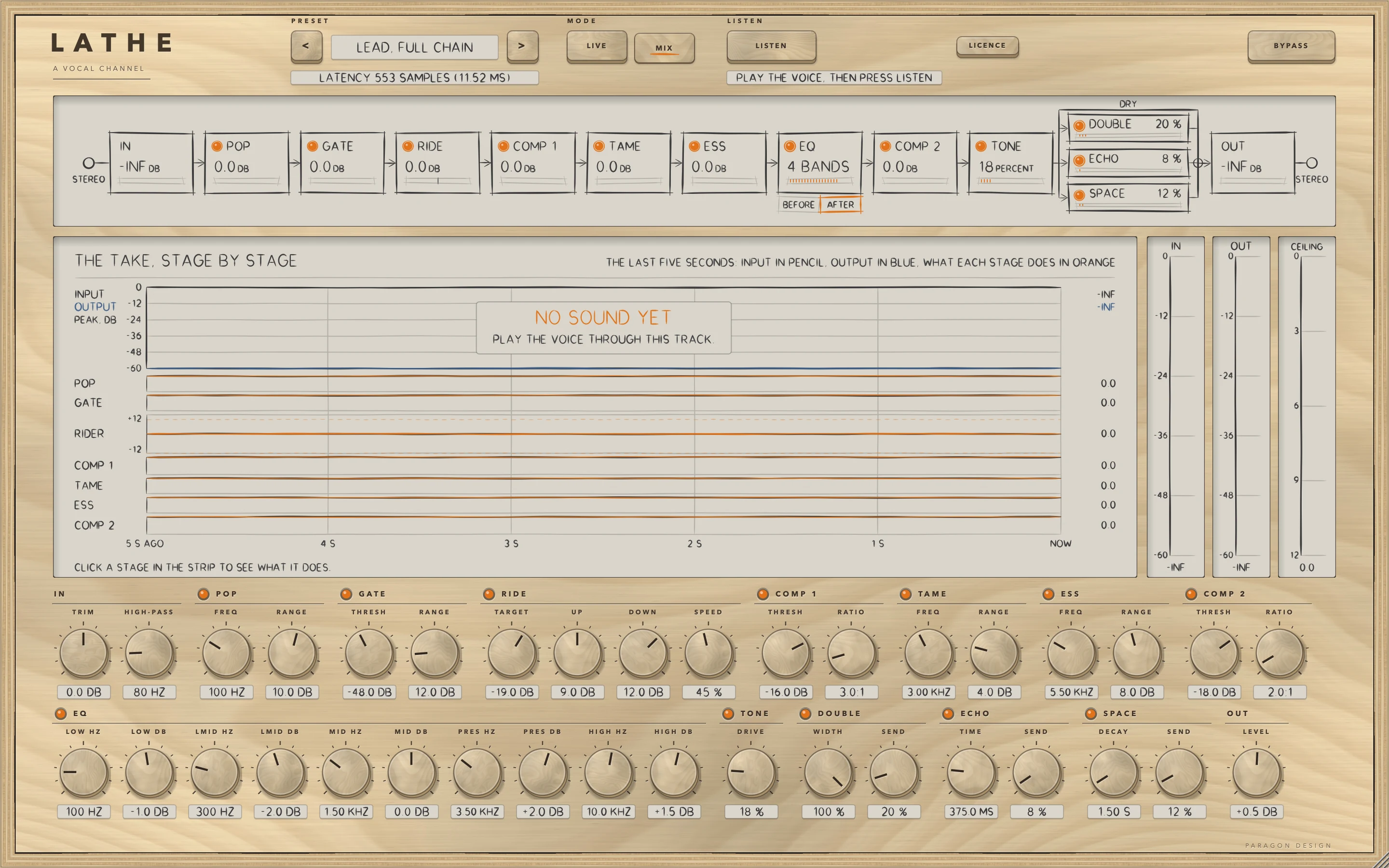
Every module starts off: click its lamp, or move one of its handles. With every module off and sound arriving the display says EVERY MODULE IS OFF, and with modules on and no sound NO SOUND YET. BYPASS, or a trial that is over, passes the input through, delayed.
LISTEN says NO VOICE or TOO QUIET, or does nothing
NO VOICE means fewer than 3 seconds of voice were heard: play more of the vocal. TOO QUIET means all but 5 percent of the take was under -60 dBFS: raise the level into the track. LISTEN does nothing in BYPASS, without a licence, or outside 32 to 384 kHz, and the state line says so.
The level rises in the pauses
RIDE follows anything over SENSITIVITY: raise SENSITIVITY above the room noise. With IDLE HOLD the fader stays where it was when the voice stops, and the make-ups of the compressors raise what is left.
The sidechain does nothing
MUSIC is at 0, or no source is chosen: RIDE's view says NO SIDECHAIN IS CONNECTED. In Logic Pro the source is chosen in the Side Chain pop-up menu in the plug-in header.