Paragon WorkshopThe free ones

VENEER

A channel strip with character.

Gate, colour, four-band EQ, compressor, de-esser and output in one strip, with the order of EQ and compressor, and the place of the colour, yours to set. The colour stage can follow the playing: more drive on the front of a hit, less on its tail, more as the compressor works.

$79Available from next weekTell me when
Formats
Audio Unit, VST3
Channels
Mono or stereo, same in and out
Latency
0, 25 or 29 samples (colour oversampling off, 2x, 4x)
VENEER at work

What it does

VENEER in four parts.

  1. 01

    Colour that follows the playing

    ATTACK DRIVE and SUSTAIN DRIVE put more or less of the colour on the front of a hit and on its tail. SQUEEZE raises the drive as the compressor pulls down. Four characters and a clean tone control.

  2. 02

    The usual strip, done carefully

    Input filters, gate or expander, four-band EQ with shelf, bell and proportional Q, compressor with three characters, de-esser, balance and width. Gate and compressor can each listen to the sidechain.

  3. 03

    One steady delay

    The only delay is the colour oversampler: 25 samples at 2x, 29 at 4x, none when off. With everything at rest, or in bypass, the strip returns the input delayed by exactly that, bit for bit.

  4. 04

    Thirty-four presets

    Named for the job: vocals, drums, bass, guitar, keys, the mix bus, and the colour demonstrations.

VENEER · The point of it

Grit on the hit, a clean tail. Or the other way round.

A saturator that works on level distorts the loudest part of a sound most, which for a drum hit is its first few milliseconds, and leaves the tail alone. VENEER lets you choose. A detector finds the front of each hit and the fall after it, and the drive is raised or lowered on each, by up to 12 dB.

On test bursts, ATTACK at +100 raised the distortion in the first 15 ms from -39.4 dB to -22.9 dB and left the tail at -50.1 dB. With SUSTAIN at -100 as well, the front of the hit was 35 dB more distorted than its tail.

  • 16.5 dBMore distortion in the first 15 ms of each hit with ATTACK DRIVE at +100, and no more in the tail.
  • 0.13 dBHow far the colour's output level strays from the input's, across four characters at 30 and 90 percent drive.
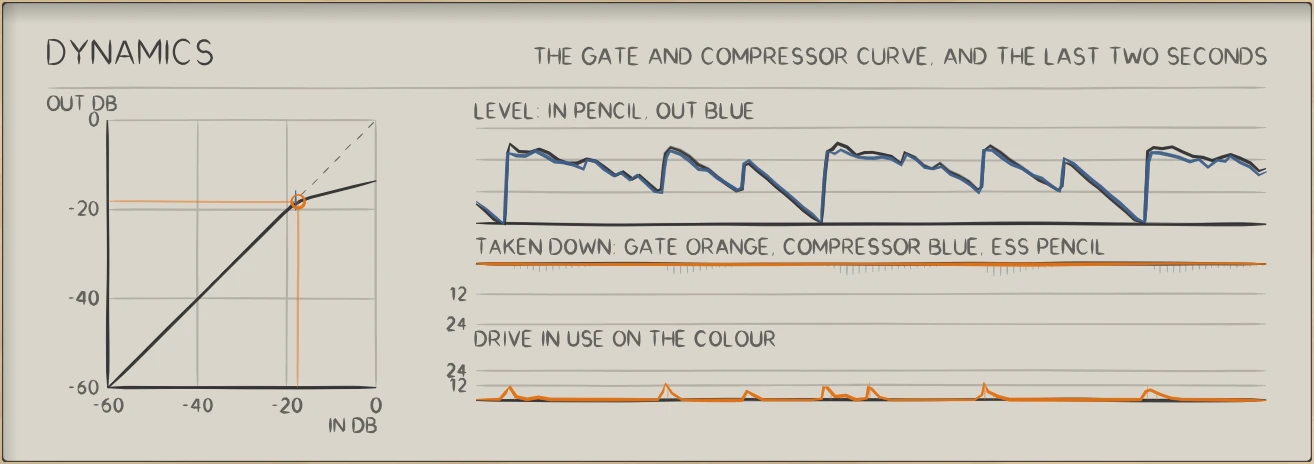
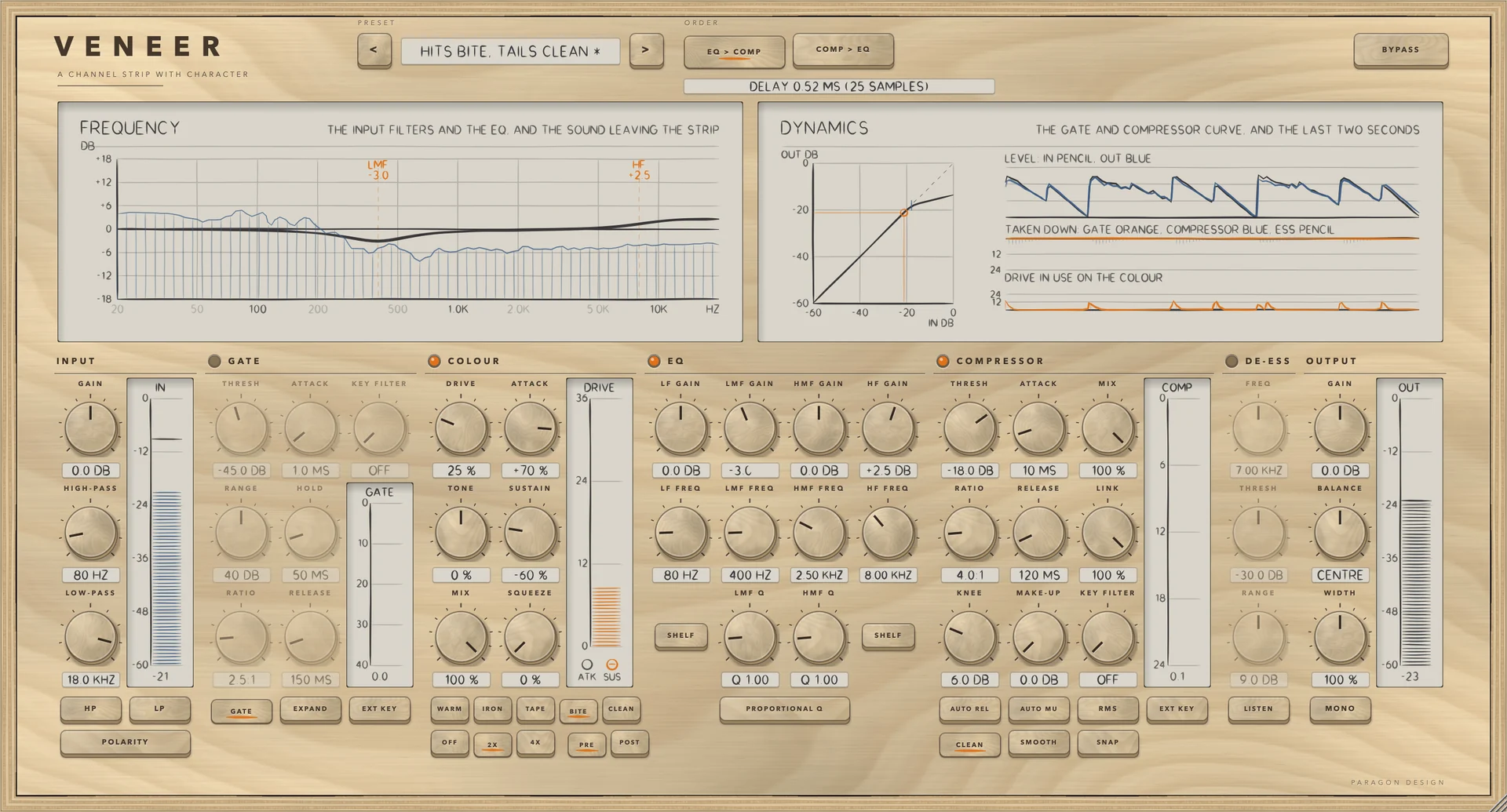
VENEER: Level in and out, how far each stage took the signal down, and the drive in use on the colour, over the last two and a half seconds.
Level in and out, how far each stage took the signal down, and the drive in use on the colour, over the last two and a half seconds.

In use

The real window, as it looks at work.

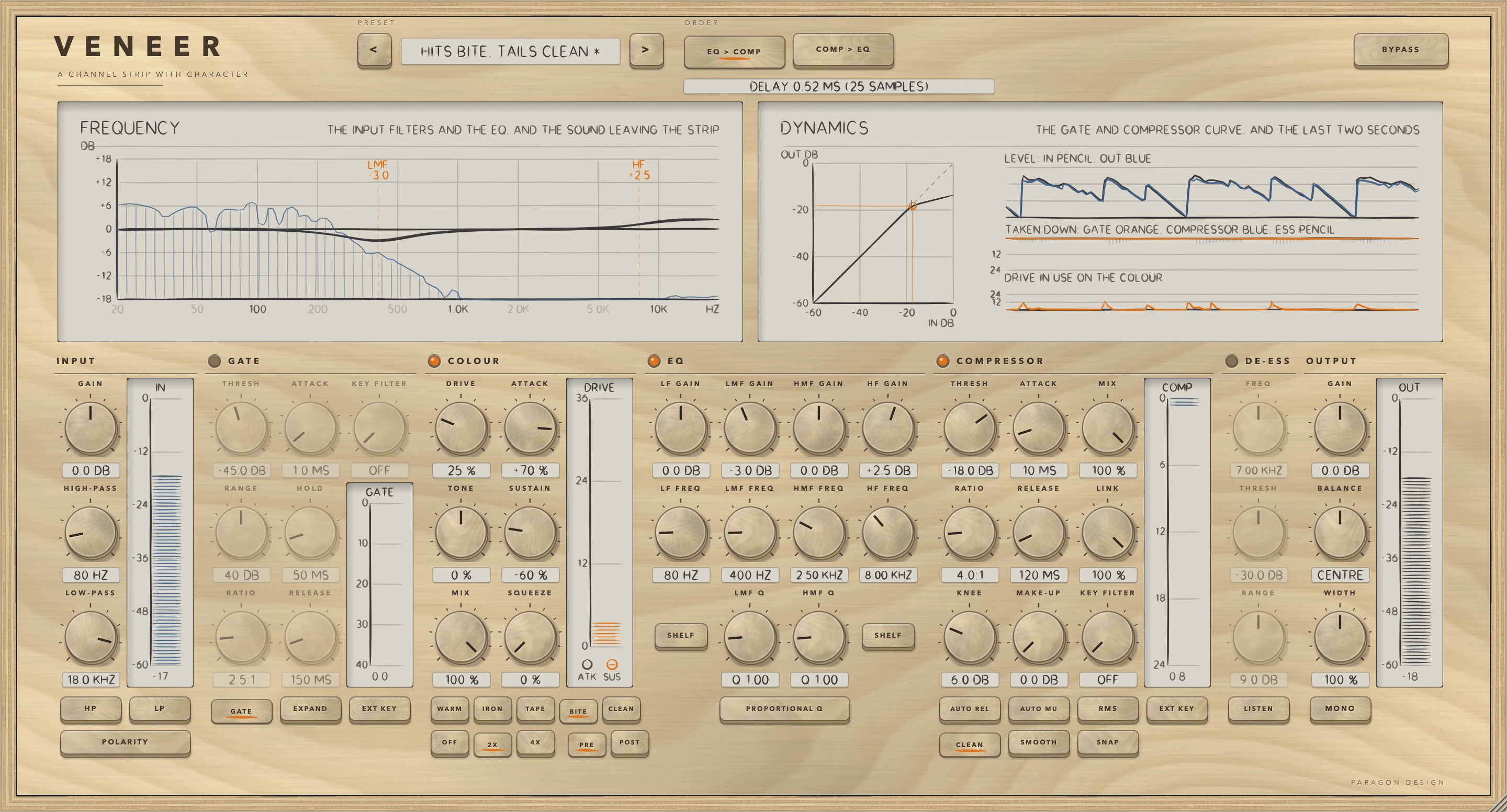
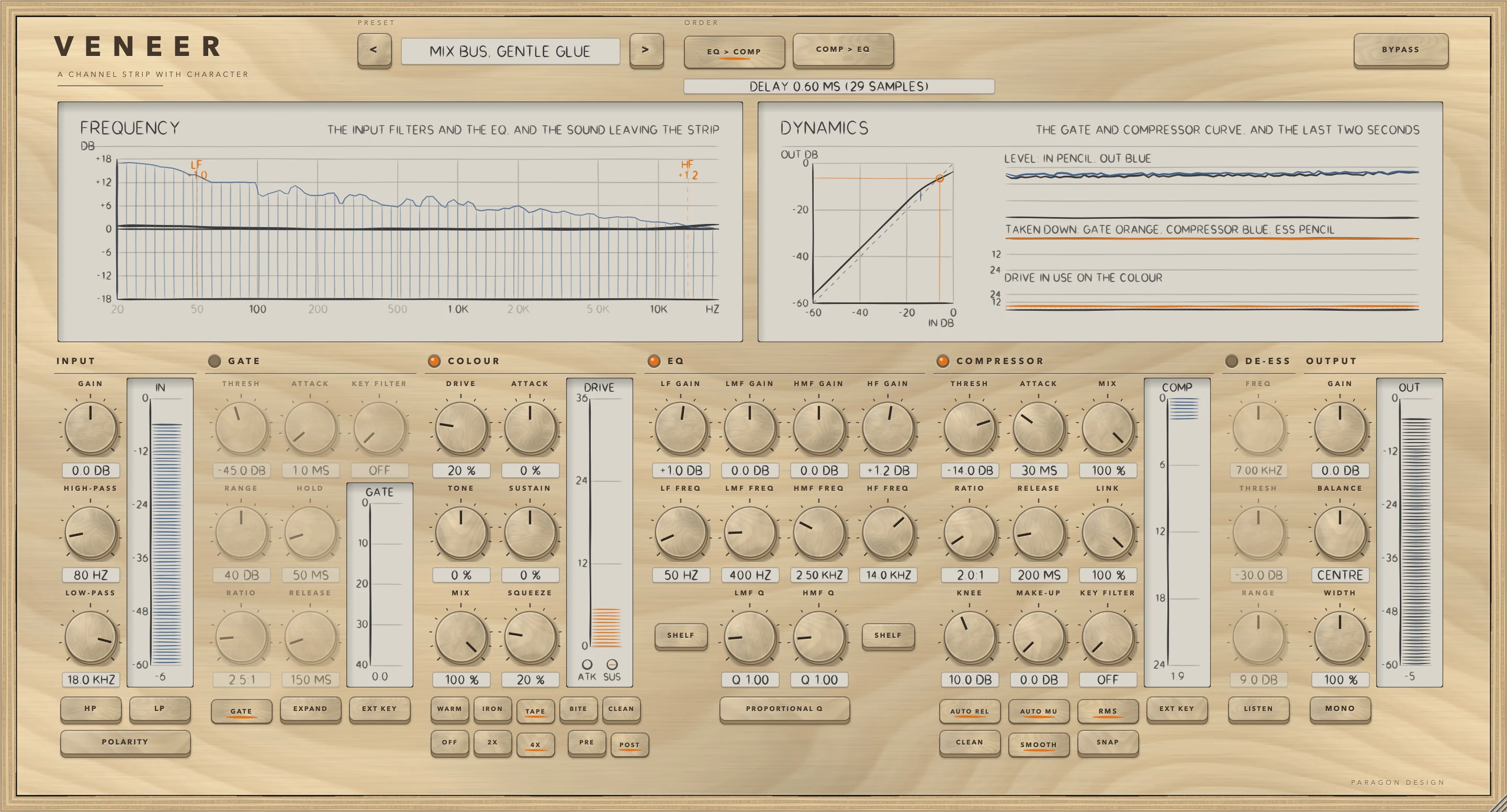
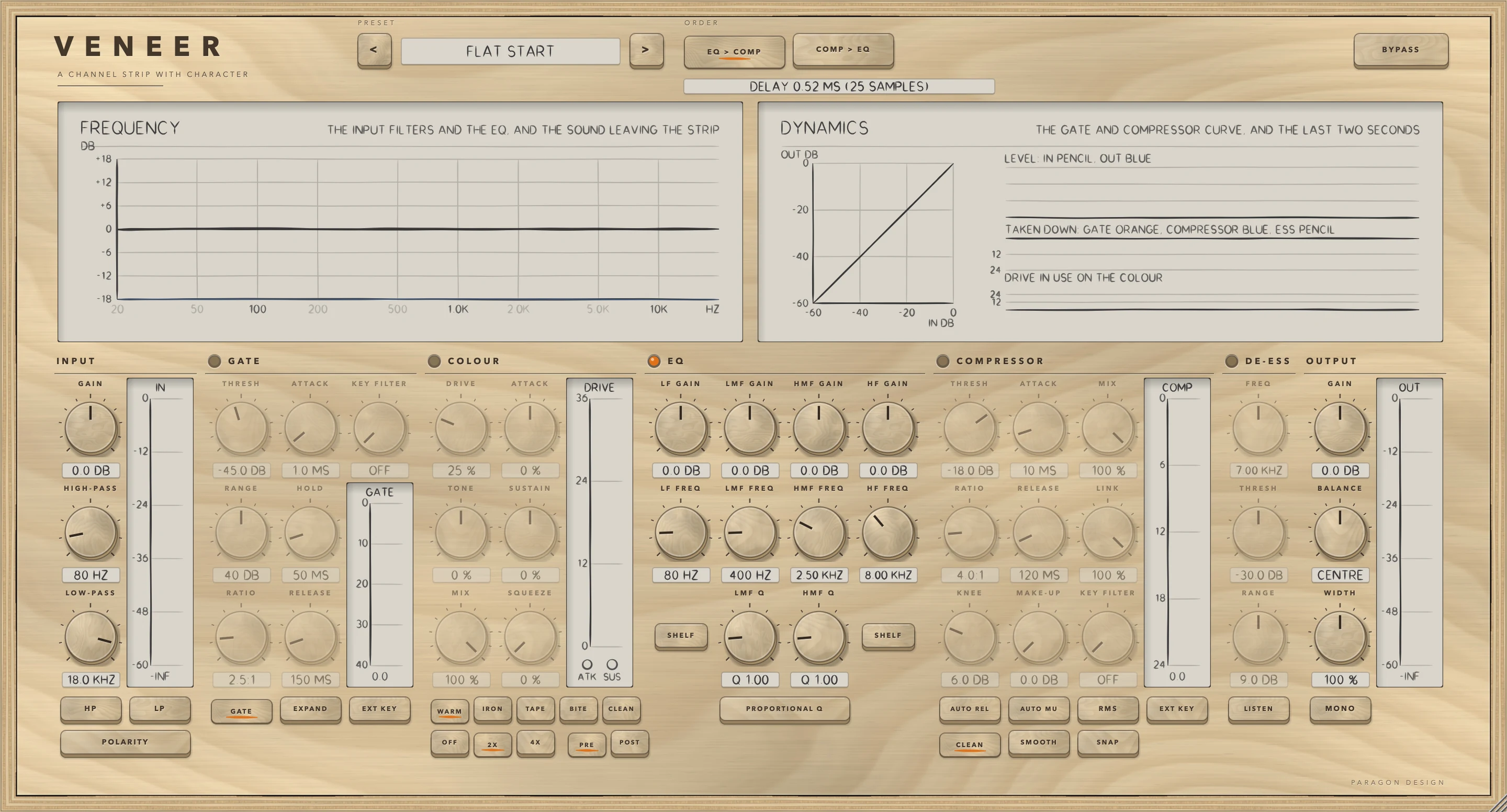
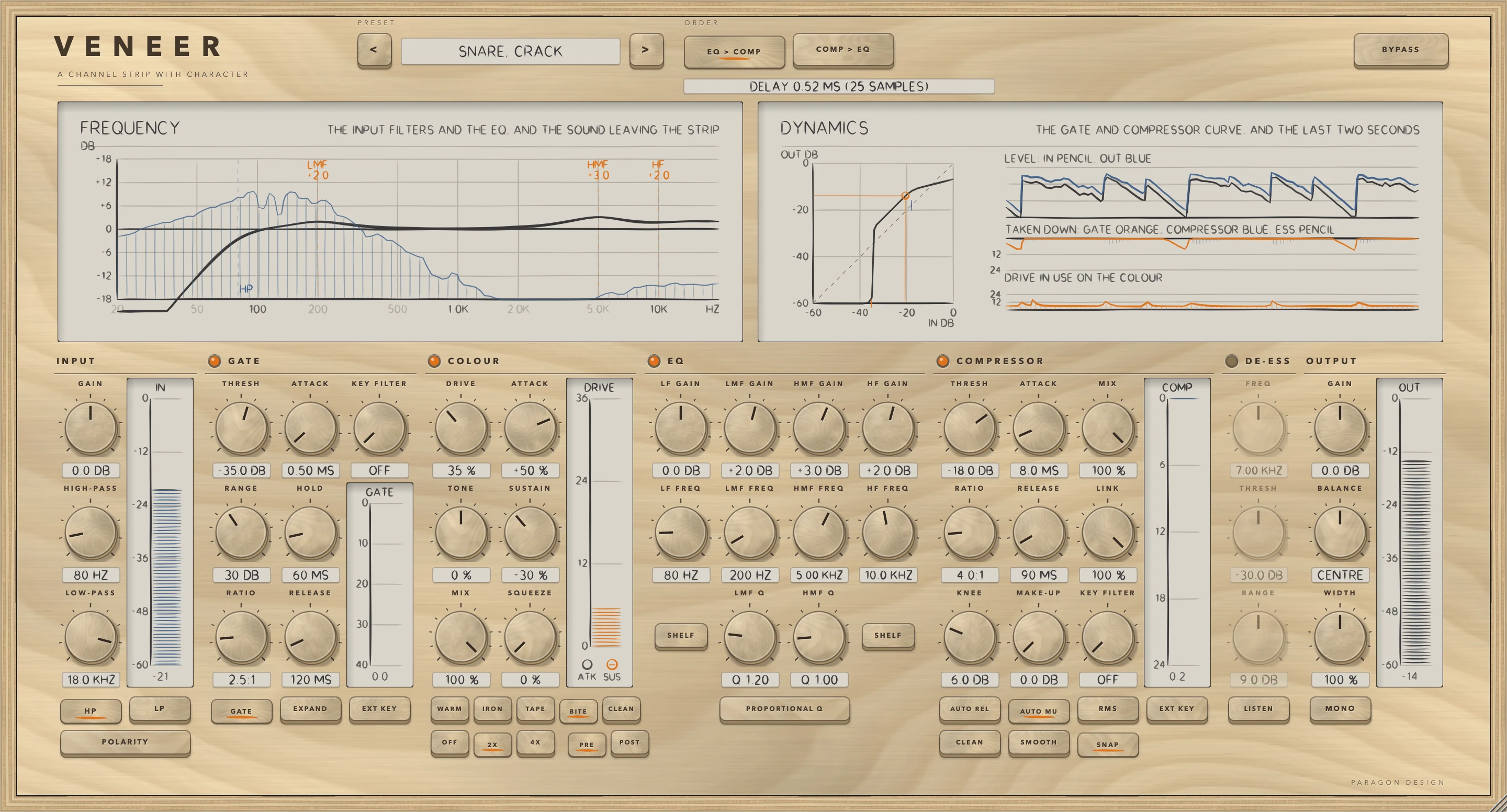
These are captures of the built plug-in, drawn by the plug-in itself at twice the size.

VENEER: A drum loop through the Snare, Crack preset
A drum loop through the Snare, Crack preset
VENEER: Hits Bite, Tails Clean
Hits Bite, Tails Clean
VENEER: A programme through the Mix Bus, Gentle Glue preset
A programme through the Mix Bus, Gentle Glue preset
VENEER: Flat Start: every section at rest
Flat Start: every section at rest

Specifications

Formats
Audio Unit, VST3
Listed in your host as
Veneer Channel Strip
Channels
Mono or stereo, same in and out
Sidechain
Optional, for the gate and the compressor
Latency
0, 25 or 29 samples (colour oversampling off, 2x, 4x)
Colour
WARM, IRON, TAPE, BITE, CLEAN; drive, tone, attack, sustain, squeeze, mix
EQ
Four bands: shelf or bell low and high, two bells; proportional Q
Dynamics
Gate or expander; compressor, peak or RMS, with auto release and auto make-up
Parameters
66
Presets
34 in 8 categories
CPU
1.9 percent of one core with every section on and 2x colour (stereo, 48 kHz, Intel Core i9)

Measured

  1. 16.5 dBMore distortion in the first 15 ms of each hit with ATTACK DRIVE at +100, and no more in the tail.
  2. 0.13 dBHow far the colour's output level strays from the input's, across four characters at 30 and 90 percent drive.
  3. -79 dBAlias of a hard-driven 9.5 kHz tone at 10 kHz with 2x oversampling, against -43 dB with it off.
  4. 25, 29Samples of delay at 2x and 4x, exact at every sample rate; the strip at rest is that delay and nothing else.

On synthetic test signals, by this plug-in’s own tests. Not a listening test.

Presets

34 presets, named for the job.

Starting points chosen from measurements, not tuned by ear. Each one sets every control, so the result does not depend on what was dialled in before it.

Start

  • Flat Start

Vocal

  • Lead Vocal, Everyday
  • Lead Vocal, Forward and Bright
  • Lead Vocal, Dark and Close
  • Backing Vocal, Sit Back
  • Rap Vocal, Upfront
  • Whisper and Breath
  • Spoken Word

Drums

  • Kick, Punch
  • Kick, Deep
  • Snare, Crack
  • Snare, Fat
  • Toms, Tidy
  • Overheads, Smooth
  • Drum Bus, Glue
  • Parallel Smash

Bass

  • Bass Guitar, Round
  • Bass Guitar, Clank and Growl
  • Synth Bass, Solid

Guitar

  • Electric Guitar, Rhythm
  • Electric Guitar, Lead
  • Acoustic Guitar, Open
  • Acoustic Guitar, Strummed Bed

Keys

  • Piano, Natural
  • Electric Piano, Warm
  • Synth Pad, Tuck Back

Mix Bus

  • Mix Bus, Gentle Glue
  • Mix Bus, Warm Tape
  • Master, Light Touch

Character

  • Hits Bite, Tails Clean
  • Tails Bloom
  • Squeeze Sings
  • Iron Low End
  • Lo-fi Grit

The first minutes

From empty to useful.

  1. 1

    Start from a preset

    Choose one named for the job, or Flat Start, and switch on the sections you want.

  2. 2

    Choose a character

    WARM, IRON, TAPE or BITE. Raise DRIVE, then ATTACK and SUSTAIN to put the colour where you want it.

  3. 3

    Set the order

    EQ before the compressor or after it. Colour before the pair, or after it.