Paragon WorkshopThe free ones

LATHE

A vocal channel strip, in vocal order.

One strip for a vocal, in a fixed order: input trim and high-pass, a plosive cutter, a gate, a rider that holds the level, a compressor, harshness and sibilance cutters, an equaliser, a second compressor and saturation, then a doubler, a delay and a reverb on sends, and an output stage with an optional ceiling. One display shows the take stage by stage, and LISTEN measures a take and sets starting values you can see and undo.

$149Available from next weekTell me when
Formats
Audio Unit, VST3
Channels
Mono in to mono out, mono in to stereo out, or stereo in to stereo out (two in, one out is refused)
Latency
LIVE: 0 samples. MIX: the look-aheads of GATE, RIDE, COMP 1, COMP 2 and the ceiling plus the oversampling of TONE and the ceiling, reported to the host from the controls. At 48 kHz the default is 25 samples and the longest settings together 2117 (44.1 ms)
LATHE at work

What it does

LATHE in six parts.

  1. 01

    One strip, in vocal order

    IN, POP, GATE, RIDE, COMP 1, TAME, ESS, COMP 2 and TONE run in that order, with the EQ after ESS or, with its BEFORE key, ahead of COMP 1. DOUBLE, ECHO and SPACE are sends taken from what leaves TONE and added back to it, and OUT sets level, width and an optional peak ceiling. With every module at rest the output is the input delayed by the reported latency, bit for bit.

  2. 02

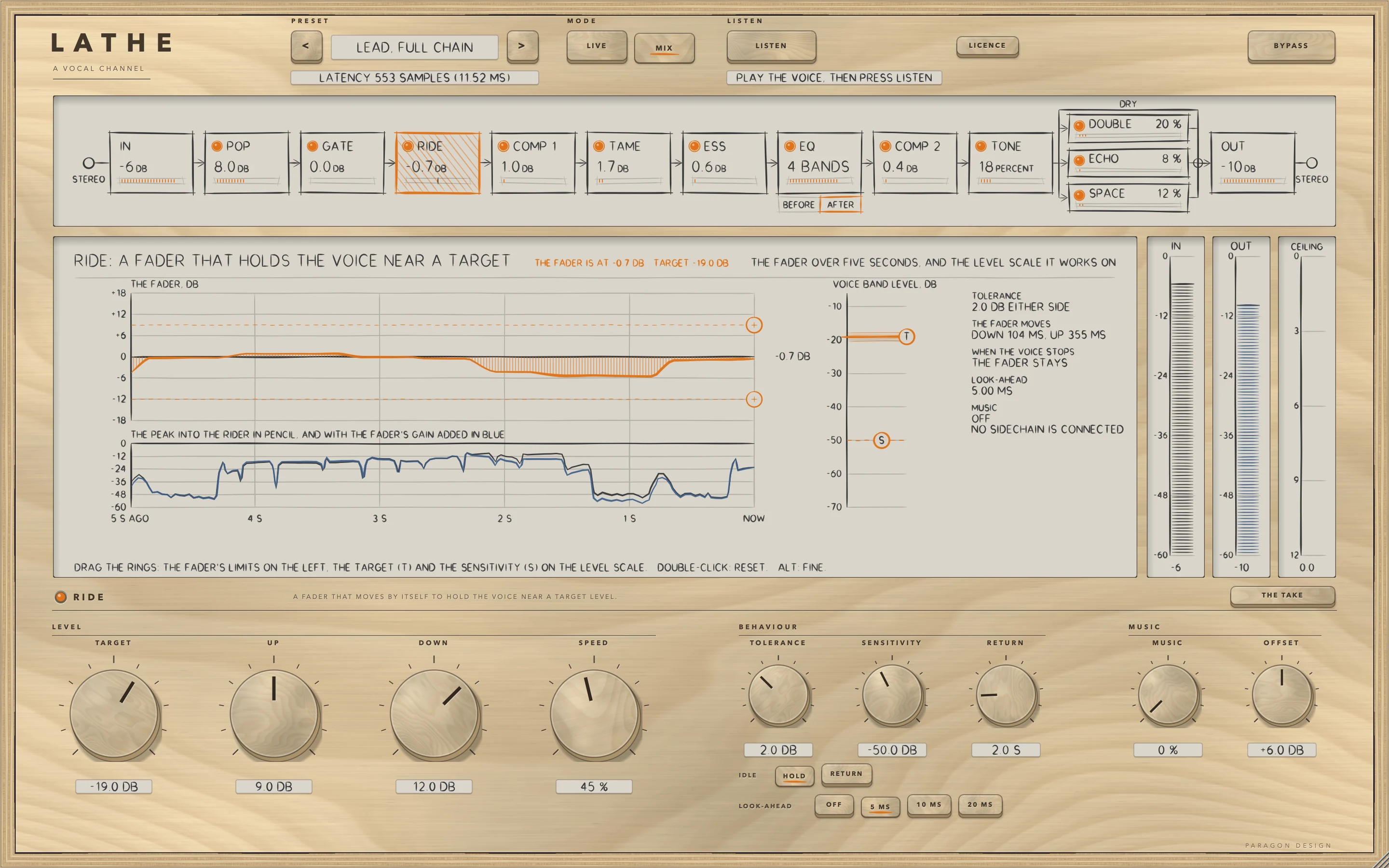
    A rider that holds the level

    RIDE moves a fader to hold the voice at a TARGET, up and down within ranges you set, at the SPEED you choose. It reads the voice between 120 Hz and 4 kHz, can look ahead, and can follow a music reference from the sidechain.

  3. 03

    Three cutters that act only while they must

    POP turns down the low burst of a plosive, TAME turns down a harsh band between 1 and 6 kHz, and ESS turns down sibilance. Each acts only while its band is too loud, and each has a listen key that plays what its detector hears, so you can find the frequency.

  4. 04

    Two compressors, an equaliser and saturation

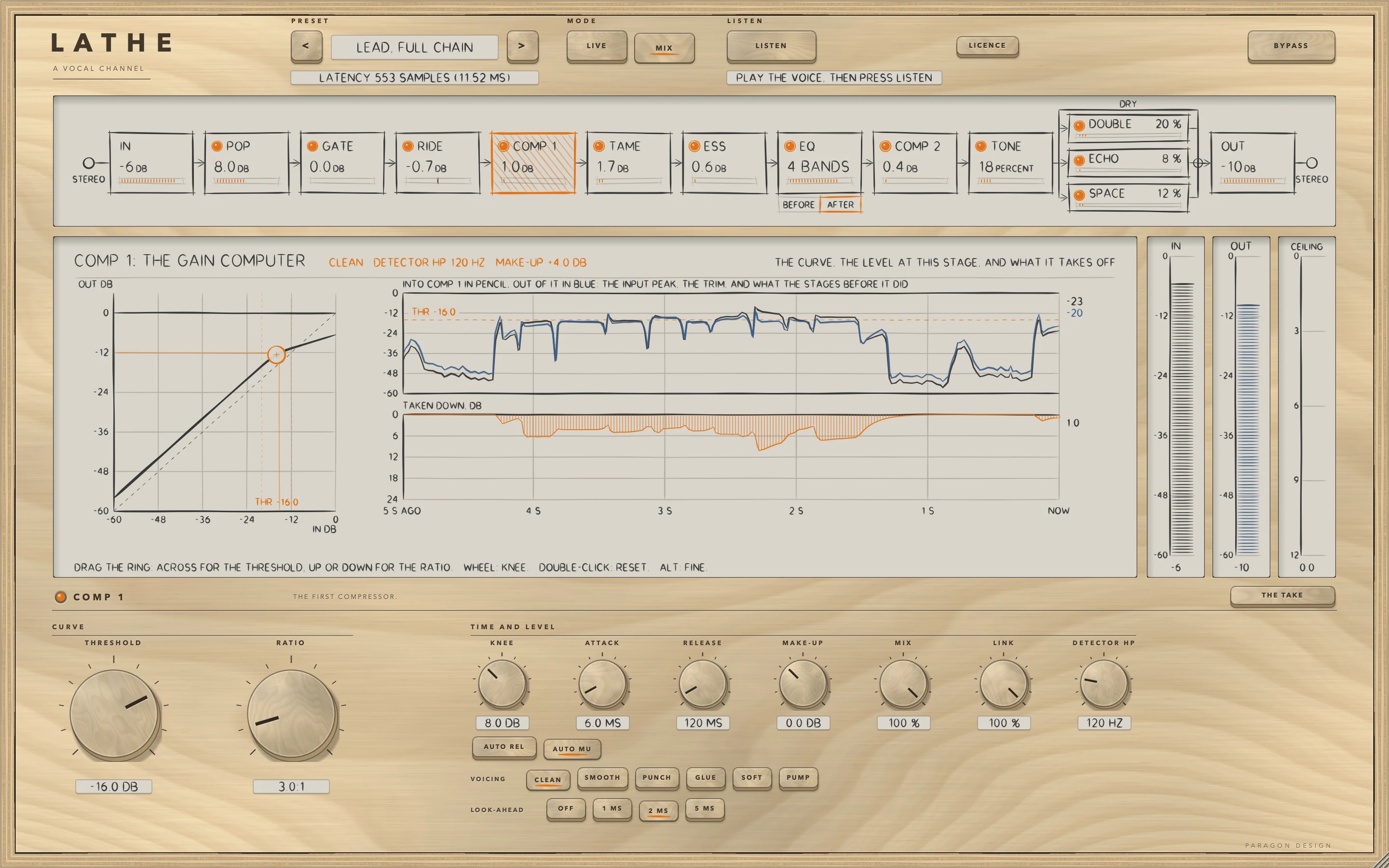
    COMP 1 and COMP 2 are CLAMP's compressor twice, with its six voicings and look-ahead. The EQ is a low shelf, three bells and a high shelf drawn from the filters' own numbers, after ESS or ahead of COMP 1. TONE saturates with a level match and a choice of oversampling.

  5. 05

    LISTEN

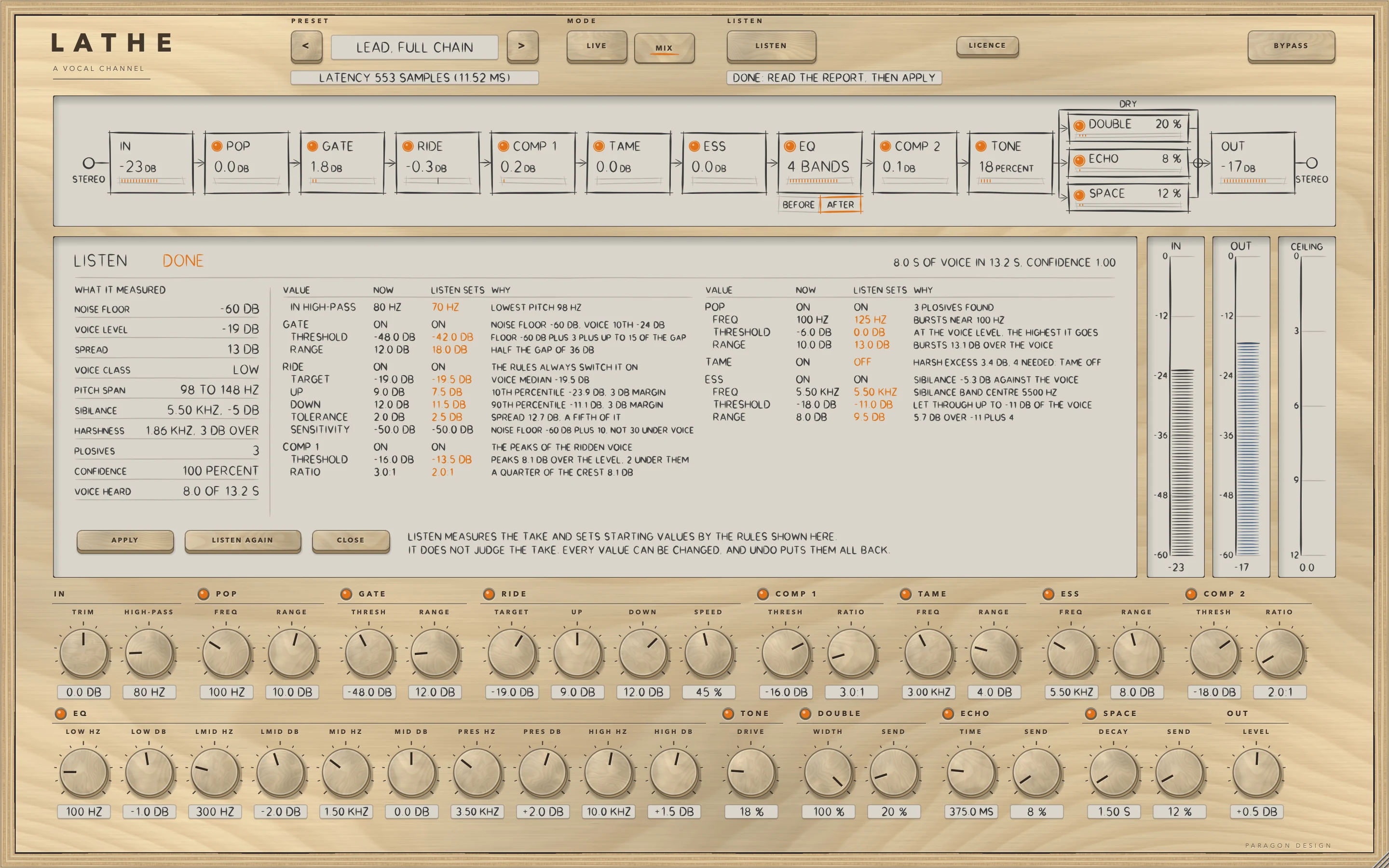
    Play the vocal and LISTEN measures the noise floor, the level of the voice and its spread, its pitch, its sibilance, its harshness and its plosives, then sets the high-pass, GATE, RIDE, POP, TAME, ESS and COMP 1 to starting values by rules the manual writes out as numbers. APPLY sets them as one step and UNDO puts every one back exactly. LISTEN measures and does not hear: a short or unrepresentative sample can mislead it.

  6. 06

    Sends, and a mode for tracking

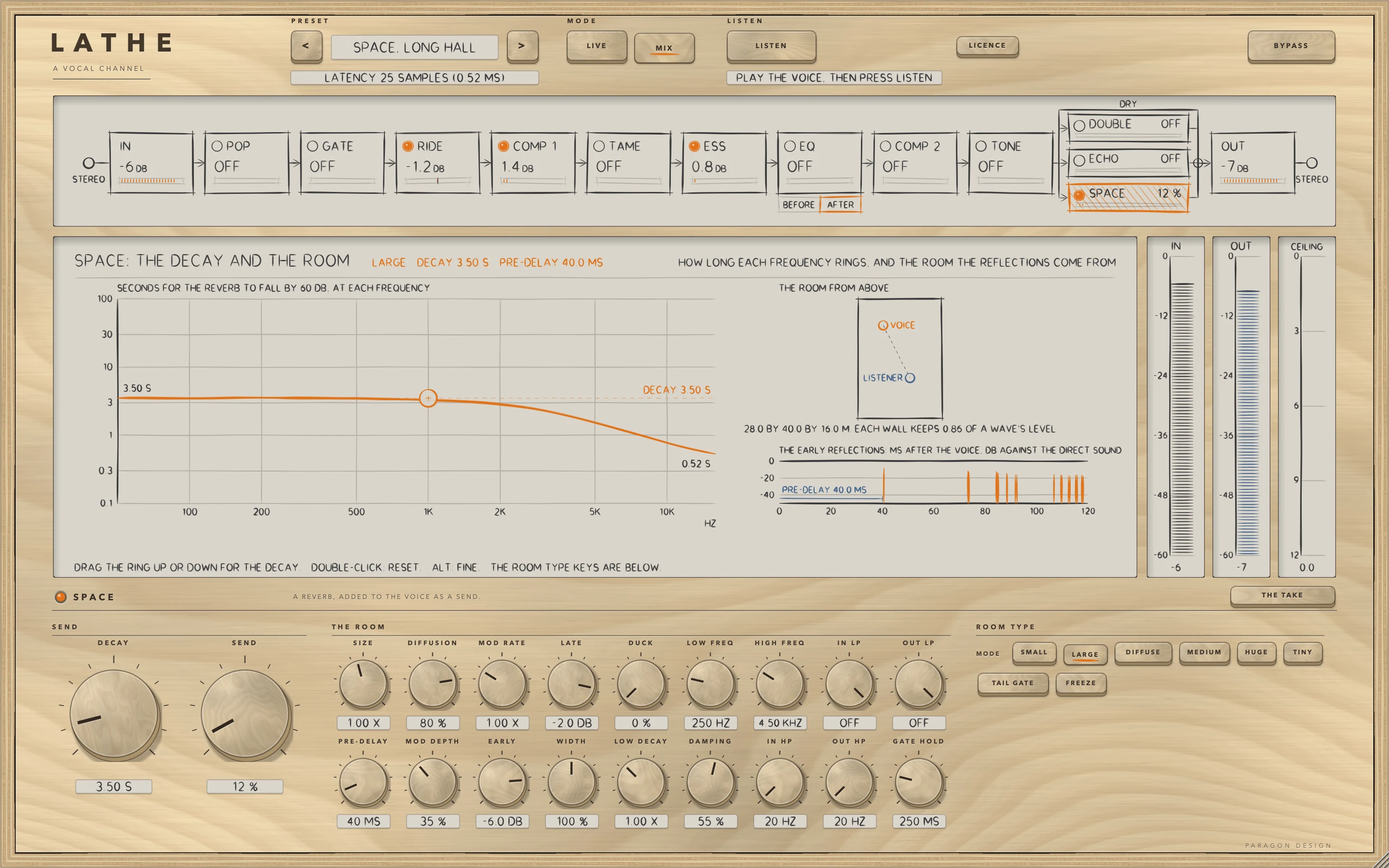
    DOUBLE is a chorus or a doubler, ECHO a delay with optional tempo sync and ping-pong, and ducking by the voice, and SPACE a reverb in six modes with pre-delay, damping and ducking by the voice. LIVE reports no delay (0 samples, measured), with no look-aheads and no oversampling, so a singer can monitor through it; MIX uses the look-aheads and oversampling the controls say.

LATHE · The point of it

The take, stage by stage, on one display.

The display draws what the strip is doing to the last five seconds of the vocal: what went in, what came out, the gain the rider added or took off, and the reduction of each compressor and cutter. It reads the engine's own meters and histories, which the engine writes every ten milliseconds, up to twelve times a second, and it never works out its own idea of what the processing does.

A module that is switched off reads zero, and so does every module while BYPASS is on, so the display cannot show a reduction that is not happening. A module that is switched off still runs inside, so that switching it on is a short fade and moves nothing in time.

  • 0.70 dBHow far the voiced median of a synthetic voice left from RIDE's target of -18 dB, through the whole strip on the LEAD settings with the sends at 0 (limit 1.5 dB).
  • 2.78 dBHow far the spread of the voiced level (tenth to ninetieth percentile) fell on the same voice, from 5.93 dB in to 3.14 dB out, each rounded (limit: at least 2.0 dB). On four real recordings, which the tests only report, the spread of the voiced level fell in 147 of 212 preset runs, rose in 61 and stayed the same in 4. Nobody listened.
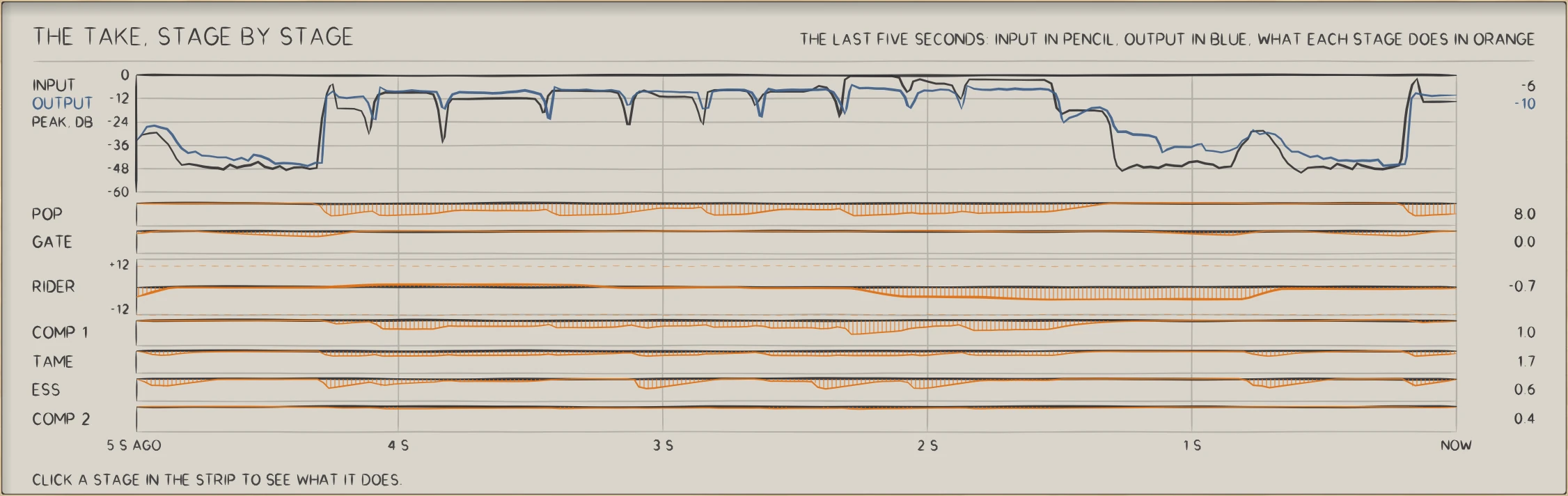
LATHE: THE TAKE, STAGE BY STAGE: the input in pencil, the output in blue, and what each stage does in orange.
THE TAKE, STAGE BY STAGE: the input in pencil, the output in blue, and what each stage does in orange.

In use

The real window, as it looks at work.

These are captures of the built plug-in, drawn by the plug-in itself at twice the size.

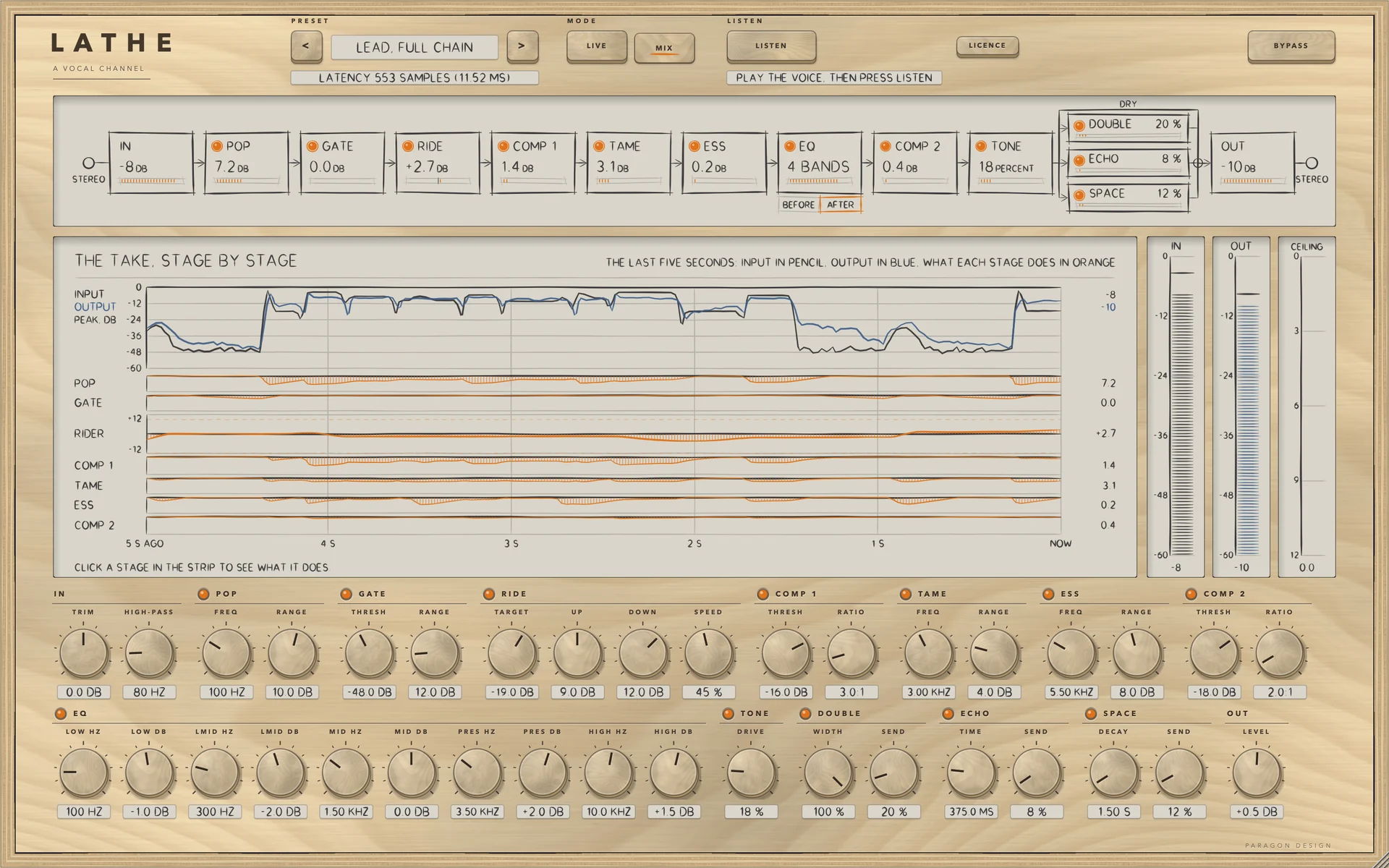
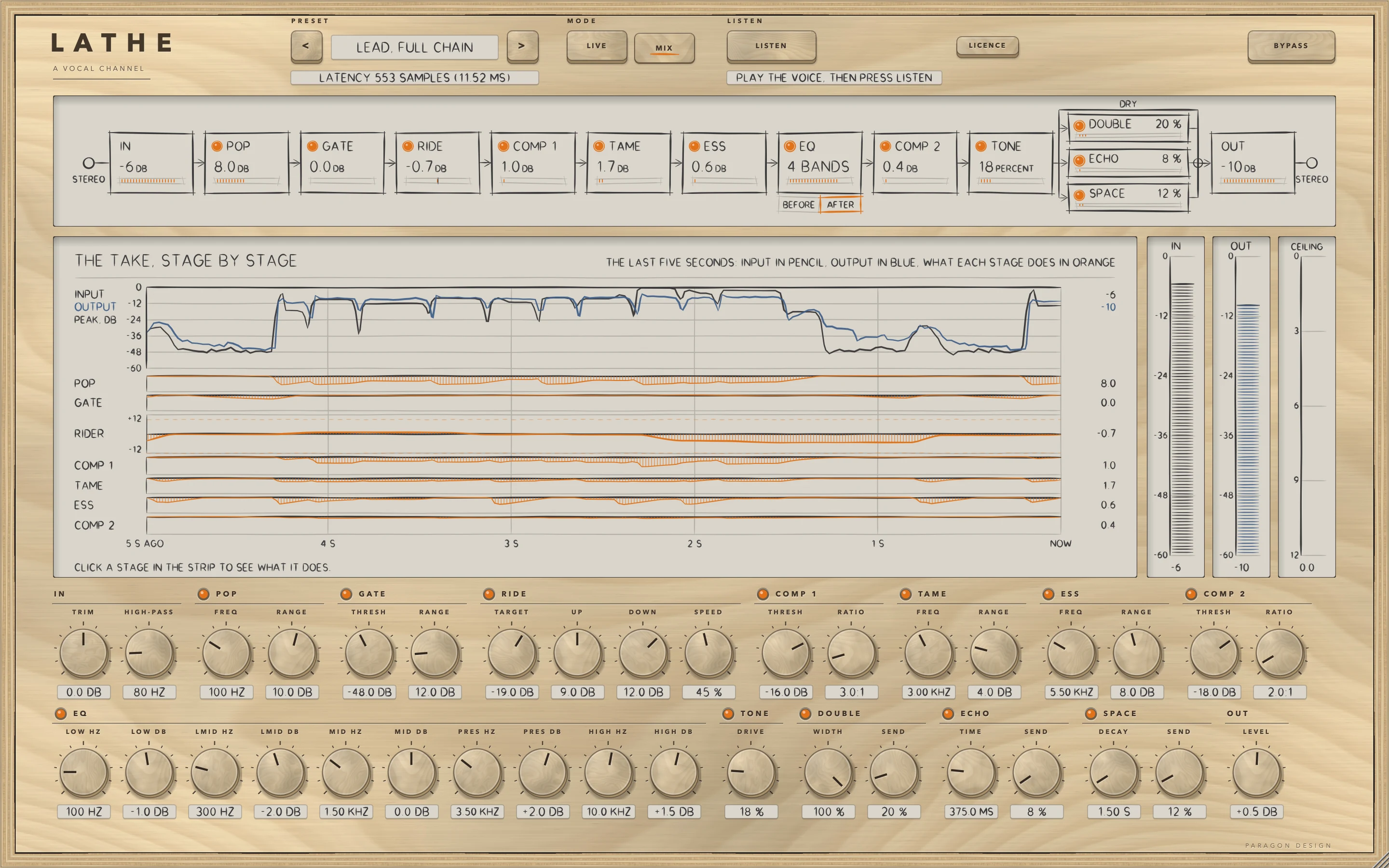
LATHE: Lead, Full Chain with the synthetic voice playing: the strip, THE TAKE stage by stage, the meters and the main controls of every module
Lead, Full Chain with the synthetic voice playing: the strip, THE TAKE stage by stage, the meters and the main controls of every module
LATHE: RIDE: the fader over five seconds, its limits, the target ring T and the sensitivity ring S
RIDE: the fader over five seconds, its limits, the target ring T and the sensitivity ring S
LATHE: COMP 1: the curve, the level into it and out of it, and what it takes off
COMP 1: the curve, the level into it and out of it, and what it takes off
LATHE: LISTEN after a take: what it measured, and the values it would set, each with its reason
LISTEN after a take: what it measured, and the values it would set, each with its reason
LATHE: Space, Long Hall: how long each frequency rings, and the room the reflections come from
Space, Long Hall: how long each frequency rings, and the room the reflections come from
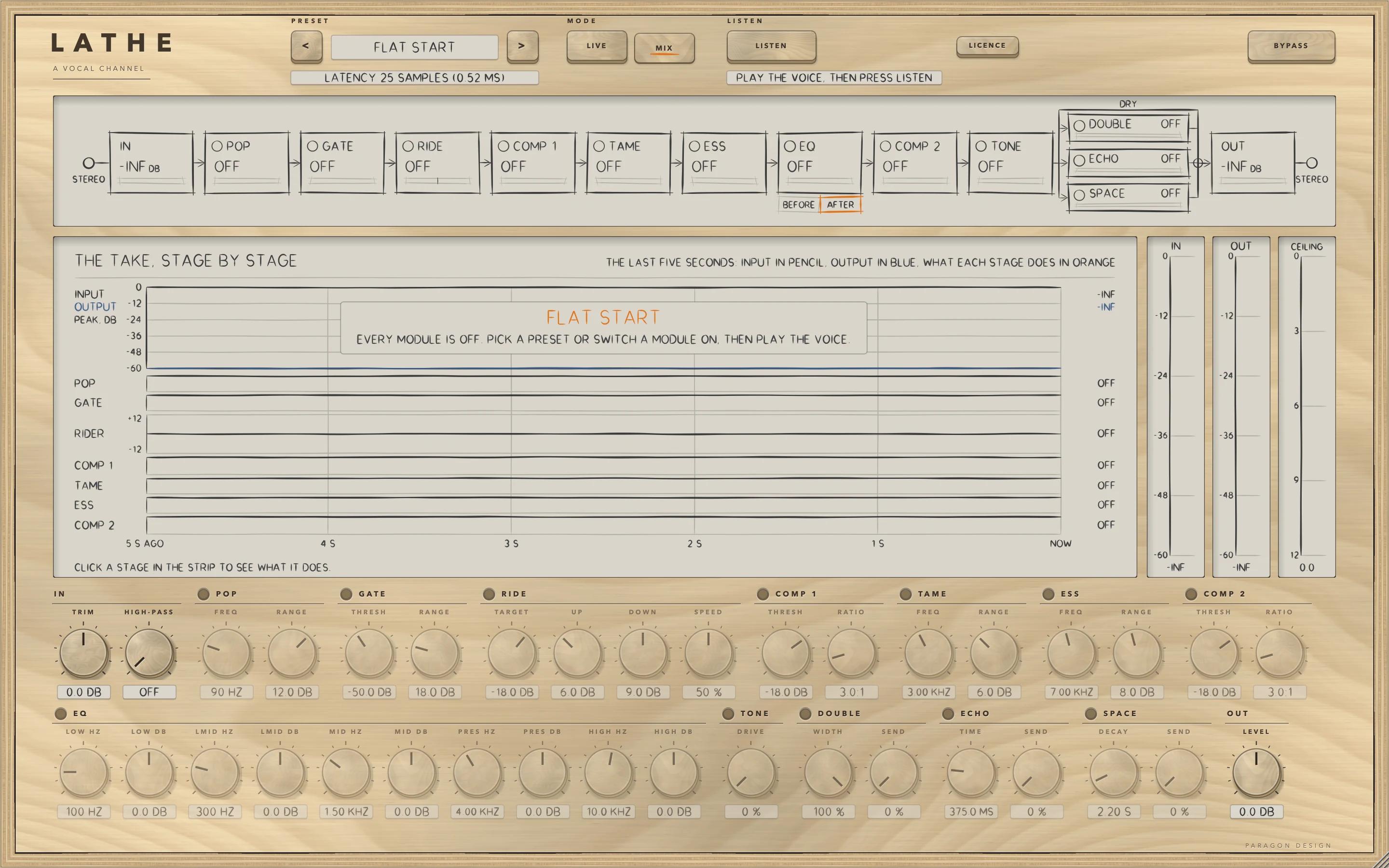
LATHE: Flat Start: every module off, waiting for sound
Flat Start: every module off, waiting for sound

Specifications

Formats
Audio Unit, VST3
Listed in your host as
Lathe Vocal Channel Strip
Channels
Mono in to mono out, mono in to stereo out, or stereo in to stereo out (two in, one out is refused)
Sidechain
Optional, mono or stereo: the music reference for RIDE
Latency
LIVE: 0 samples. MIX: the look-aheads of GATE, RIDE, COMP 1, COMP 2 and the ceiling plus the oversampling of TONE and the ceiling, reported to the host from the controls. At 48 kHz the default is 25 samples and the longest settings together 2117 (44.1 ms)
Tail
The longest send in use: ECHO's tail is capped at 20 seconds and SPACE's at 30
Modules
14: IN, POP, GATE, RIDE, EQ, COMP 1, TAME, ESS, COMP 2, TONE, DOUBLE, ECHO, SPACE, OUT
Editor
1440 x 900 pixels at 100 percent, resizable from 70 to 170 percent
Parameters
170
Presets
53 in 8 categories
CPU
The whole plug-in through its processor (thread CPU time, the least of several runs, 48 kHz, 512-sample blocks, 10 seconds of a synthetic voice, stereo in and out unless stated), on a shared Intel Core i9, in two runs of the final build, so each figure is the range over both: 2.19 to 2.44 percent of one core at the default (every module off, though a module that is off keeps running); 7.94 to 8.82 with every module on, inside the budget of 10 percent in both runs; 6.24 to 7.30 with every module on in LIVE; 6.37 to 7.63 for the preset Lead, Full Chain. An earlier run, with a release build running beside it, read 11.4 with every module on. Apple silicon is not measured

Measured

  1. 0.70 dBHow far the voiced median of a synthetic voice left from RIDE's target of -18 dB, through the whole strip on the LEAD settings with the sends at 0 (limit 1.5 dB).
  2. 2.78 dBHow far the spread of the voiced level (tenth to ninetieth percentile) fell on the same voice, from 5.93 dB in to 3.14 dB out, each rounded (limit: at least 2.0 dB). On four real recordings, which the tests only report, the spread of the voiced level fell in 147 of 212 preset runs, rose in 61 and stayed the same in 4. Nobody listened.
  3. 11.82 dBHow far the band ESS reads fell, input to output, for a sibilant burst 10 dB over the voice (median of 10 bursts); 3.36 dB of it by ESS itself (limit: at least 3 dB). The vowel beside it moved 0.023 dB with ESS alone (limit 0.3 dB).
  4. 2.47 dBHow far the vowel's level moved during that burst inside the whole strip (limit 3 dB). Nearly all of it comes from the stages after ESS: with COMP 2 and TONE off it was 0.78 dB.
  5. 11.94 dBHow far the band under 200 Hz fell, input to output, for a plosive 15 dB over the voice (median of 6); 3.12 dB of it by POP itself (limit: at least 3 dB).
  6. -1.000 dBThe sample peak with the ceiling at -1 dB for a voice 20 dB over the rider's target. The true peak was 0.02 dB over at 2X oversampling (limit 0.35 dB). With oversampling off a sample-peak ceiling can let the true peak about 4 dB over.

On synthetic test signals, by this plug-in’s own tests. Not a listening test.

Presets

53 presets, named for the job.

Starting points chosen from measurements, not tuned by ear. Each one sets every control, so the result does not depend on what was dialled in before it.

Start

  • Flat Start
  • Level Only
  • High-pass Only

Lead

  • Lead, Level and Compress
  • Lead, Gentle
  • Lead, Presence Lift
  • Lead, Low Voice
  • Lead, High Voice
  • Lead, Full Chain
  • Lead, Plate Send
  • Lead, Dry and Even

Backing

  • Backing, Low Level
  • Backing, Doubled
  • Backing, Wide Chorus
  • Backing, Dry and Even
  • Backing, High Voice
  • Backing, Room

Rap

  • Rap, Fast Rider
  • Rap, Even with Lift
  • Rap, Short Slap
  • Rap, Ad Libs
  • Rap, Hard Gate
  • Rap, Doubled Hook

Voice-over

  • Voice-over, Tidy
  • Voice-over, Podcast
  • Voice-over, Low Voice
  • Voice-over, High Voice
  • Voice-over, Expander
  • Voice-over, Plosive Care

Fix

  • Fix, Noisy Take
  • Fix, Noisy Take, Gentle
  • Fix, Sibilant Take
  • Fix, Sibilant, Wide
  • Fix, Boomy Take
  • Fix, Harsh Take
  • Fix, Uneven Level
  • Fix, Plosives
  • Fix, Quiet Take
  • Fix, Loud Take

Space

  • Space, Slap Echo
  • Space, Plate
  • Space, Room
  • Space, Long Hall
  • Space, Chamber
  • Space, Dotted Echo
  • Space, Ping-pong
  • Space, Hall and Echo
  • Space, Ducked Plate

Tracking

  • Tracking, Light
  • Tracking, Compressed
  • Tracking, Room Send
  • Tracking, Gate and Trim
  • Tracking, Headphone Mix

The first minutes

From empty to useful.

  1. 1

    Start from a preset or from LISTEN

    Choose a preset for the voice and the job, or play the vocal and let LISTEN set starting values, then APPLY. UNDO puts every one back.

  2. 2

    Work down the strip

    The modules run in the order shown. Set the hero control of each, and read on the display what each stage is doing to the take.

  3. 3

    Check it against the take

    BYPASS keeps the delay, so nothing moves in time. In LIVE the strip reports no delay, so a singer can monitor through it.