Paragon WorkshopThe free ones

CHAR

A saturator with three curves.

Turn DRIVE up and CHAR pushes the sound into one of three curves: one that adds even harmonics first, one that adds odd harmonics only, and one that adds both. The display draws what the curve does to a tone at every level, which overtones it makes and how loud, and what TILT does to the tone, all computed by running test tones through the engine. LEVEL MATCH brings the shaped sound back towards the level of the dry input, and oversampling keeps the aliases down.

$39Available from next weekTell me when
Formats
Audio Unit, VST3
Channels
Mono in and mono out, or stereo in and stereo out; any other layout is refused
Latency
0 samples with OVERSAMPLING OFF, 25 with 2X and 29 with 4X, at every sample rate
CHAR at work

What it does

CHAR in six parts.

  1. 01

    Three curves

    EVEN is a biased tanh between a low shelf up and the same shelf down. ODD is a symmetric tanh with a low bump in front, and the top is lost as the level rises. EDGE is two unequal exponentials, one for each polarity. At DRIVE 50 percent, with LEVEL MATCH off, a 1 kHz tone at -12 dBFS gets a second harmonic 26 dB under it from EVEN, a third 29 dB under it from ODD, and both from EDGE (32 and 27 dB under).

  2. 02

    A drive you can see

    DRIVE runs from 0 to 100 percent, which is 0 to 26 dB into the curve, and the display says what it is now. Three pictures show what the curve does to a 1 kHz tone at each level, the first eight overtones of a tone at -12 dBFS (the even ones in orange and the odd in blue), and the response of TILT. A ring on the first overtone is a handle: drag it up or down for DRIVE.

  3. 03

    Oversampling

    OFF adds no delay, and a 9.5 kHz tone at -6 dBFS with DRIVE at 100 percent makes an alias 11 to 13 dB under it. 2X delays the sound by 25 samples at every sample rate and puts the alias 72 to 89 dB under the tone. 4X delays it by 29 samples and puts it 78 to 95 dB under. CHAR tells the host the delay, and a change of oversampling while sound plays is made under a short dip.

  4. 04

    Tilt and mix

    TILT is a low shelf and a high shelf about 650 Hz, turned opposite ways: at +100 percent the response is 4 dB up at 20 kHz and 4 dB down at 20 Hz, and at -100 percent the other way. It comes after LEVEL MATCH. MIX blends the shaped sound with the dry input, so a curve can work in parallel: at MIX 0, with TILT and OUTPUT at 0, the output is the dry input, delayed, bit for bit.

  5. 05

    Level match and output

    With LEVEL MATCH on, the shaped sound is brought towards the level of the dry input: within 0.35 dB of it on pink noise at -18 dBFS RMS, with one gain for both sides. OUTPUT is a plain gain from -24 to +12 dB after everything else, and at 0 dB it does nothing.

  6. 06

    Nothing until you ask

    With DRIVE at 0, TILT at 0 and OUTPUT at 0 dB the output is the input delayed by the reported delay, bit for bit, in every curve, oversampling, MIX and LEVEL MATCH setting, and in both layouts. BYPASS crossfades to the input over 5 ms and keeps the delay, so nothing moves in time.

CHAR · The point of it

It shows what the curve does, and it brings the level back.

The display is one picture of three parts, all computed by the engine running test tones: the transfer curve of the settings you have chosen against the dashed line of nothing changed, the overtones of a tone at -12 dBFS in dB against the tone, and the tilt's response from 20 Hz to 20 kHz, with in words what every control asks for and, while sound passes, the peaks in and out and the gain LEVEL MATCH is applying.

Every one of the 20 presets is written as what it changes from the defaults and is held to two to four measurements, 68 in all: the second and third harmonic against the tone, the change of level, the alias, the peak and the delay. The installed Audio Unit and the engine differed in 0 of 1,152,000 samples in each of five stereo settings and 0 of 576,000 in a mono one.

  • 0, 25 or 29The delay in samples the processor told the host for OVERSAMPLING OFF, 2X and 4X, at 44.1, 48, 88.2, 96, 176.4 and 192 kHz: the same number at every rate. An impulse at rest came out exactly that late.
  • Bit for bitWith DRIVE 0, TILT 0 and OUTPUT 0 dB the output is the input delayed by the reported delay in 54 runs and at six sample rates, in both layouts. A denormal input number comes out as itself or 0.
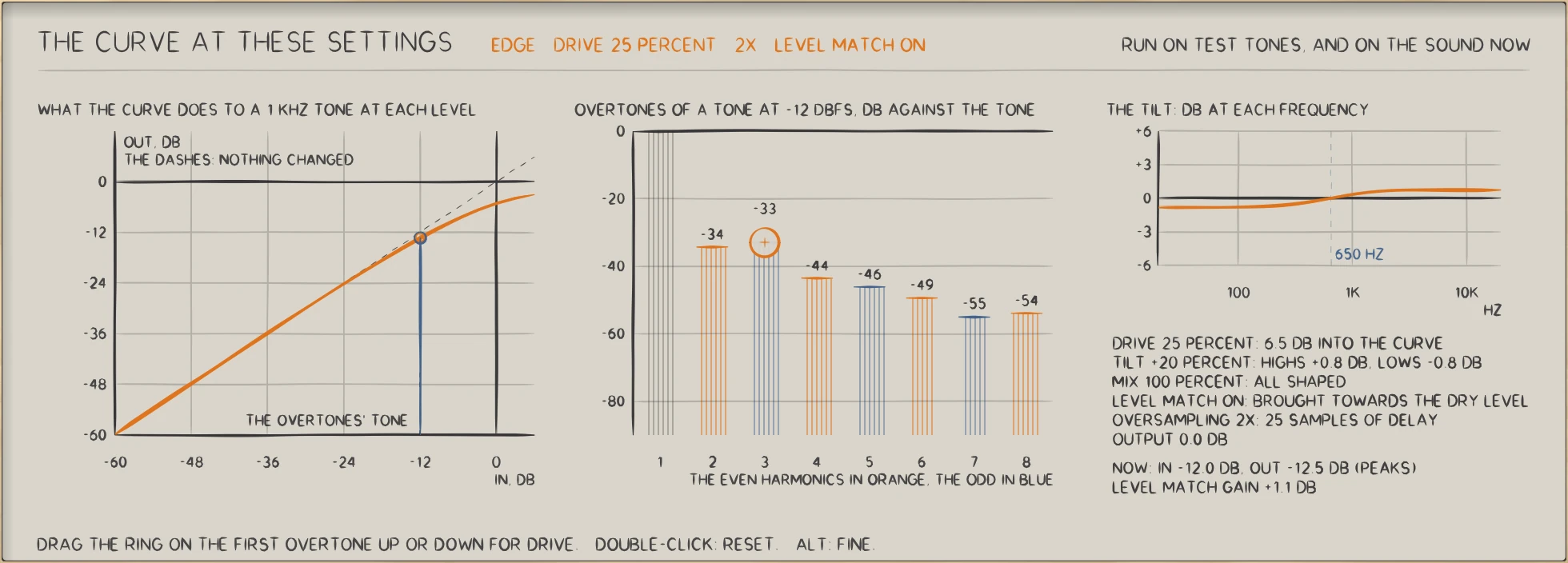
CHAR: CHAR with a voice preset at work: the curve, the overtones, the tilt, and what the controls ask for.
CHAR with a voice preset at work: the curve, the overtones, the tilt, and what the controls ask for.

In use

The real window, as it looks at work.

These are captures of the built plug-in, drawn by the plug-in itself at twice the size.

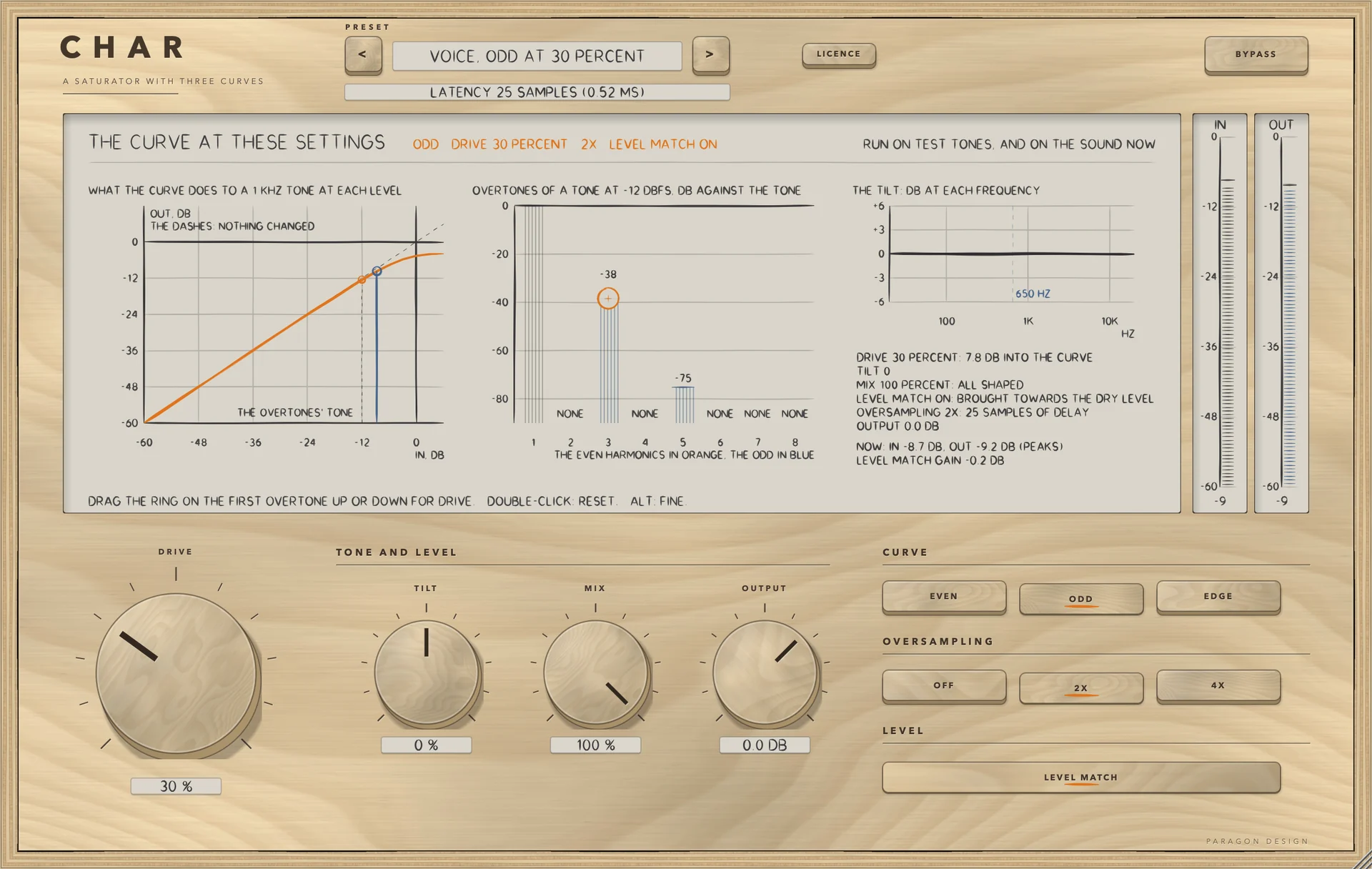
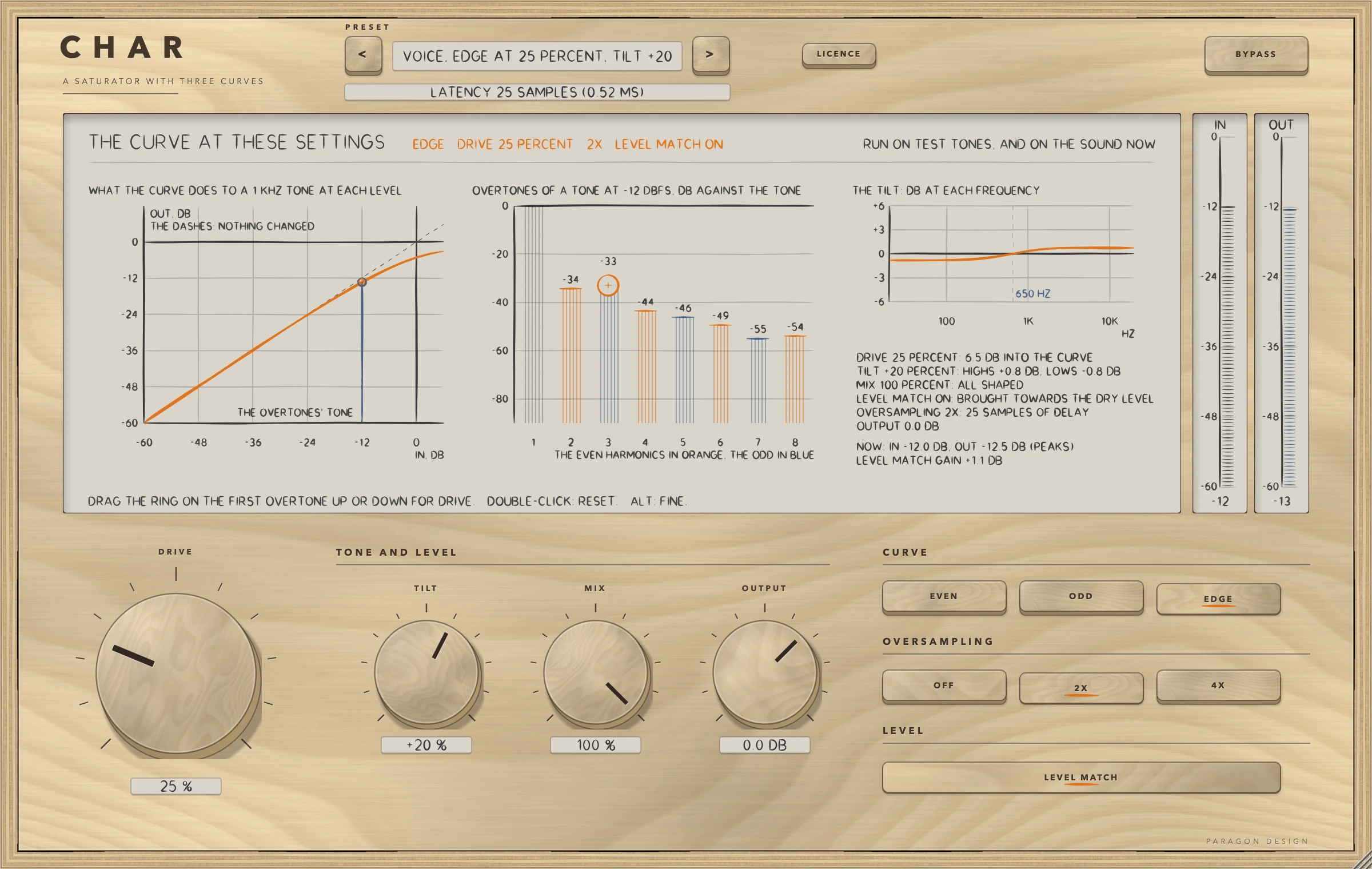
CHAR: A voice preset at work: the curve at these settings, the overtones, the tilt and the words of what the controls ask for, with the meters
A voice preset at work: the curve at these settings, the overtones, the tilt and the words of what the controls ask for, with the meters
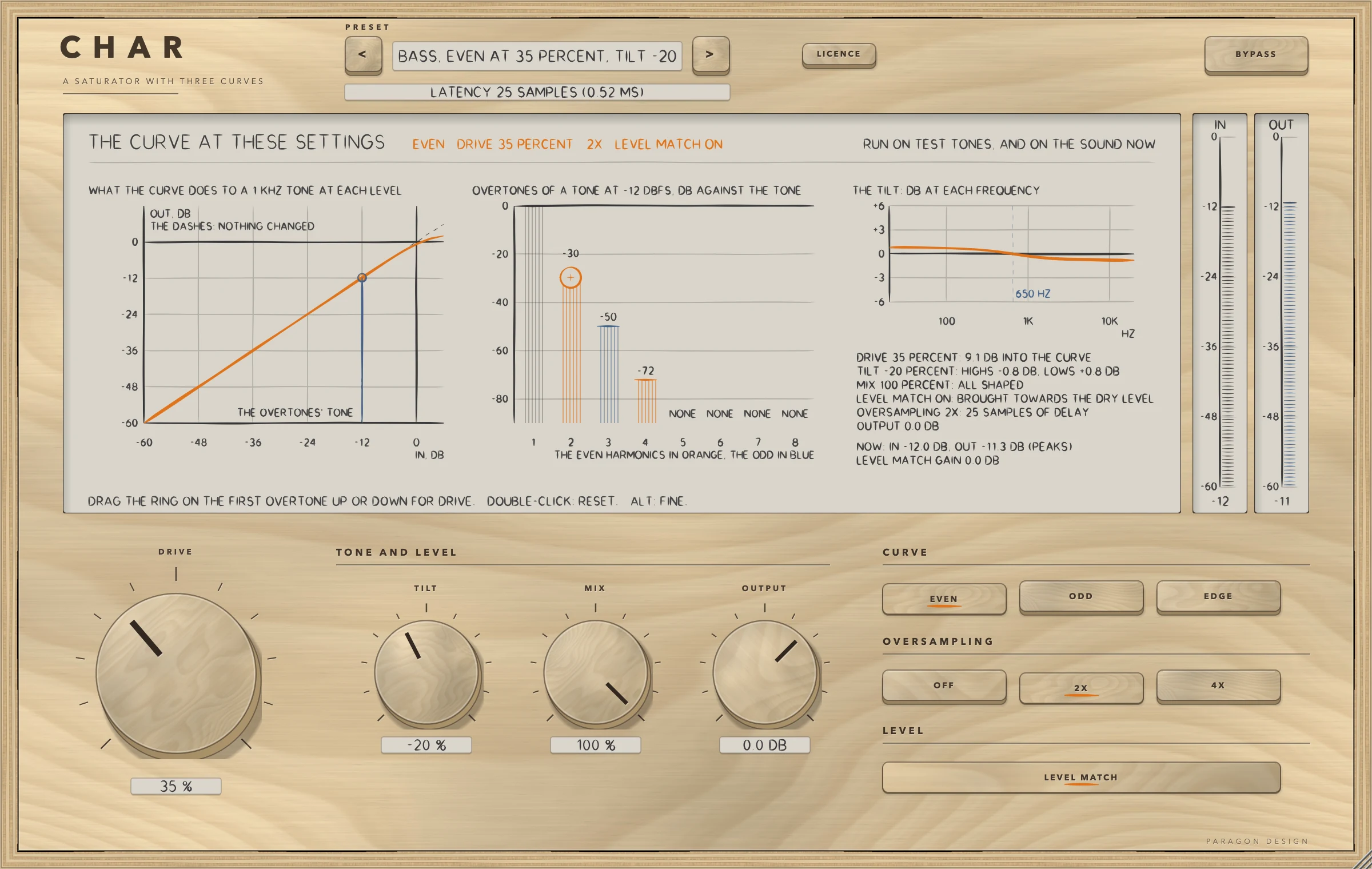
CHAR: The EVEN curve with sound: the second harmonic leads, in orange
The EVEN curve with sound: the second harmonic leads, in orange
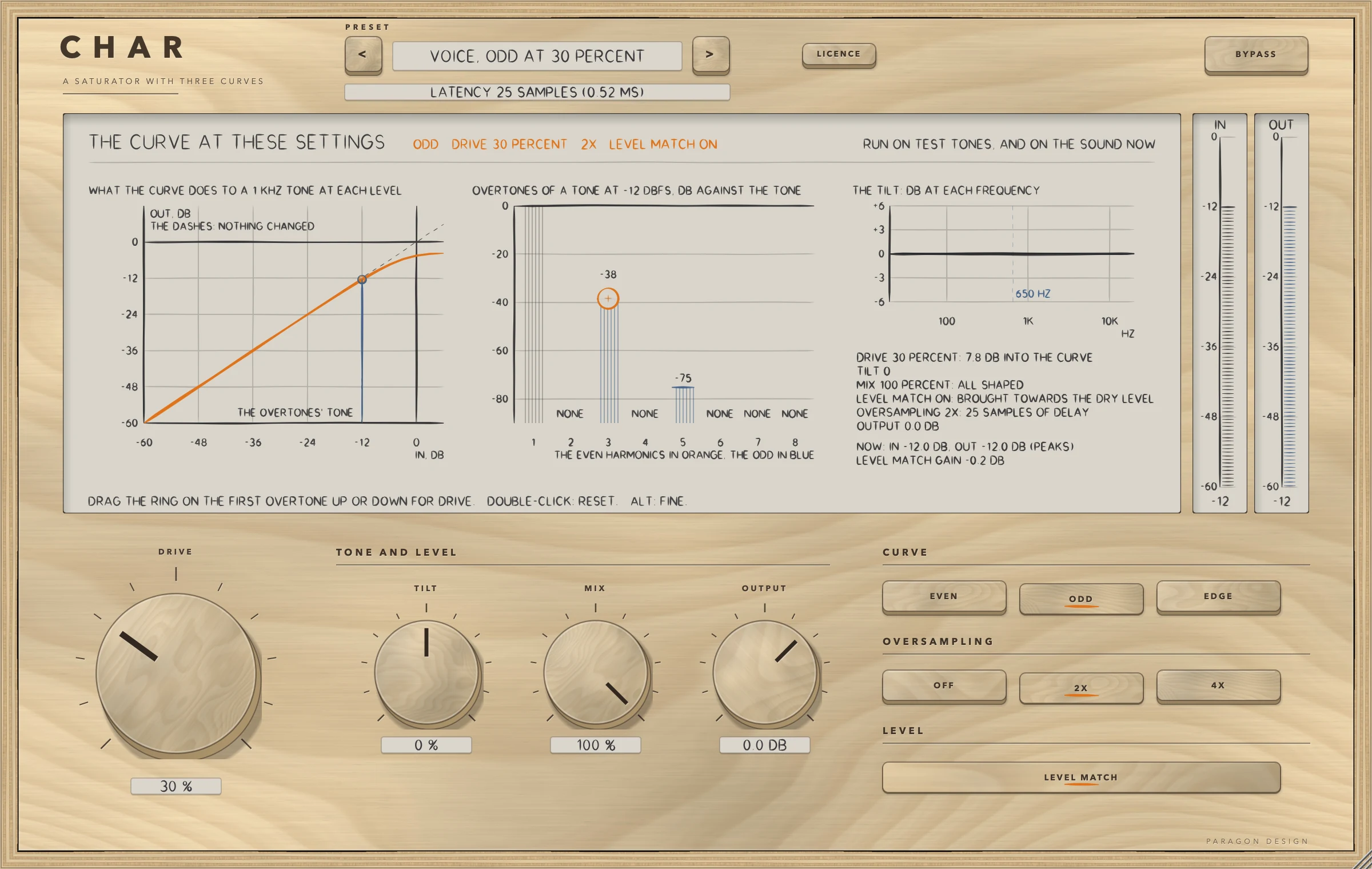
CHAR: The ODD curve with sound: only the odd harmonics, in blue
The ODD curve with sound: only the odd harmonics, in blue
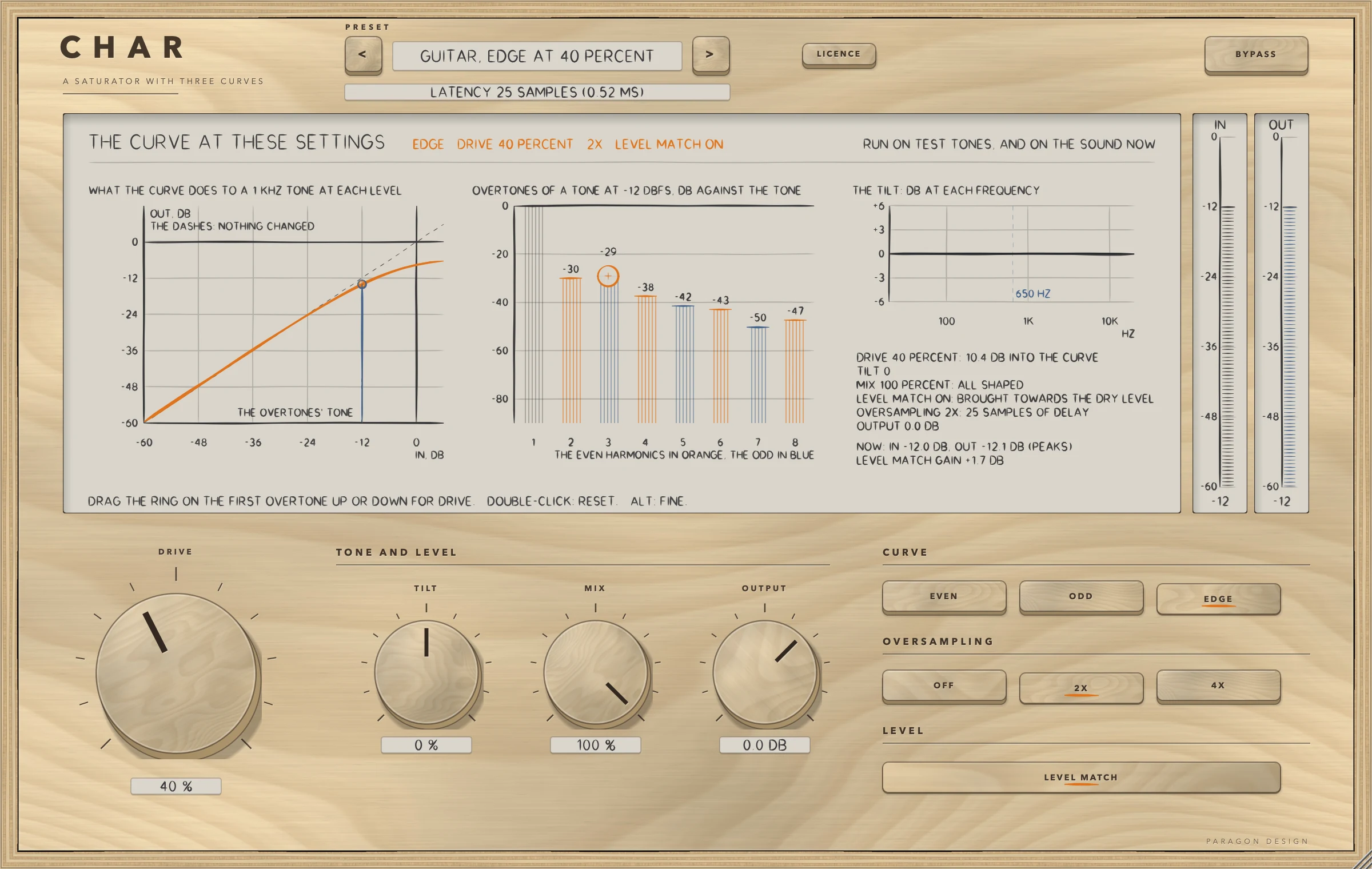
CHAR: The EDGE curve with sound: both kinds of harmonic
The EDGE curve with sound: both kinds of harmonic
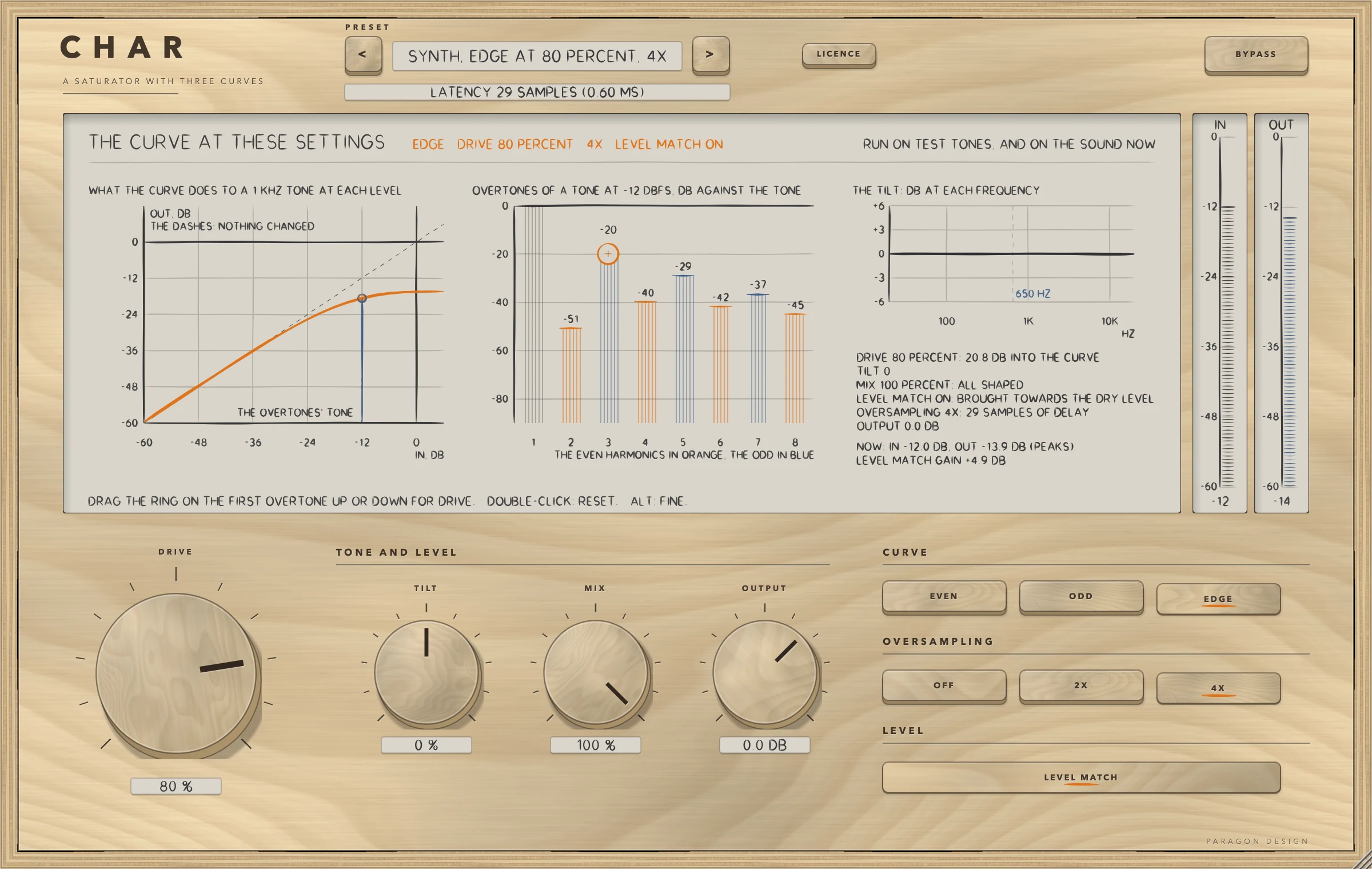
CHAR: 4X oversampling: the line under the preset name says 29 samples of delay
4X oversampling: the line under the preset name says 29 samples of delay
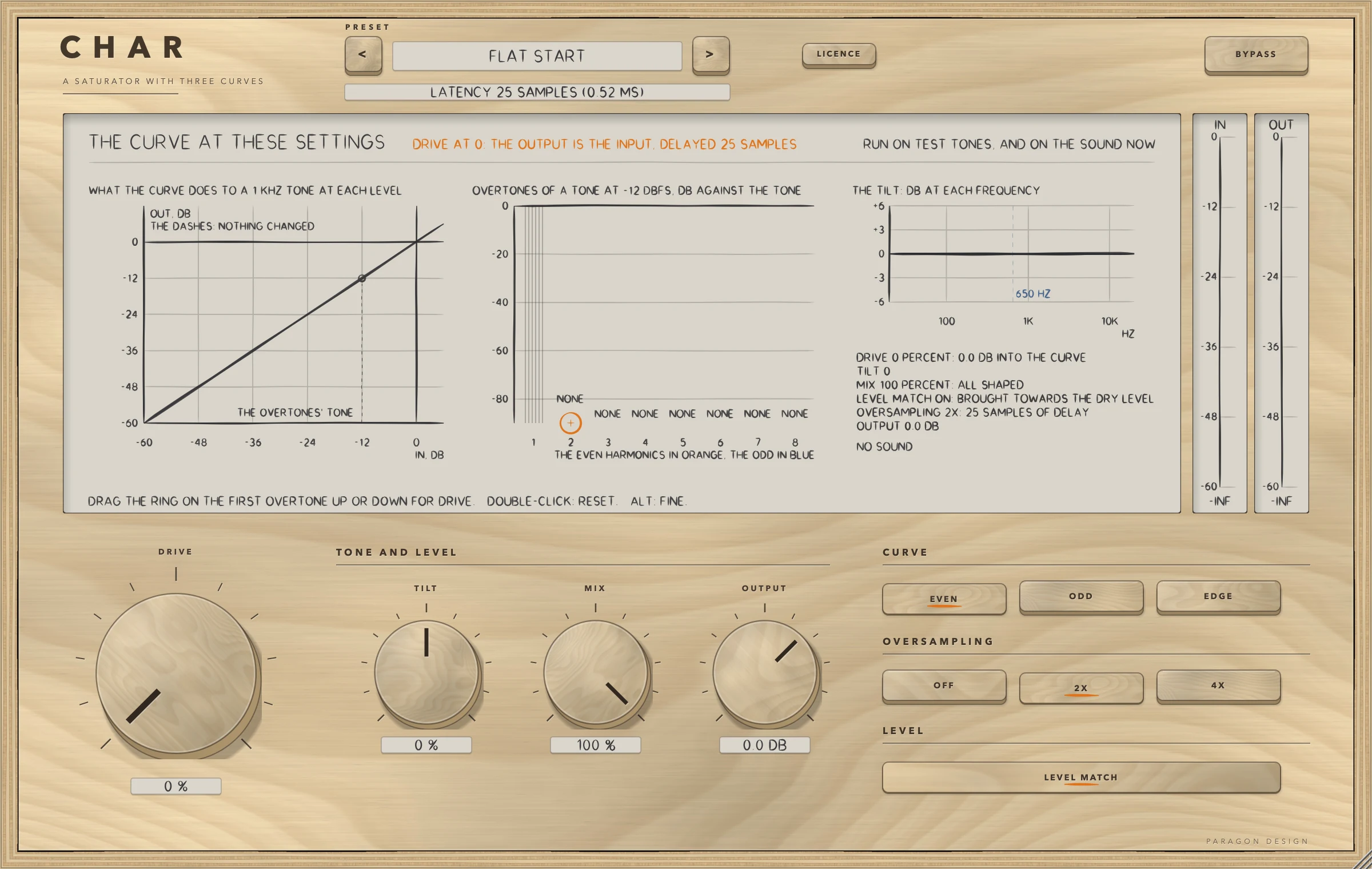
CHAR: Flat Start with no sound: DRIVE is at 0 and the output is the input, delayed 25 samples
Flat Start with no sound: DRIVE is at 0 and the output is the input, delayed 25 samples

Specifications

Formats
Audio Unit, VST3
Listed in your host as
Char Saturator
Channels
Mono in and mono out, or stereo in and stereo out; any other layout is refused
Sidechain
None
Latency
0 samples with OVERSAMPLING OFF, 25 with 2X and 29 with 4X, at every sample rate
Tail told to the host
The delay, and 0.2 s more while DRIVE is above 0 or TILT is not 0 and BYPASS is off
Drive
0 to 100 percent, which is 0 to 26 dB into the curve
Tilt
-100 to +100 percent: a low shelf and a high shelf about 650 Hz, 4 dB at the ends of the control
Curves
EVEN, ODD and EDGE
Editor
1200 x 760 pixels at 100 percent, resizable from 70 to 170 percent
Parameters
8
Presets
20 in 8 categories
CPU
Flat Start 0.12 percent of one core, 0.82 to 0.89 at 2X and DRIVE 60, 1.37 to 1.49 at 4X and DRIVE 60, and 1.44 at the heavy setting (stereo, 48 kHz, 512-sample blocks, thread CPU time; Intel Core i9, a quiet machine at a load average of about 4). The budget of 2.0 percent holds in those runs; on a busy machine 4X at a high DRIVE read 1.8 and once 2.19

Measured

  1. 0, 25 or 29The delay in samples the processor told the host for OVERSAMPLING OFF, 2X and 4X, at 44.1, 48, 88.2, 96, 176.4 and 192 kHz: the same number at every rate. An impulse at rest came out exactly that late.
  2. Bit for bitWith DRIVE 0, TILT 0 and OUTPUT 0 dB the output is the input delayed by the reported delay in 54 runs and at six sample rates, in both layouts. A denormal input number comes out as itself or 0.
  3. 0 of 1152000Samples that differed between the installed Audio Unit and the engine's own strip in each of five stereo settings (0 of 576000 in a mono one). The test exists because Apple's compiler once made an installed build play only part of its sound while every other test passed.
  4. 68 measurementsTwo to four for each of the 20 presets, all inside their bounds in 86 runs of CHAR's own signal path on named programmes: the second and third harmonic against the tone, the level change with LEVEL MATCH on, the shaped sound's level against the dry, the peak, the alias and the delay.
  5. 72 to 89 dBHow far under the tone the alias of a 9.5 kHz tone at -6 dBFS with DRIVE at 100 percent sits with 2X (78 to 95 dB with 4X, 11 to 13 dB with oversampling off), over the three curves in the engine's own test.

On synthetic test signals, by this plug-in’s own tests. Not a listening test.

Presets

20 presets, named for the job.

Starting points chosen from measurements, not tuned by ear. Each one sets every control, so the result does not depend on what was dialled in before it.

Start

  • Flat Start

Voice

  • Voice, Even at 20 Percent
  • Voice, Odd at 30 Percent
  • Voice, Edge at 25 Percent, Tilt +20

Drums

  • Drums, Edge at 50 Percent
  • Drums, Odd at 70 Percent, 4X
  • Drums, Even at 80 Percent, Mix 40

Bass

  • Bass, Even at 35 Percent, Tilt -20
  • Bass, Odd at 50 Percent, 4X
  • Bass, Edge at 90 Percent, Mix 30, 4X

Guitar and Keys

  • Guitar, Edge at 40 Percent
  • Guitar, Odd at 60 Percent, Match Off
  • Keys, Even at 25 Percent

Mix Bus

  • Bus, Odd at 15 Percent
  • Bus, Even at 10 Percent
  • Bus, Even at 60 Percent, Mix 25

Synth

  • Synth, Edge at 80 Percent, 4X
  • Synth, Odd at 100 Percent, Match Off

Special

  • Special, Edge at 100, No Oversampling
  • Special, Even at 100, Tilt +60

The first minutes

From empty to useful.

  1. 1

    Choose a preset

    Pick Voice, Even at 20 Percent. It sets the EVEN curve and DRIVE 20 percent, and Flat Start puts everything back to rest.

  2. 2

    Drag the ring

    Drag the ring on the first overtone up for more DRIVE. The curve bends, the bars of the overtones grow, and the line in words says how many dB are going into the curve.

  3. 3

    Try the curves

    Press EVEN, ODD and EDGE in turn and watch which harmonics appear, then press 4X to push the aliases down and see the delay line change to 29 samples.