Paragon WorkshopThe free ones

SQUARE

Line up a track with a reference: time, polarity and phase.

Two microphones on one drum, a DI and an amp, a room mic and a close mic: when two recordings of one sound disagree about time, polarity or phase, the mix can go thin. SQUARE measures the lag to a fraction of a sample, says whether one is upside down, and moves the track into line. Over a long recording it follows the drift between two recorders' clocks.

$99Available from next weekTell me when
Formats
Audio Unit, VST3
Channels
Mono or stereo, same in and out
Latency
16 samples plus the range: 256, 976 or 2416 samples at 48 kHz
SQUARE at work

What it does

SQUARE in four parts.

  1. 01

    Measured to a fraction of a sample

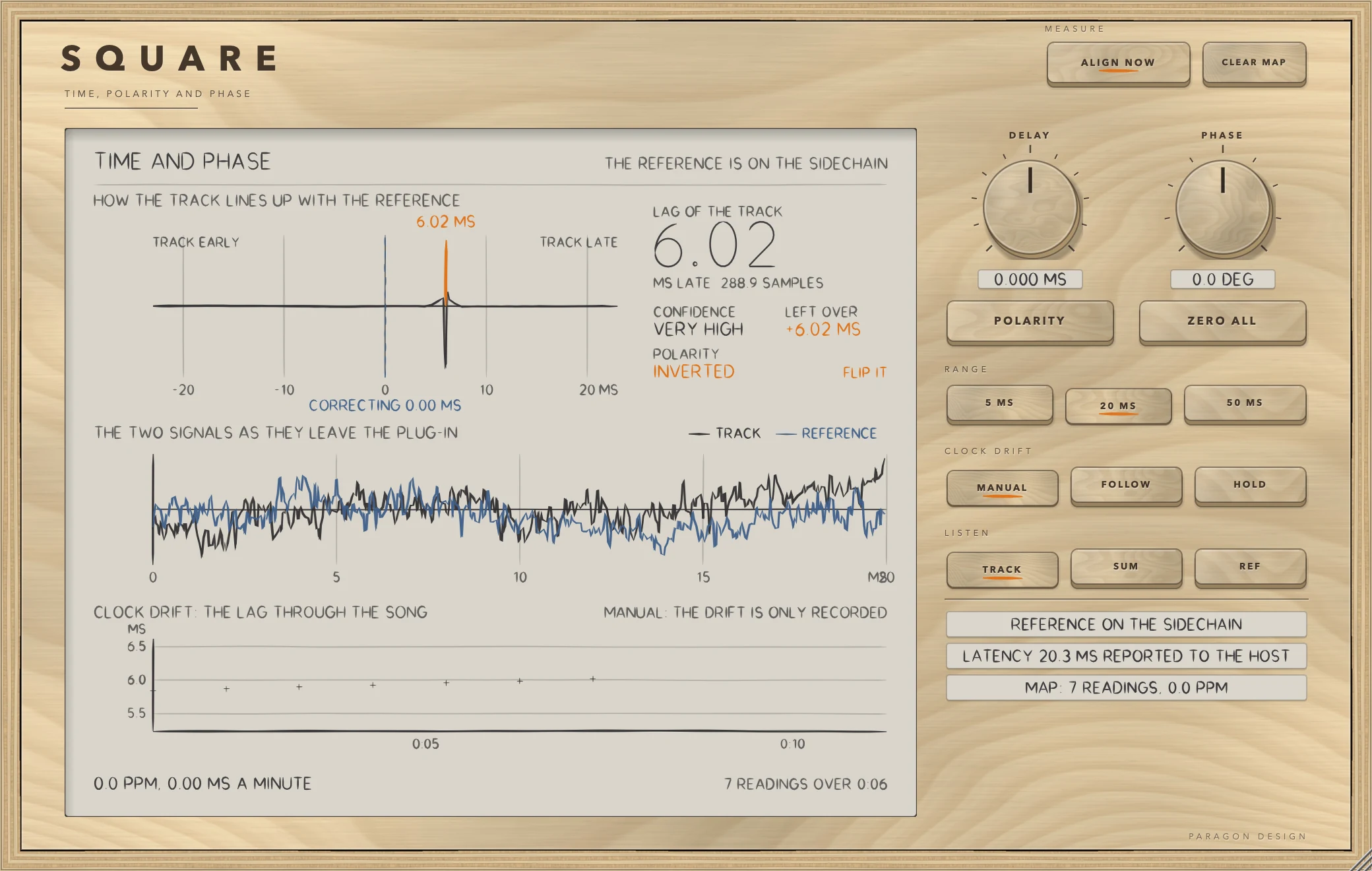
    The lag is found by a phase-transform cross-correlation. On clean signals it was found to about 0.001 sample, from 5.300 to 1500.501 samples. A negative peak means the track is upside down, and ALIGN NOW sets the delay and the polarity for you.

  2. 02

    Polarity and phase

    POLARITY turns the track over. PHASE rotates it by up to 180 degrees with a pair of allpass chains: every frequency from 20 Hz to 20 kHz is turned by the same angle, to within 0.09 degree at 48 kHz. At zero it is skipped altogether.

  3. 03

    Clock drift

    Two recorders rarely agree exactly on the length of a second. FOLLOW applies a robust line through the last 90 seconds of readings; HOLD applies a map learned on an earlier pass, and needs no reference.

  4. 04

    Nothing else changes

    At rest SQUARE is a delay and nothing else, bit for bit. It reports 16 samples plus the range to the host, and moves the track earlier than the rest by taking less of that delay.

SQUARE · The point of it

It keeps the track in line for the whole recording, not just the start.

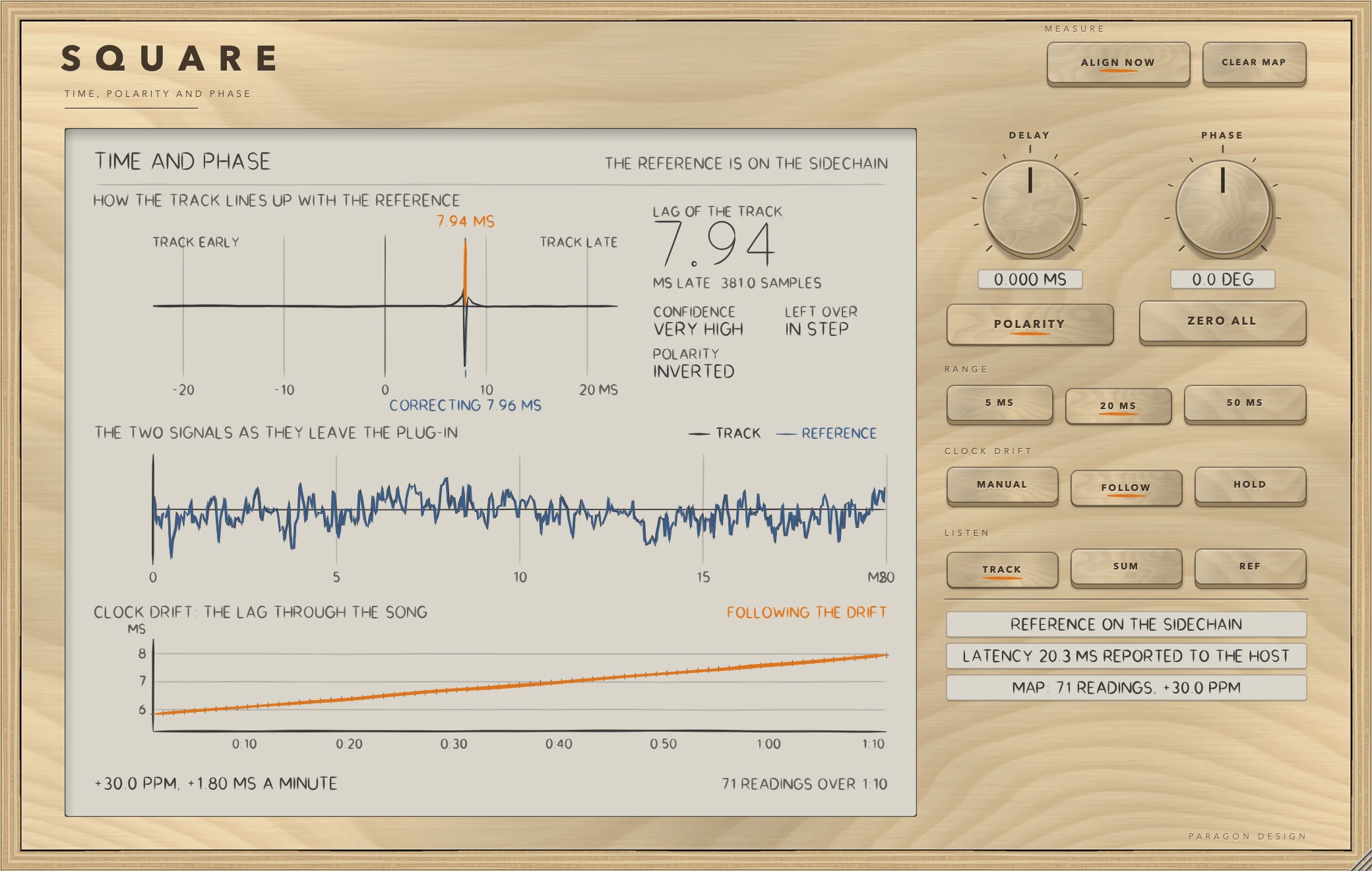
Two recorders' clocks run at slightly different rates, so a track lined up at the start drifts out of line as the recording goes on: at 50 ppm, by 480 samples over 200 seconds at 48 kHz. In the test the track began 153.6 samples out, and on its own it ended up to 342 samples out at 20 ppm and 623 at 50 ppm.

SQUARE keeps a map of the lag against the position in the song. With FOLLOW the delay stays within 0.02 sample at 20 ppm and 0.05 at 50 ppm. With HOLD it uses the map learned on an earlier pass, so a second pass, or a loop, needs no reference at all.

  • 0.001 sampleHow closely a lag is found on clean signals, fractional ones included (5.300 and 311.250 were tested).
  • 0.05 sampleWorst error of FOLLOW over 200 seconds of clock drift at 50 ppm (0.02 at 20 ppm). The track on its own was up to 623 samples out; it began 153.6 out.
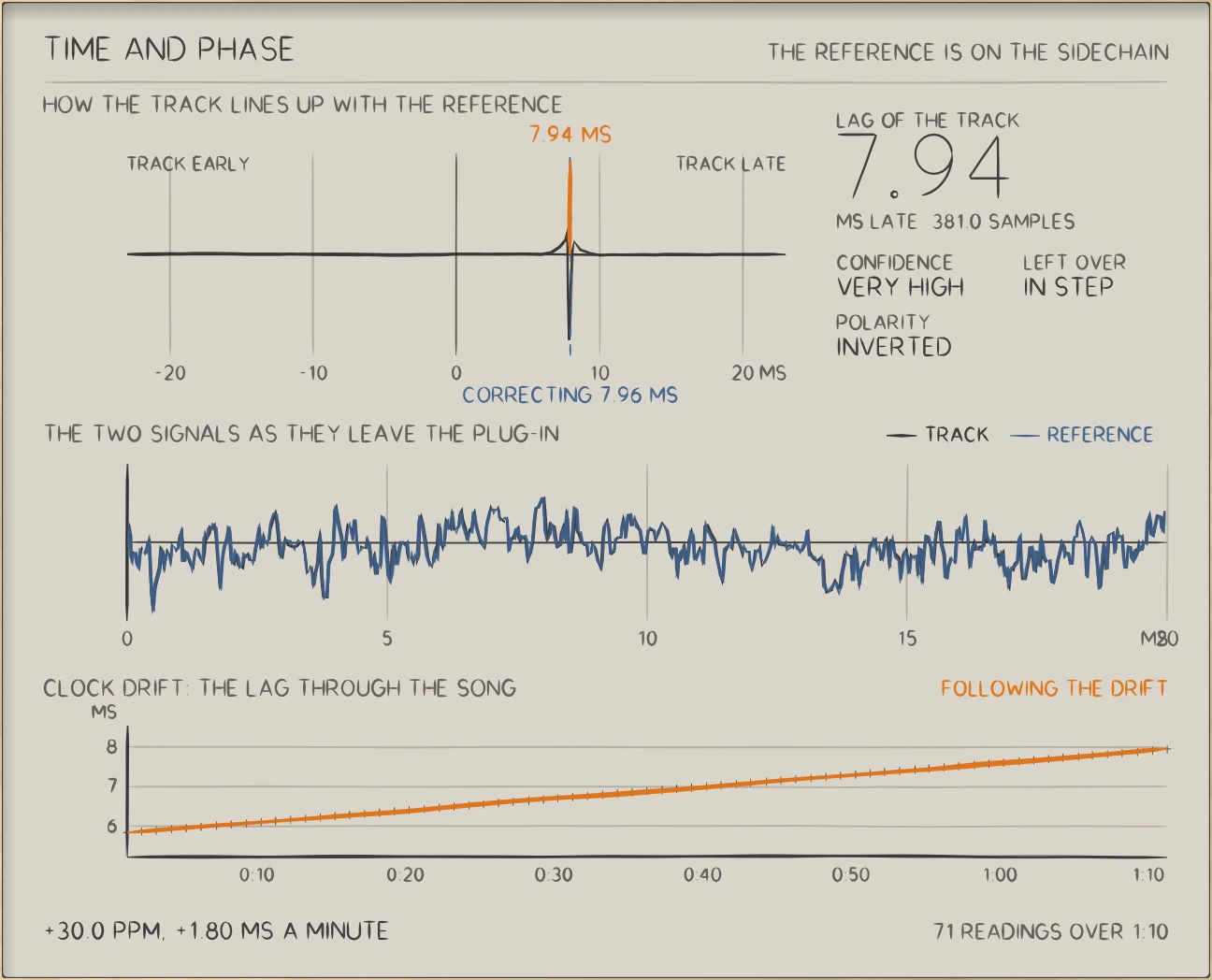
SQUARE: The lag of the track against the song: a straight line, the drift of two clocks.
The lag of the track against the song: a straight line, the drift of two clocks.

In use

The real window, as it looks at work.

These are captures of the built plug-in, drawn by the plug-in itself at twice the size.

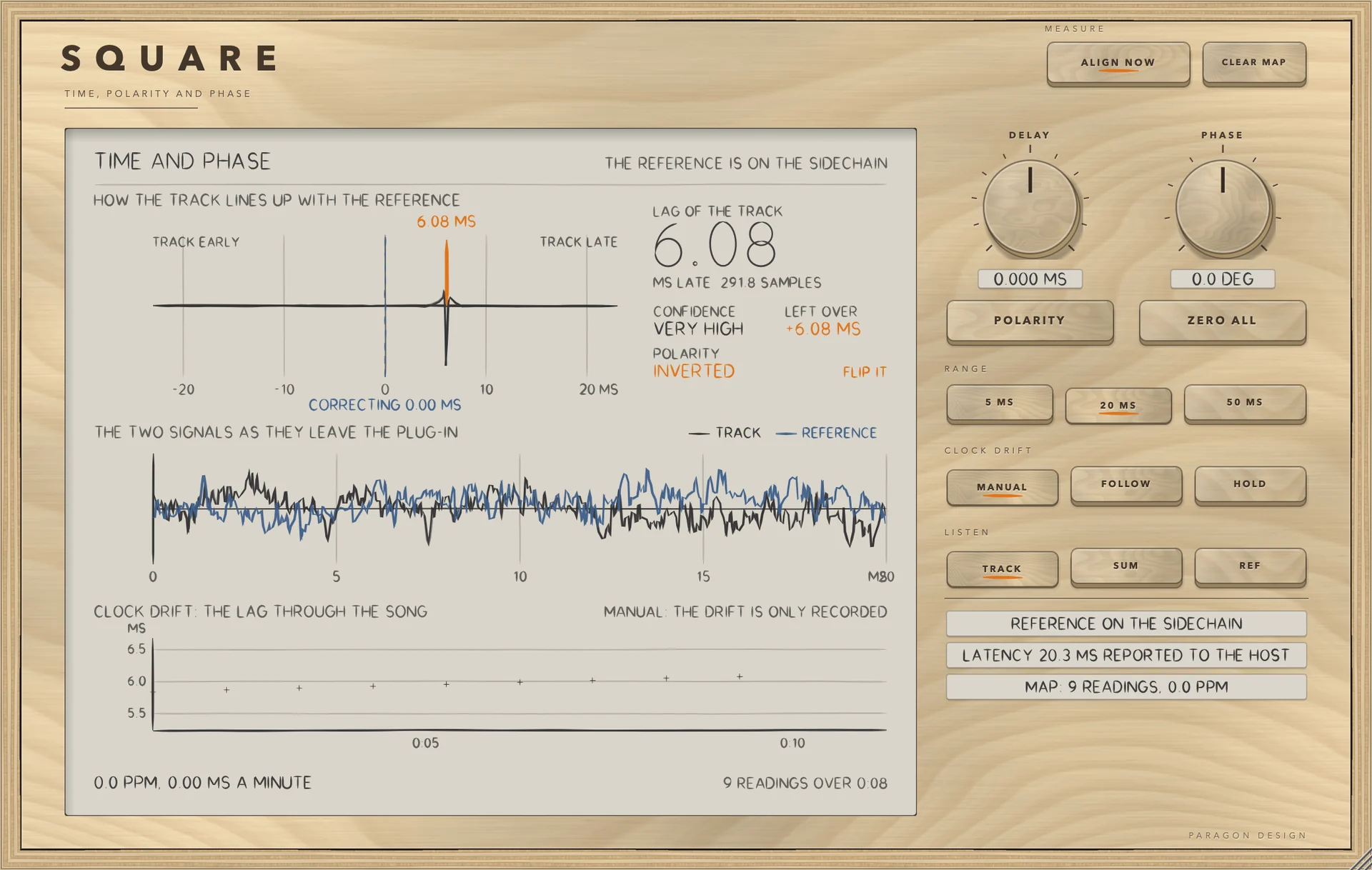
SQUARE: Measured: the track is 6.02 ms late and inverted
Measured: the track is 6.02 ms late and inverted
SQUARE: Corrected, and following the drift
Corrected, and following the drift
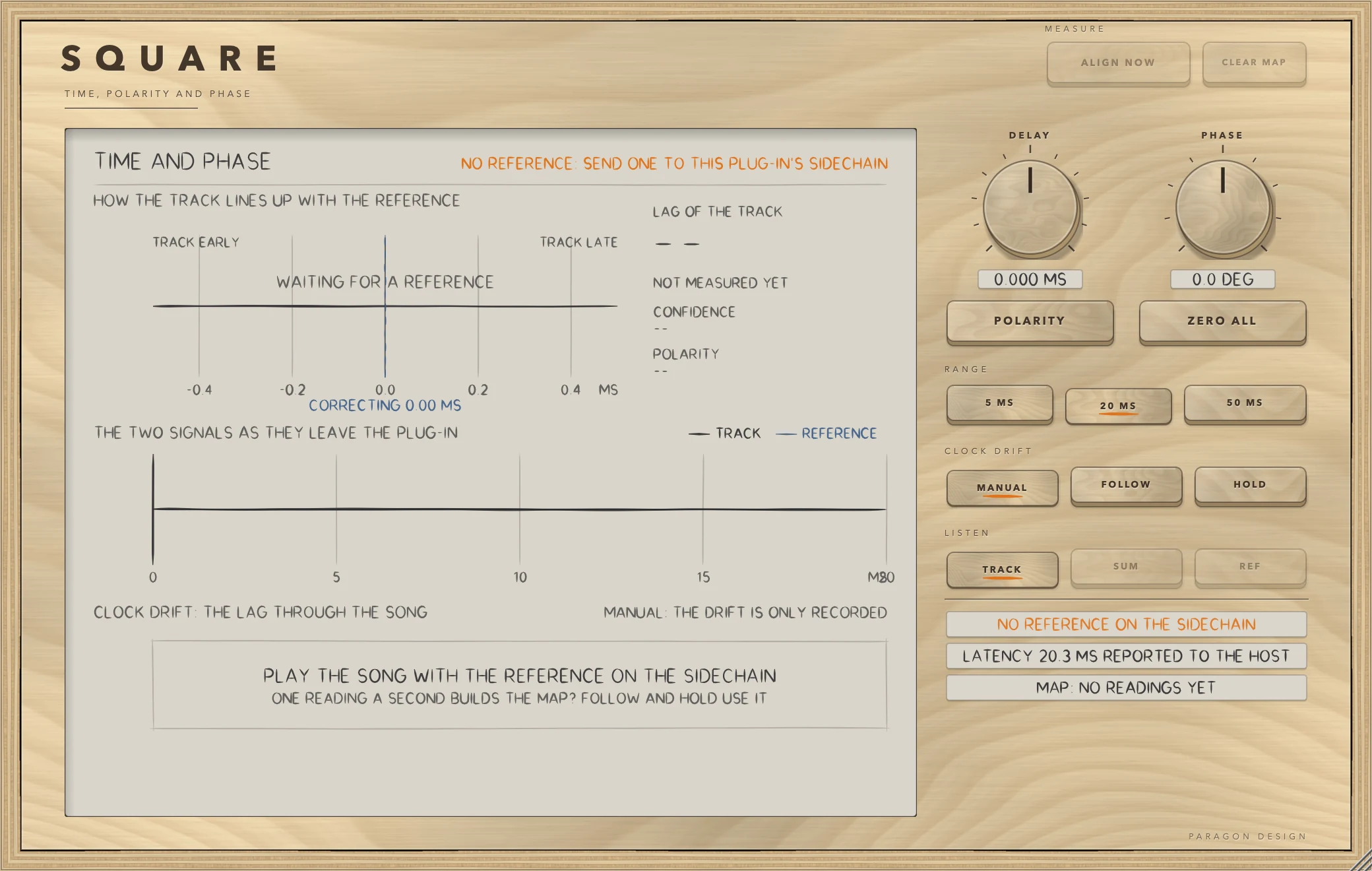
SQUARE: Waiting for a reference
Waiting for a reference

Specifications

Formats
Audio Unit, VST3
Listed in your host as
Square Time and Phase Aligner
Channels
Mono or stereo, same in and out
Sidechain
The reference: stereo or mono
Range
5, 20 or 50 ms either way
Latency
16 samples plus the range: 256, 976 or 2416 samples at 48 kHz
Delay
-100 to +100 ms, fractional
Phase
-180 to +180 degrees
Parameters
7

Measured

  1. 0.001 sampleHow closely a lag is found on clean signals, fractional ones included (5.300 and 311.250 were tested).
  2. 0.05 sampleWorst error of FOLLOW over 200 seconds of clock drift at 50 ppm (0.02 at 20 ppm). The track on its own was up to 623 samples out; it began 153.6 out.
  3. 0.04 sampleThe same for HOLD, which needs no reference playing: 0.04 at 50 ppm, 0.02 at 20 ppm.

On synthetic test signals, by this plug-in’s own tests. Not a listening test.

The first minutes

From empty to useful.

  1. 1

    Route the reference

    Put SQUARE on the track. Send the reference, the signal to line up with, to its sidechain input.

  2. 2

    Align

    Play a few seconds and press ALIGN NOW. The lag is measured, the delay and polarity are set.

  3. 3

    Follow the drift

    For a long recording switch to FOLLOW. On a second pass, HOLD uses what was learned.