Paragon WorkshopThe free ones

CHISEL

Shape the attack and the sustain apart. No crossover.

Turn up the first milliseconds of a hit, turn down the tail after it, and neither moves the other. CHISEL works across the spectrum with no crossover bands to ring, and Hit Match learns how a reference hit is shaped and shapes yours to match.

$59Available from next weekTell me when
Formats
Audio Unit, VST3
Channels
Mono or stereo, same in and out
Latency
256, 512 or 1024 samples (5.3, 10.7 or 21.3 ms at 48 kHz)
CHISEL at work

What it does

CHISEL in four parts.

  1. 01

    Attack and sustain, apart

    ATTACK and SUSTAIN each run from -100 to +100 percent. On test hits the attack-to-sustain ratio moved from -3.0 dB to +7.4 dB with ATTACK at +100, and to -14.7 dB at -100.

  2. 02

    No crossover

    Twenty-four bands from 60 Hz to 16 kHz, each about a third of an octave, joined by straight lines across frequency and applied to the bins, so there is no crossover to ring.

  3. 03

    Hit Match

    Load a reference hit, or take one from the input, and let CHISEL learn. In testing, dull hits learned toward a snappy reference and the gap fell from 18.0 dB to 2.8 dB.

  4. 04

    Steady sound left alone

    A steady tone gets no gain, and LOW and HIGH keep the shaping out of the bottom and the top of the spectrum.

CHISEL · The point of it

Teach it a hit and it shapes yours to match.

Hit Match measures how each hit of the reference is shaped, the energy in the first 11 milliseconds against the energy 30 to 120 milliseconds later, band by band and independent of level. Then it measures the same on its own output and nudges the attack and sustain of each band until the two agree.

It learns in batches of six hits, limited to 18 dB per band, and what it has learned is saved with the project. The reference can be a file, a kick or snare from a library, or hits taken from the input itself.

  • +10.4 dBChange in the attack-to-sustain ratio of a test hit with ATTACK at +100 (-3.0 dB to +7.4 dB). At -100 it fell by 11.7 dB.
  • 18.0 to 2.8 dBThe gap between dull hits and a snappy reference, before and after Hit Match had learned.
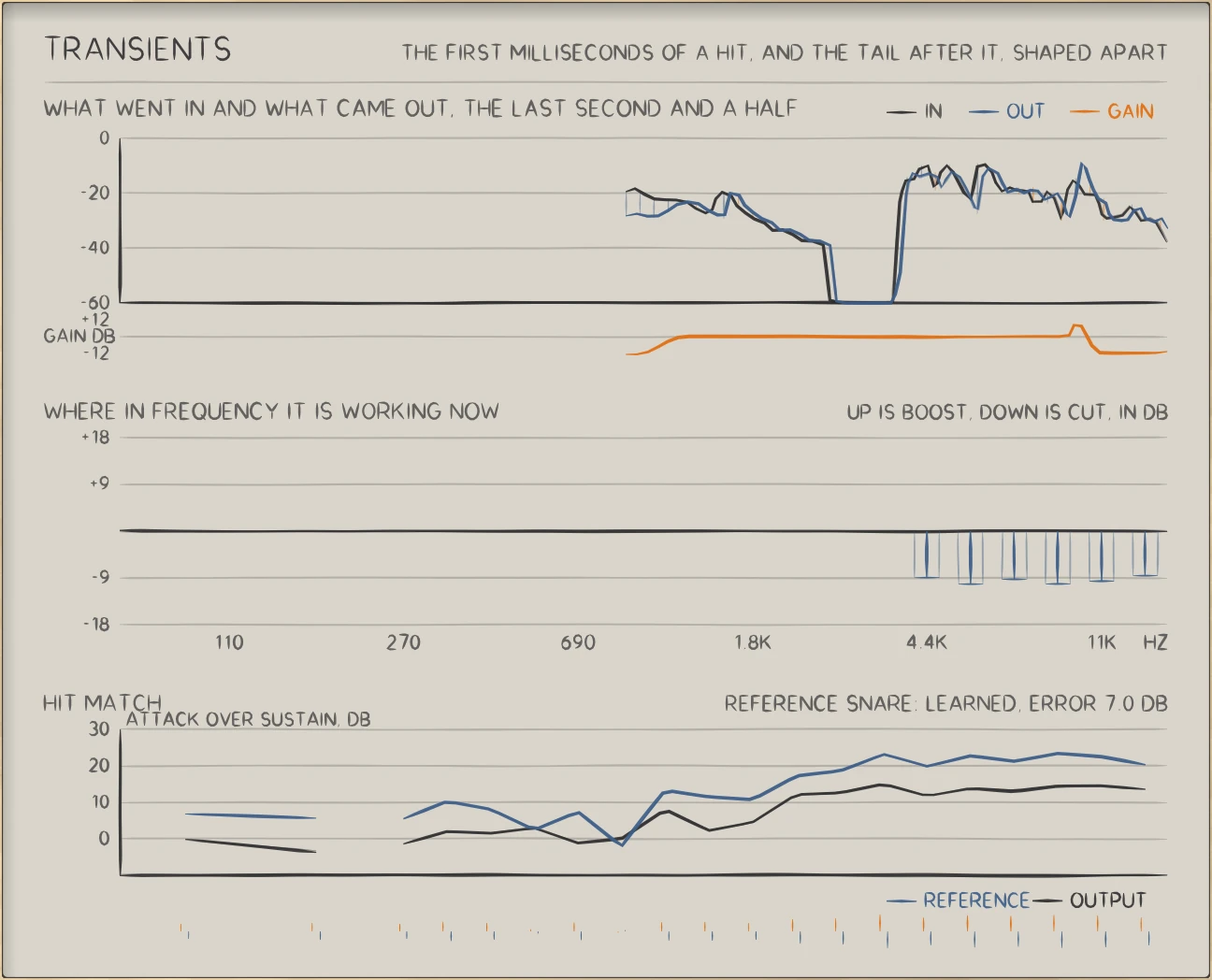
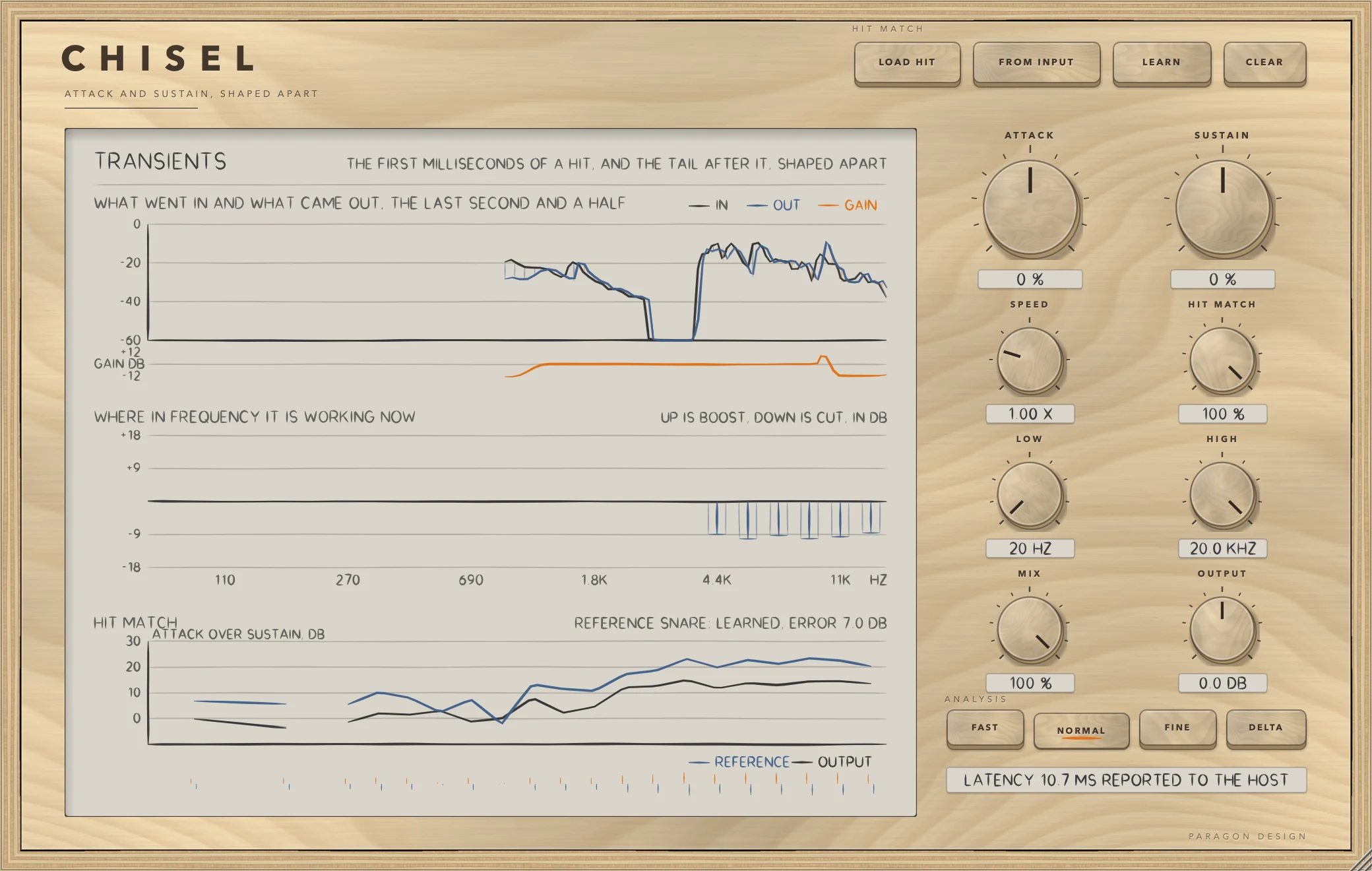
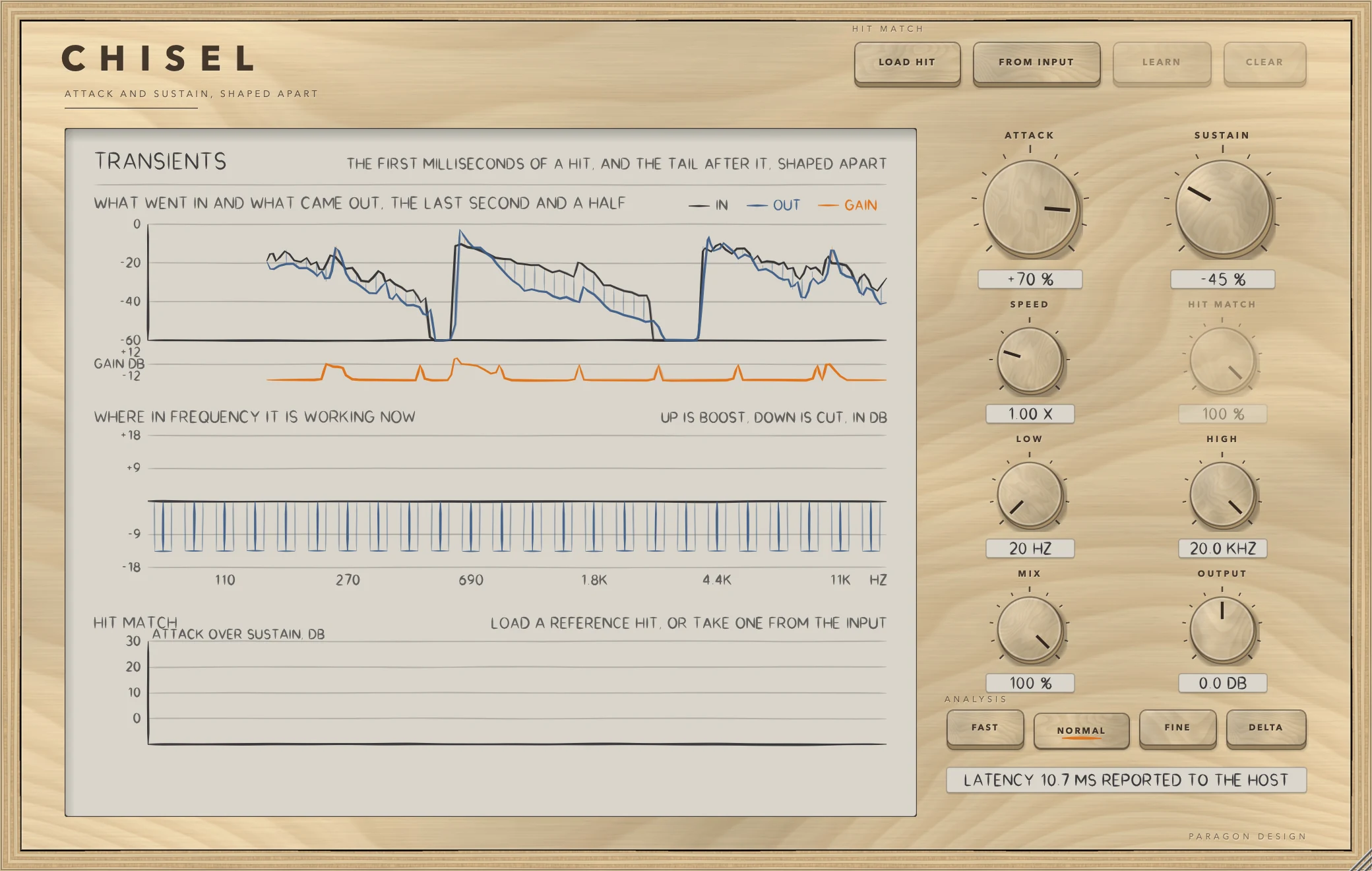
CHISEL: What went in and what came out, the gain in each band, and the shape of the hits against the reference.
What went in and what came out, the gain in each band, and the shape of the hits against the reference.

In use

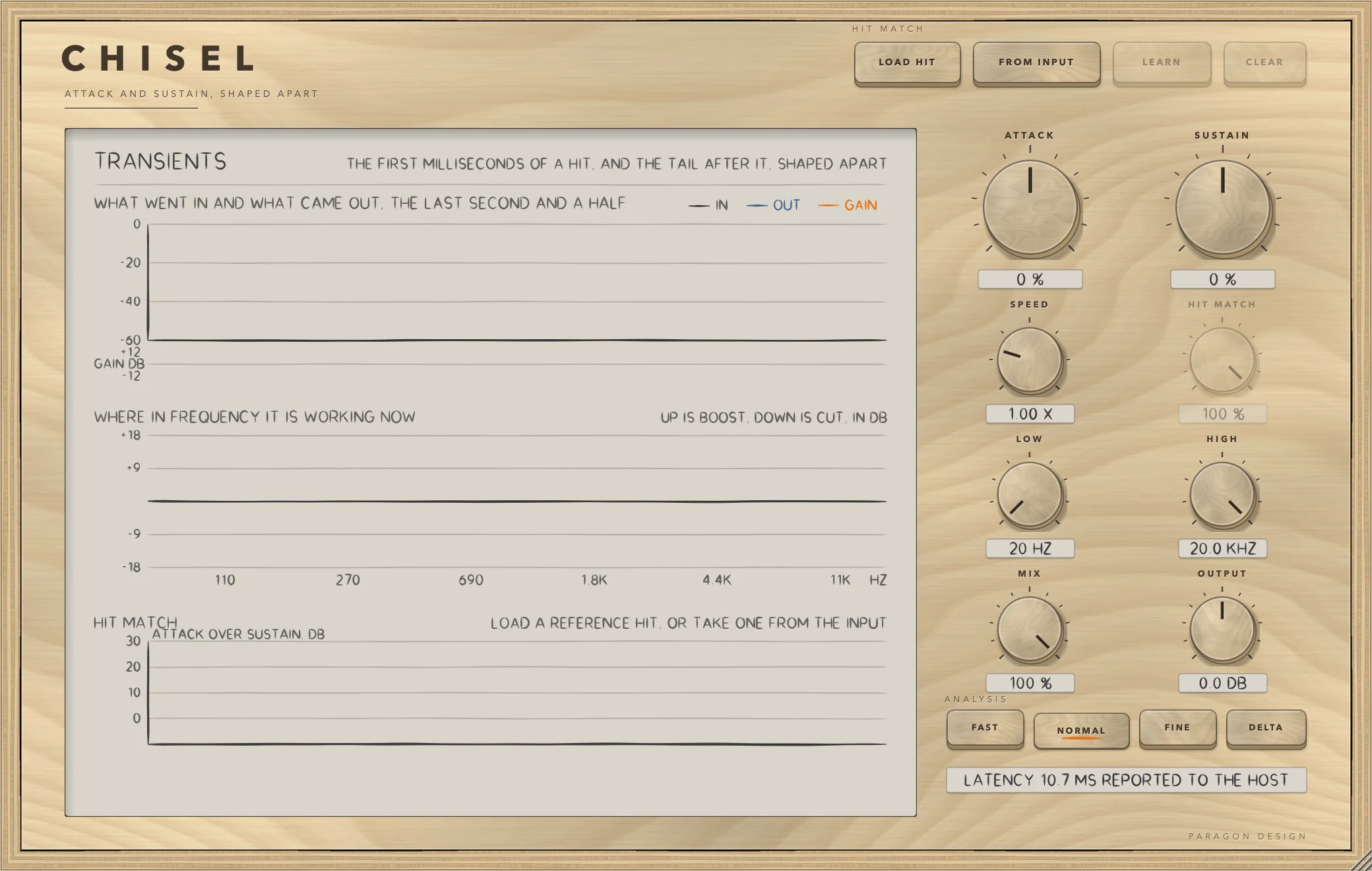
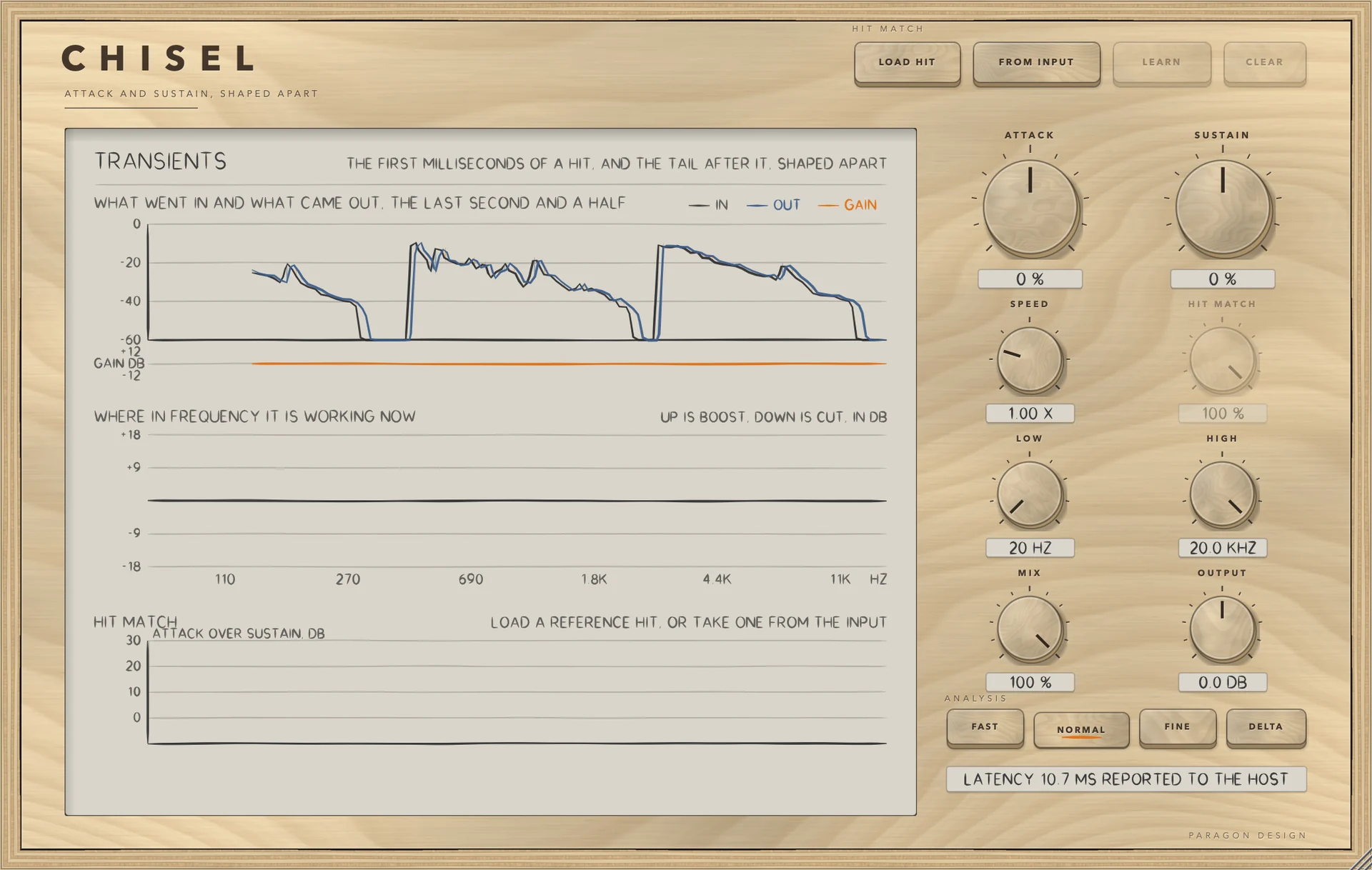
The real window, as it looks at work.

These are captures of the built plug-in, drawn by the plug-in itself at twice the size.

CHISEL: A drum loop, attack up and sustain down
A drum loop, attack up and sustain down
CHISEL: Hit Match, after learning a snare
Hit Match, after learning a snare
CHISEL: Waiting for sound
Waiting for sound

Specifications

Formats
Audio Unit, VST3
Listed in your host as
Chisel Transient Shaper
Channels
Mono or stereo, same in and out
Quality
FAST, NORMAL, FINE
Latency
256, 512 or 1024 samples (5.3, 10.7 or 21.3 ms at 48 kHz)
Attack, sustain
-100 to +100 percent each
Range
LOW from 20 Hz to 4 kHz, HIGH from 500 Hz to 20 kHz
Parameters
11
CPU
0.4, 0.5 and 0.4 percent of one core (FAST, NORMAL, FINE; stereo, 48 kHz, Intel Core i9)

Measured

  1. +10.4 dBChange in the attack-to-sustain ratio of a test hit with ATTACK at +100 (-3.0 dB to +7.4 dB). At -100 it fell by 11.7 dB.
  2. 18.0 to 2.8 dBThe gap between dull hits and a snappy reference, before and after Hit Match had learned.
  3. Under -50 dBA steady tone changes by less than this with ATTACK and SUSTAIN both at +100. That is the limit the test sets; the change was inside it. Steady sound is left alone.

On synthetic test signals, by this plug-in’s own tests. Not a listening test.

The first minutes

From empty to useful.

  1. 1

    Shape by hand

    Raise ATTACK for more snap, lower SUSTAIN for a tighter tail. Use DELTA to hear what changed.

  2. 2

    Or teach it

    Load a reference hit, or press FROM INPUT and play a few. Press LEARN and play your own hits through.

  3. 3

    Set the range

    Use LOW and HIGH to keep the shaping to the part of the spectrum that needs it.