Paragon WorkshopThe free ones

CLAMP

A compressor with six voicings.

Drag the orange point on the display and the threshold and the ratio follow your hand. Six voicings change how CLAMP reads the level and how it lets go, from a plain compressor to one meant for a bus. Look-ahead, a sidechain, a detector filter and a parallel mix are all on the front.

Formats
Audio Unit, VST3
Channels
Mono or stereo, same in and out
Latency
0, 48, 96 or 240 samples at 48 kHz (look-ahead off, 1, 2 or 5 ms)
CLAMP at work

What it does

CLAMP in four parts.

  1. 01

    The display is the control

    Drag the orange point across for THRESHOLD and up or down for RATIO. The wheel sets KNEE and a double-click puts the three back. The curve on the display is the curve the compressor uses, with the level on it as the sound plays.

  2. 02

    Six voicings

    CLEAN, SMOOTH, PUNCH, GLUE, SOFT and PUMP differ in how they read the level (peaks, or an average), how much they slow the attack, how they let go and how the knee is shaped. Each is a set of numbers, and the tests read the numbers back.

  3. 03

    Auto release, auto make-up

    AUTO REL gives any voicing its own release, which depends on how long the overload has lasted and never gets shorter as it goes on. AUTO MU adds the gain a steady sine 6 dB over the threshold would lose, so that sine leaves at the level it arrived.

  4. 04

    Look-ahead, sidechain, parallel

    LOOK-AHEAD of 1, 2 or 5 ms delays the sound so the reduction is in place before a hit arrives. The detector can listen to a sidechain, through a high-pass from 20 to 500 Hz. MIX blends compressed and dry sound for parallel compression, and LINK sets how far one side follows the other.

CLAMP · The point of it

Six ways of listening, with the numbers to show they differ.

CLAMP's voicings change how it reads the level and how it lets go: peaks or an average, how much the attack is slowed, a fixed release or one that follows the overload, and the shape of the knee. They are numbers rather than adjectives, so they can be measured.

On drum-like test bursts (the average of hits 5 to 10) the first 15 ms come out 4.9 dB lower in energy with CLEAN, 2.6 dB lower with PUNCH, which lets the front of the hit through, and 1.2 dB lower with GLUE (threshold -24 dB, 4:1, knee 6 dB, attack 10 ms, release 150 ms). THRESHOLD means the same in all six: the level at which a steady sine's peak starts to be turned down.

  • 0.014 dBThe farthest a settled 1 kHz sine lands from the compression curve, over every voicing, four ratios and three knees (1080 cases).
  • Bit for bitAt rest, and in bypass, the output is the input delayed by the reported latency, in every voicing and with every look-ahead.
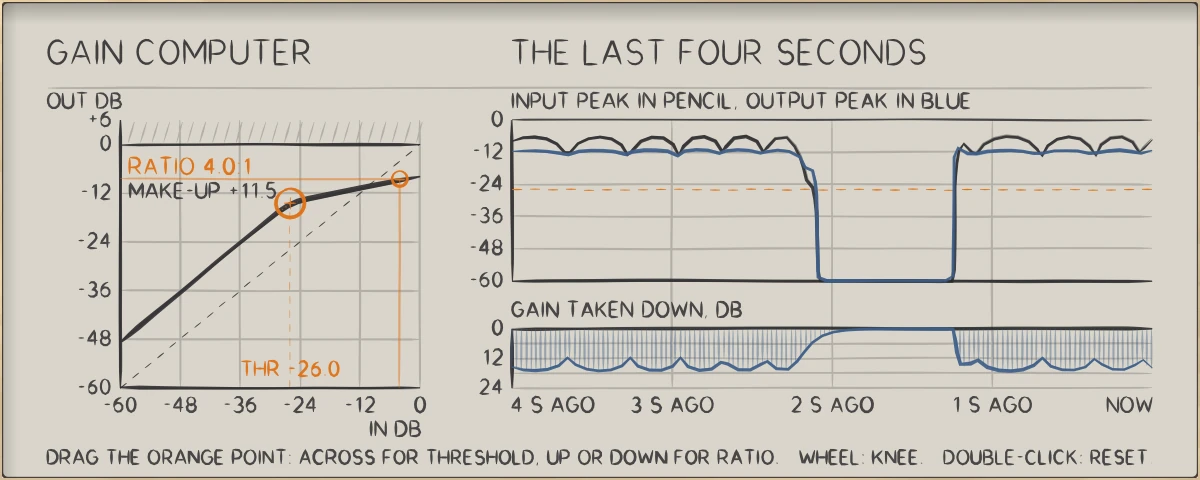
CLAMP: The gain computer with the level on it, and the last four seconds: input peak, output peak, and the gain taken down.
The gain computer with the level on it, and the last four seconds: input peak, output peak, and the gain taken down.

In use

The real window, as it looks at work.

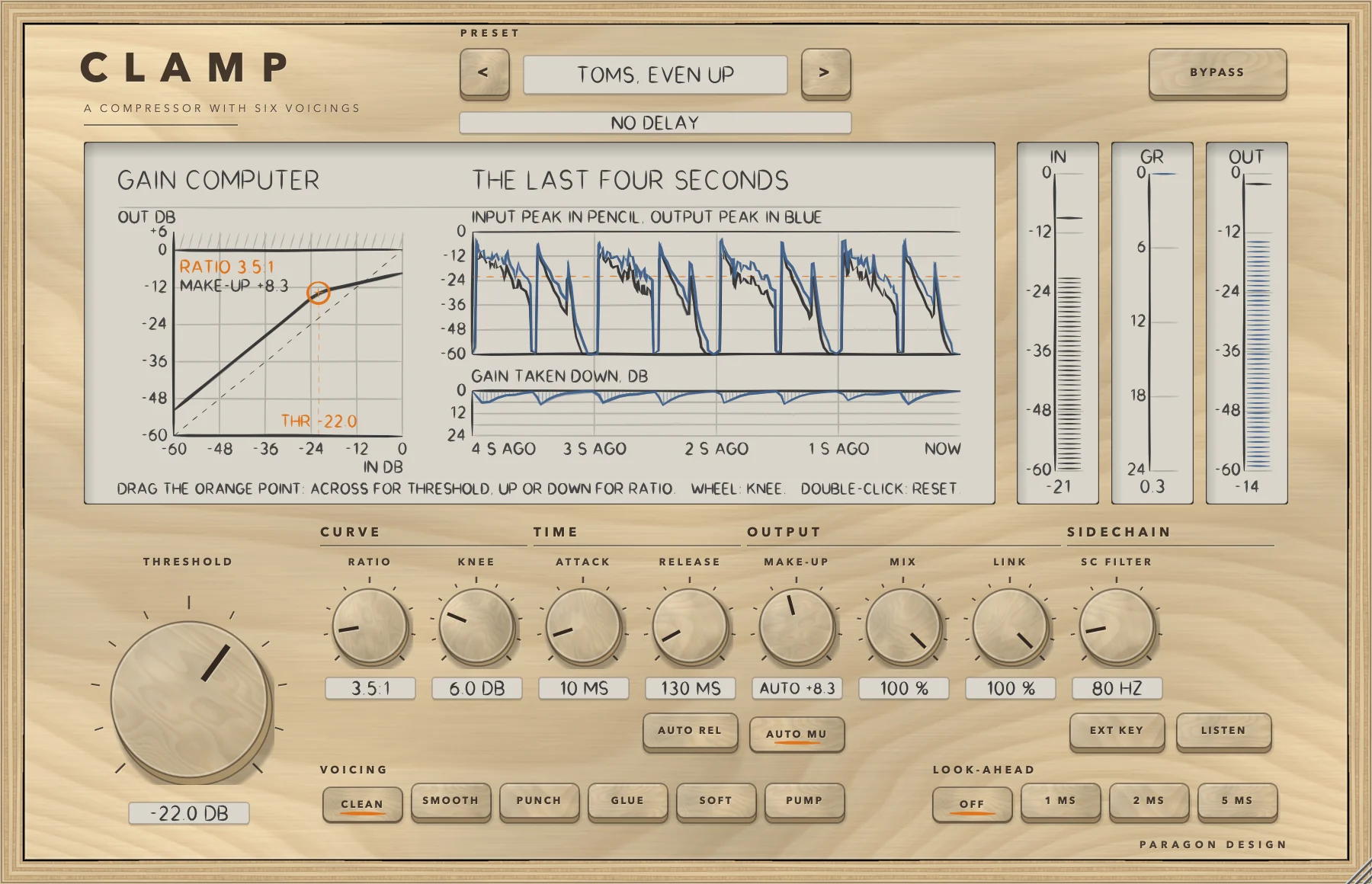
These are captures of the built plug-in, drawn by the plug-in itself at twice the size.

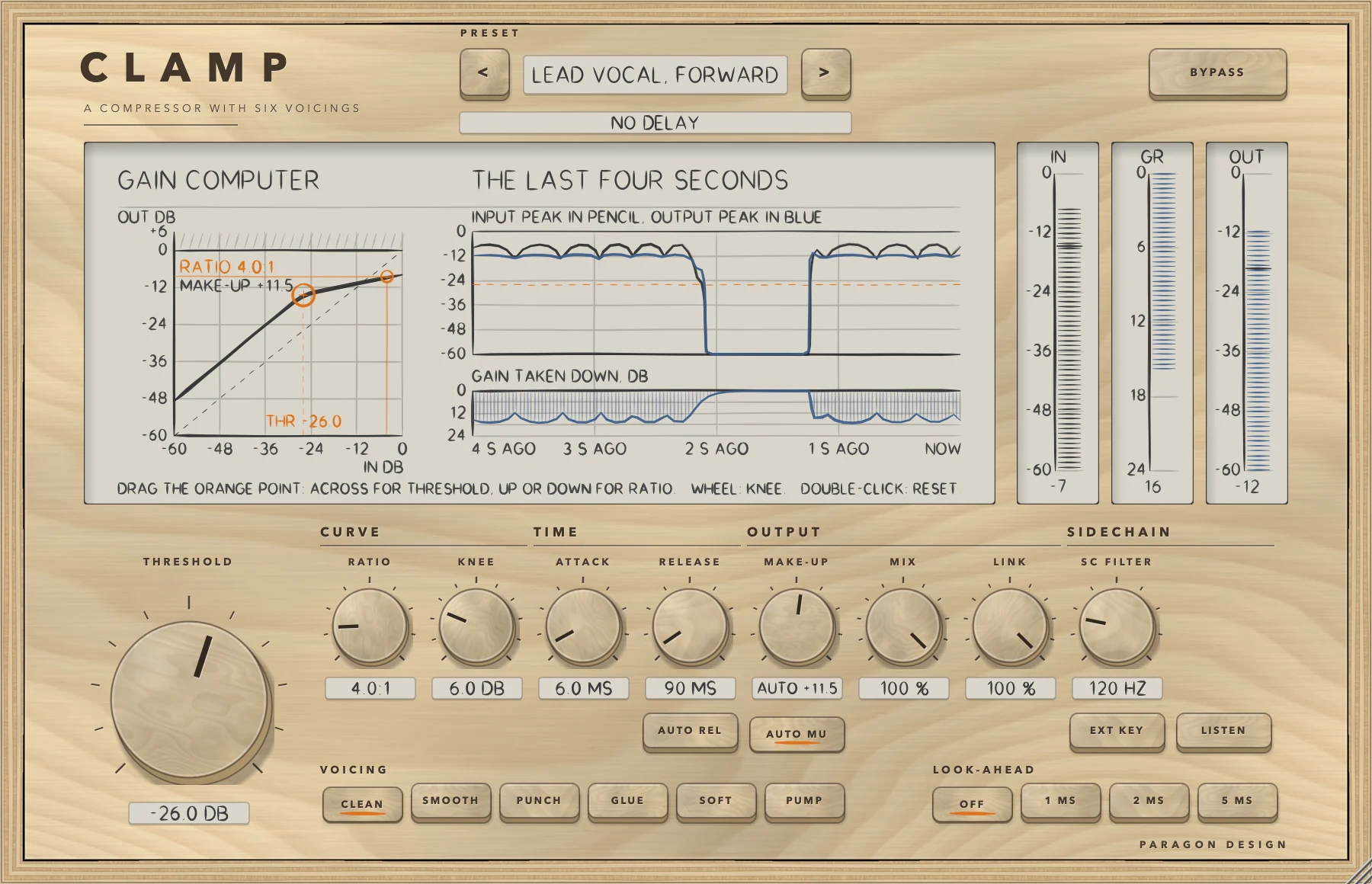
CLAMP: Heavy reduction on a test programme, Lead Vocal, Forward preset
Heavy reduction on a test programme, Lead Vocal, Forward preset
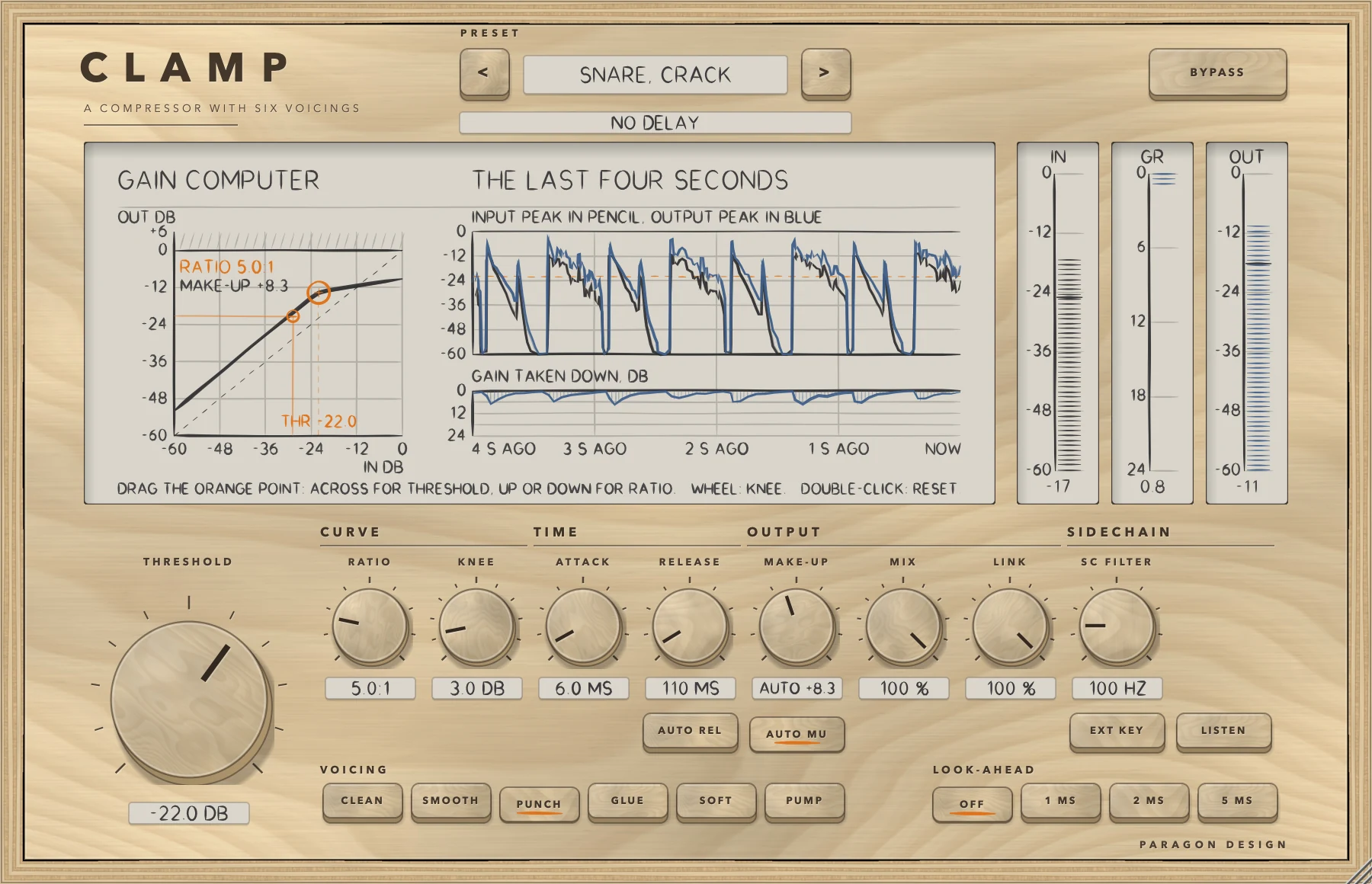
CLAMP: Drums through the Snare, Crack preset, PUNCH
Drums through the Snare, Crack preset, PUNCH
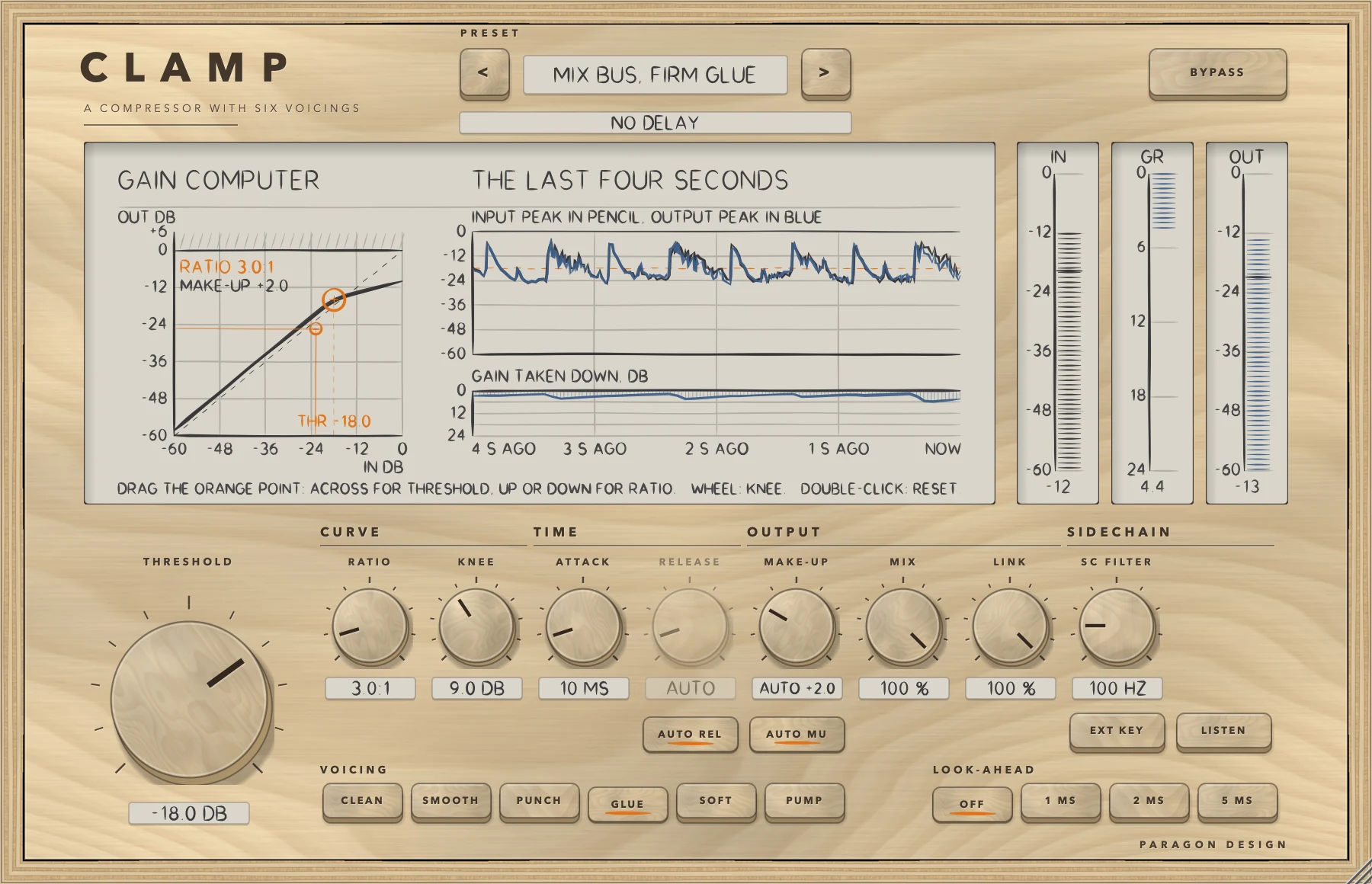
CLAMP: A programme through the Mix Bus, Firm Glue preset, GLUE with AUTO REL
A programme through the Mix Bus, Firm Glue preset, GLUE with AUTO REL
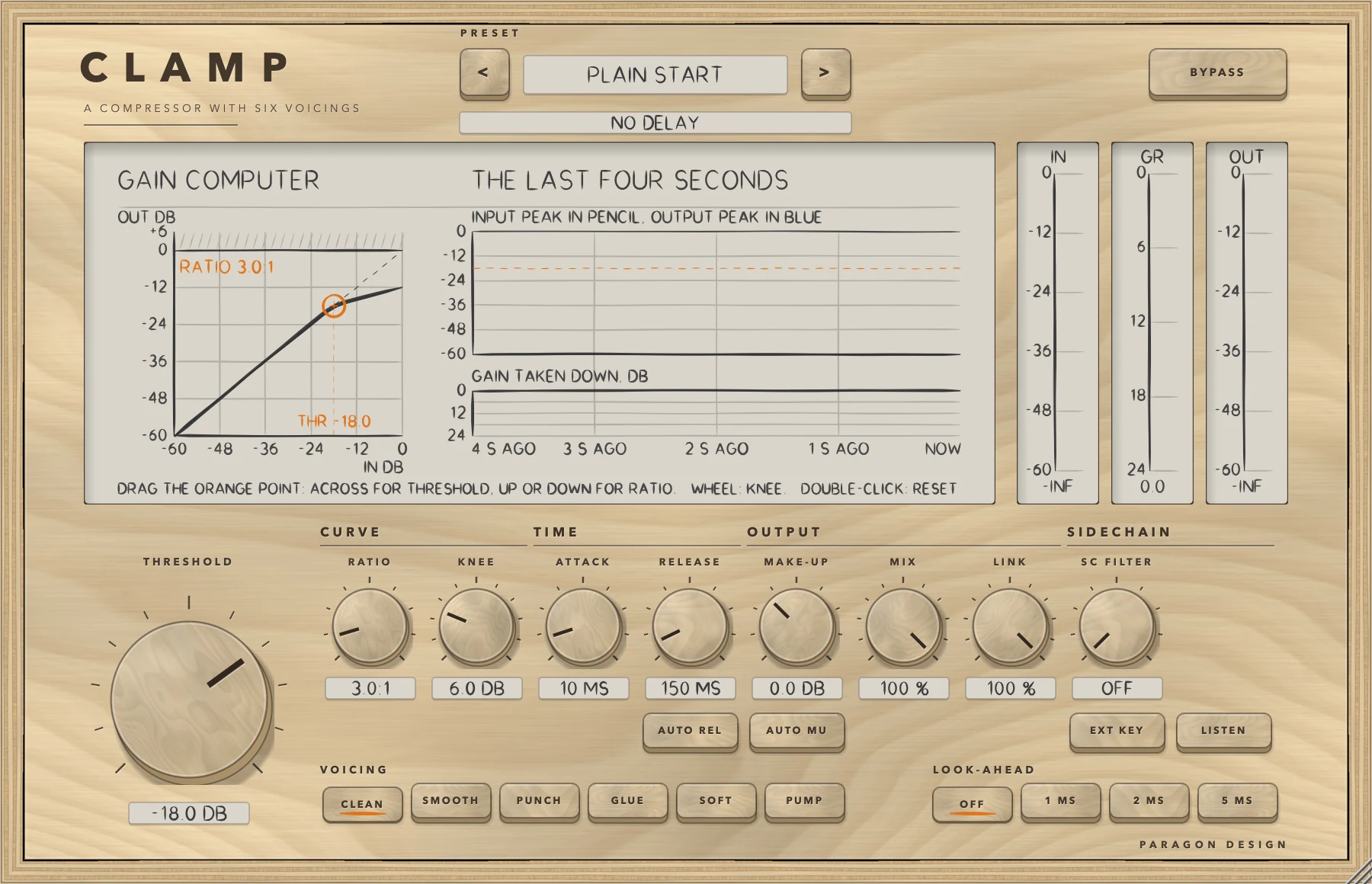
CLAMP: Waiting for sound
Waiting for sound

Specifications

Formats
Audio Unit, VST3
Listed in your host as
Clamp Compressor
Channels
Mono or stereo, same in and out
Sidechain
Optional: the detector can listen to it instead of the signal
Latency
0, 48, 96 or 240 samples at 48 kHz (look-ahead off, 1, 2 or 5 ms)
Threshold
-60 to 0 dB
Ratio
1:1 to 20:1, and the end stop is infinity
Knee
0 to 24 dB
Attack, release
0.1 to 100 ms; 10 to 2000 ms, or AUTO
Make-up
-12 to +24 dB, or AUTO
Detector filter
High-pass, 20 to 500 Hz
Parameters
16
Presets
37 in 9 categories
CPU
0.3 to 0.7 percent of one core, every voicing, varying from run to run (stereo, 48 kHz, 512-sample blocks, 5 ms look-ahead; Intel Core i9)

Measured

  1. 0.014 dBThe farthest a settled 1 kHz sine lands from the compression curve, over every voicing, four ratios and three knees (1080 cases).
  2. Bit for bitAt rest, and in bypass, the output is the input delayed by the reported latency, in every voicing and with every look-ahead.
  3. 240 samplesHow far ahead of a burst reaching the output the reduction has begun with 5 ms look-ahead at 48 kHz: the first 2 ms leave 16.6 dB under the input, against 3.8 dB with no look-ahead.
  4. -66.6 dBTHD+N of a 100 Hz sine through at least 14 dB of reduction, worst of the six voicings, with attack 10 ms and release 300 ms. At attack 1 ms and release 50 ms the worst (CLEAN) is -38.4 dB: a gain that moves fast inside a low wave bends it. There is no other distortion in this version.

On synthetic test signals, by this plug-in’s own tests. Not a listening test.

Presets

37 presets, named for the job.

Starting points chosen from measurements, not tuned by ear. Each one sets every control, so the result does not depend on what was dialled in before it.

Start

  • Flat Start
  • Plain Start

Vocal

  • Lead Vocal, Even
  • Lead Vocal, Forward
  • Vocal, Tame the Peaks
  • Backing Vocals, Sit Back
  • Rap Vocal, Tight
  • Spoken Word, Gentle

Drums

  • Kick, Keep the Click
  • Snare, Crack
  • Snare, Fat and Short
  • Toms, Even Up
  • Overheads, Calm the Crash
  • Drum Bus, Glue
  • Drum Room, Pump
  • Parallel Smash

Bass

  • Bass Guitar, Even
  • Bass, Hold It Down
  • Synth Bass, Level

Guitar

  • Electric Guitar, Rhythm
  • Electric Guitar, Sustain
  • Acoustic Guitar, Strummed
  • Acoustic Guitar, Picked

Keys

  • Piano, Natural
  • Electric Piano, Even
  • Synth Pad, Tuck Back

Bus

  • Mix Bus, Gentle Glue
  • Mix Bus, Firm Glue
  • Group Bus, Level
  • Parallel Bus, Body

Master

  • Master, Light Touch
  • Master, Peak Control
  • Master, Slow Level

Utility

  • Duck Under the Key
  • Catch the Peaks
  • Level Rider, Slow
  • Squash and Blend

The first minutes

From empty to useful.

  1. 1

    Set the threshold

    Drag the orange point sideways until the lane of gain taken down moves on the loud parts. Up or down sets the ratio.

  2. 2

    Choose a voicing

    Start with CLEAN. Try PUNCH on drums and GLUE on a bus. Switch AUTO REL on to let the voicing choose its own release.

  3. 3

    Compare with BYPASS

    AUTO MU gives back what a steady sine 6 dB over the threshold loses; on real material, trim MAKE-UP against your own meter. BYPASS keeps the delay, so nothing moves in time, but it does not match levels.