Paragon WorkshopThe free ones

GAUGE

Check a release. Match a reference, section by section.

GAUGE listens to the song as it plays and tells you in plain numbers whether it is ready: loudness against your target, true peak against your ceiling, stereo, low-end phase and spectrum. Load a reference and it finds the sections of both songs, pairs them, and plays the reference at your mix's loudness one section at a time.

$49Available from next weekTell me when
Formats
Audio Unit, VST3
Channels
Mono or stereo, same in and out
Latency
None
GAUGE at work

What it does

GAUGE in four parts.

  1. 01

    Plain numbers

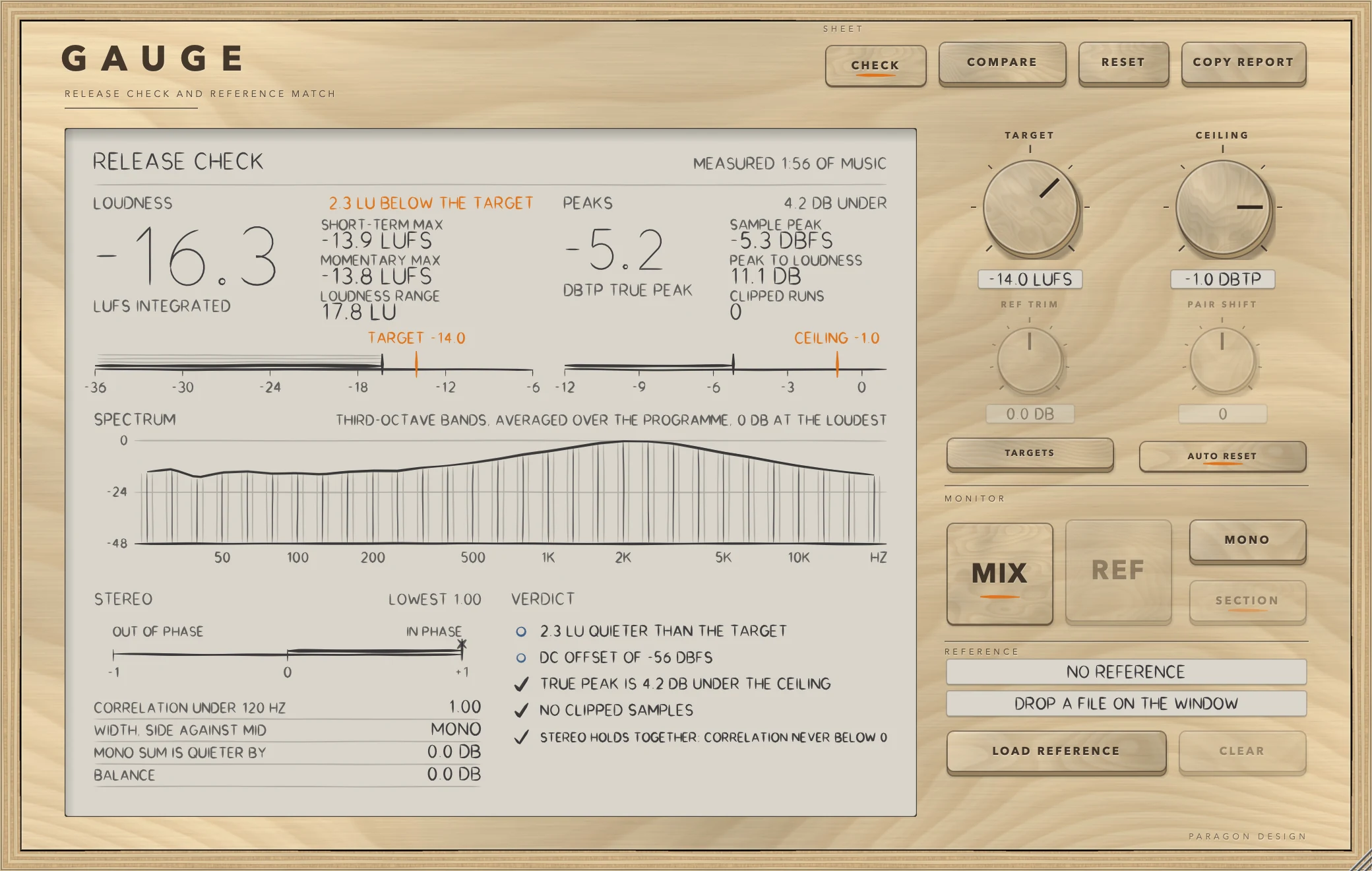
    Integrated, short-term and momentary loudness, loudness range, true peak, correlation, mono loss, balance, spectrum, DC offset and clipping, with a verdict in words against your target and ceiling.

  2. 02

    It never alters the mix

    The signal passes through untouched, bit for bit, until you switch on REF or MONO to hear them.

  3. 03

    Sections, found from the music

    GAUGE finds the sections of the song from the music itself. On a test song of six sections the starts were found exactly, and each section's loudness agreed with a direct measure to 0.02 LU.

  4. 04

    A reference, matched by section

    Choose a reference and GAUGE pairs its sections with yours and plays the paired stretch at the gain that matches your loudness, with a 32 ms crossfade at every jump.

GAUGE · The point of it

Compare like with like: chorus to chorus, verse to verse.

A whole-song loudness match compares your quiet verse with the reference's loud chorus. GAUGE finds the sections of both songs and pairs the loudest kind with the loudest kind, the next with the next, so each stretch of your mix is heard against the stretch of the reference that does the same job.

The gain between each pair is the mix section's loudness less the reference section's, and while the reference plays it is held there, so what you hear matches the loudness of what you just heard.

  • 0.05 LUIntegrated loudness against ffmpeg's EBU R128 meter: -18.23 LUFS here, -18.2 from ffmpeg. Loudness range 13.24 against 13.2.
  • 0.02 LUWorst difference between a section's loudness and a direct measure of the same stretch.
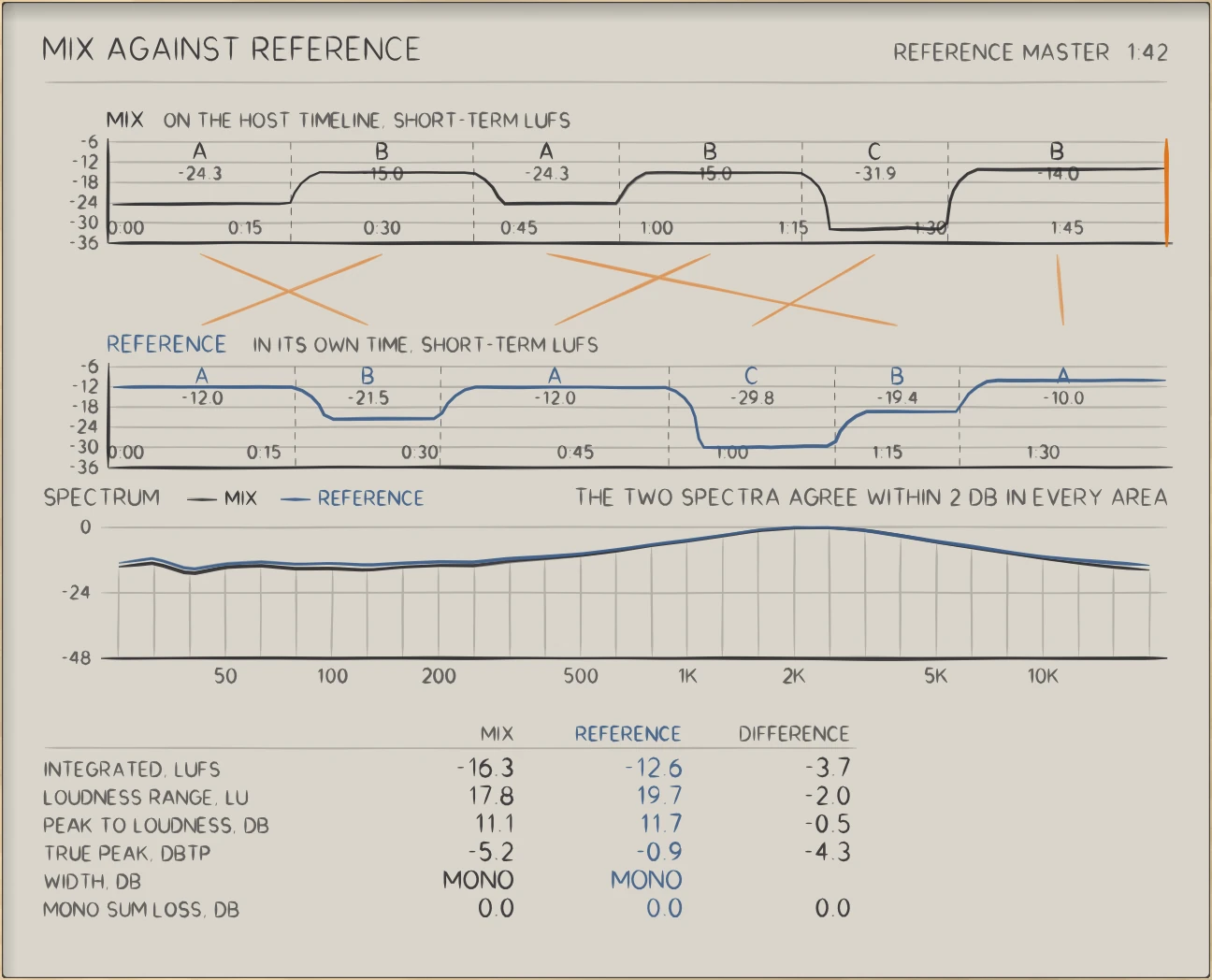
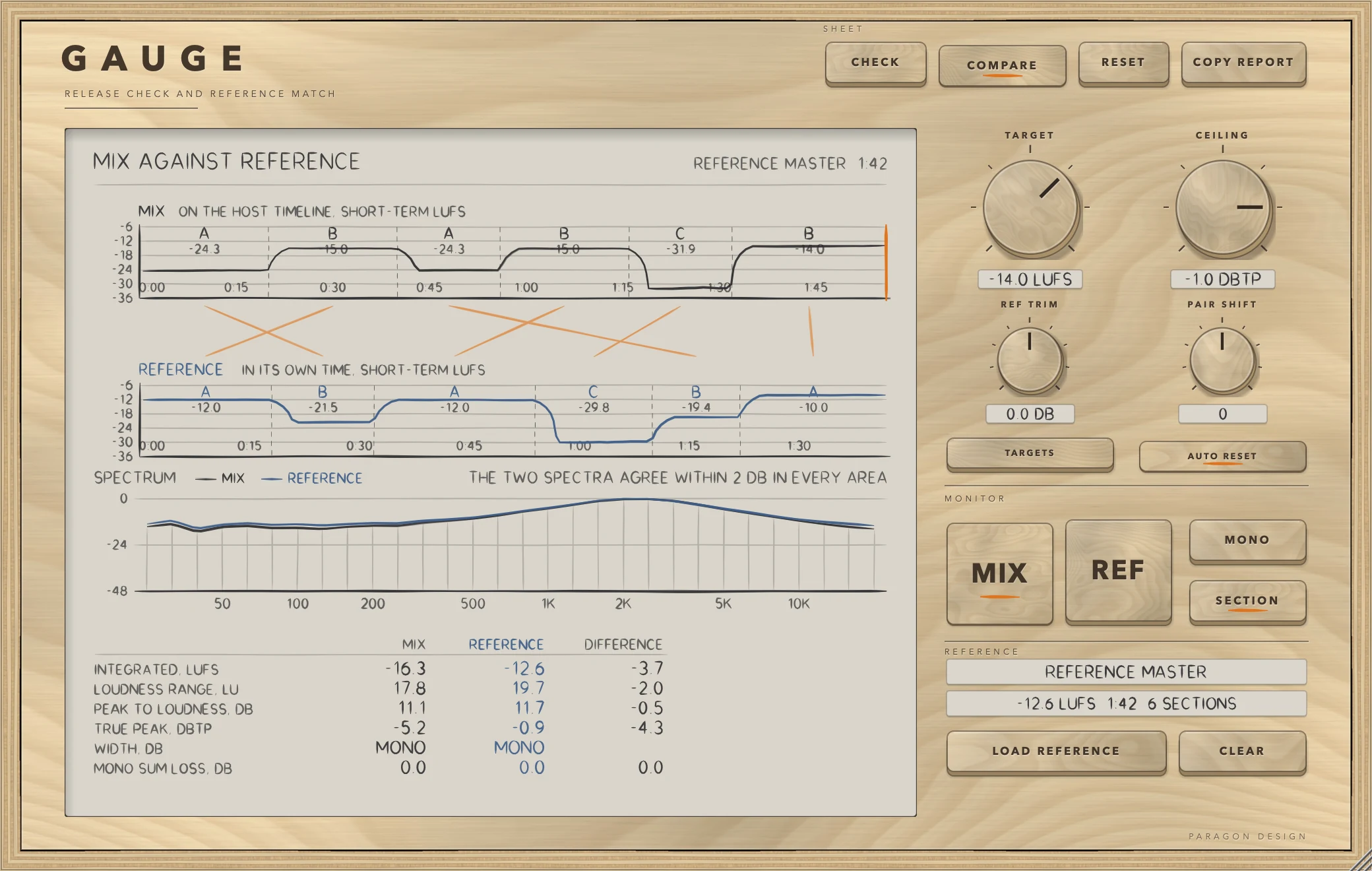
GAUGE: The mix above, the reference below, and the pairing between their sections.
The mix above, the reference below, and the pairing between their sections.

In use

The real window, as it looks at work.

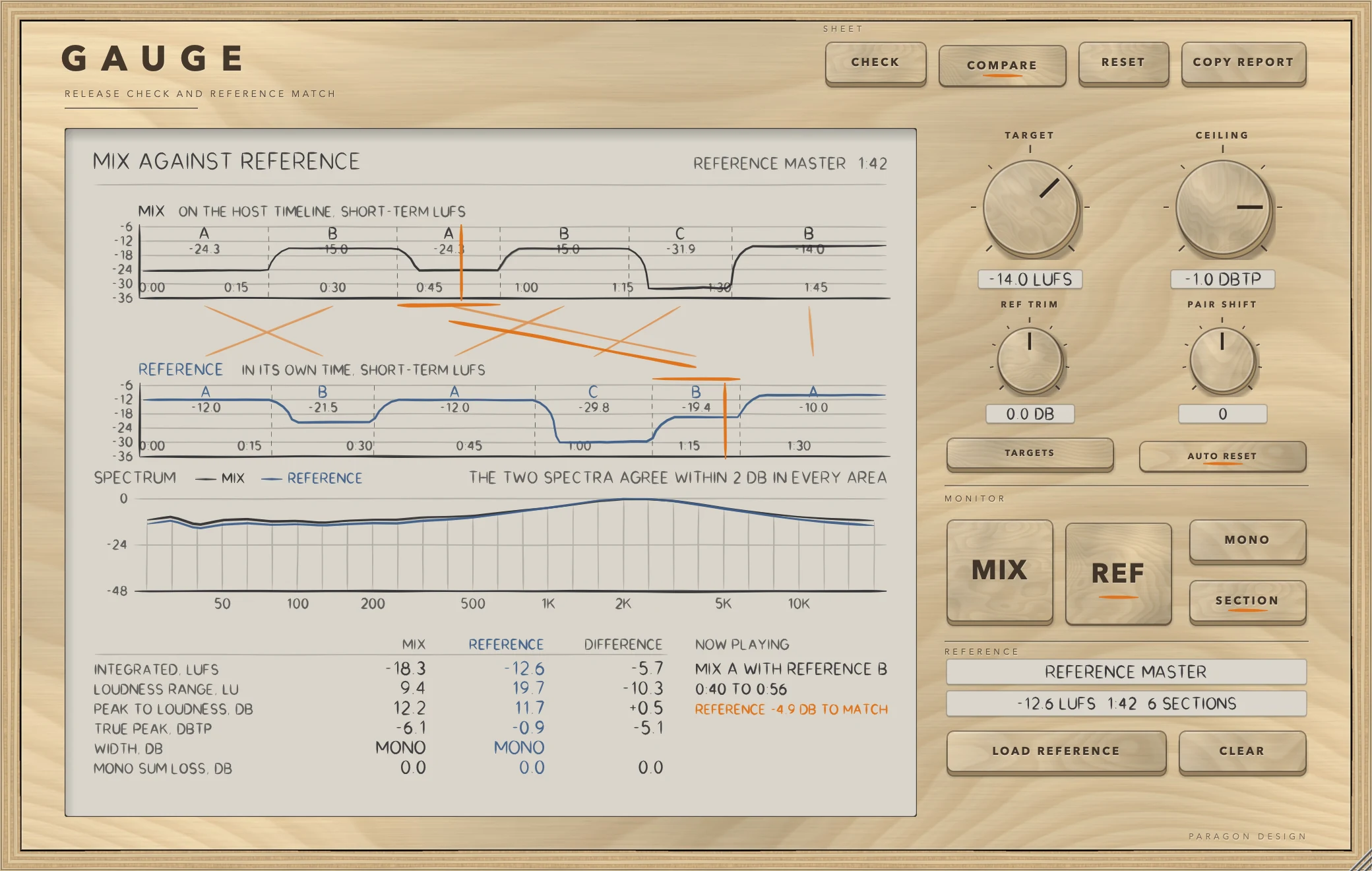
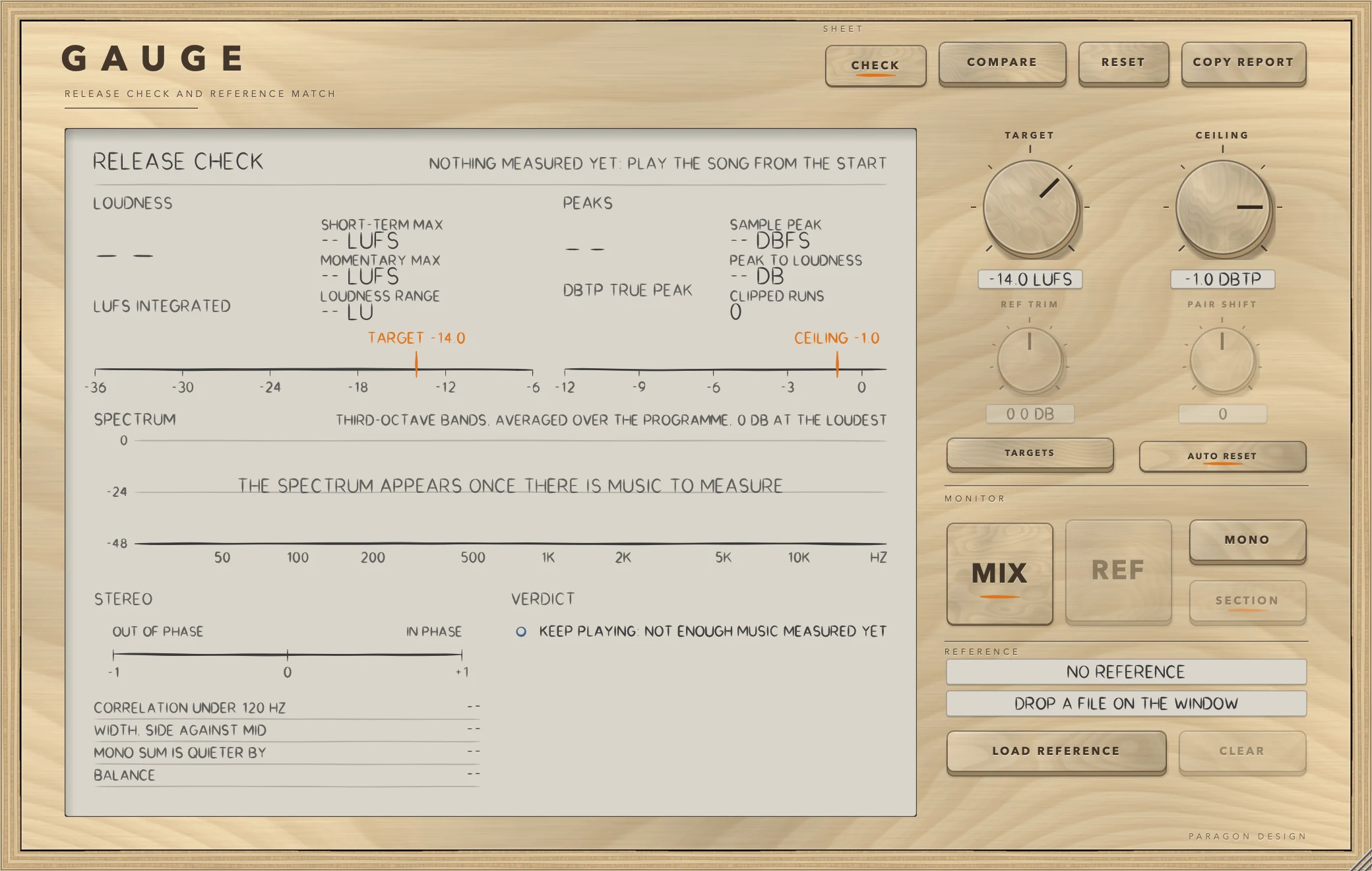
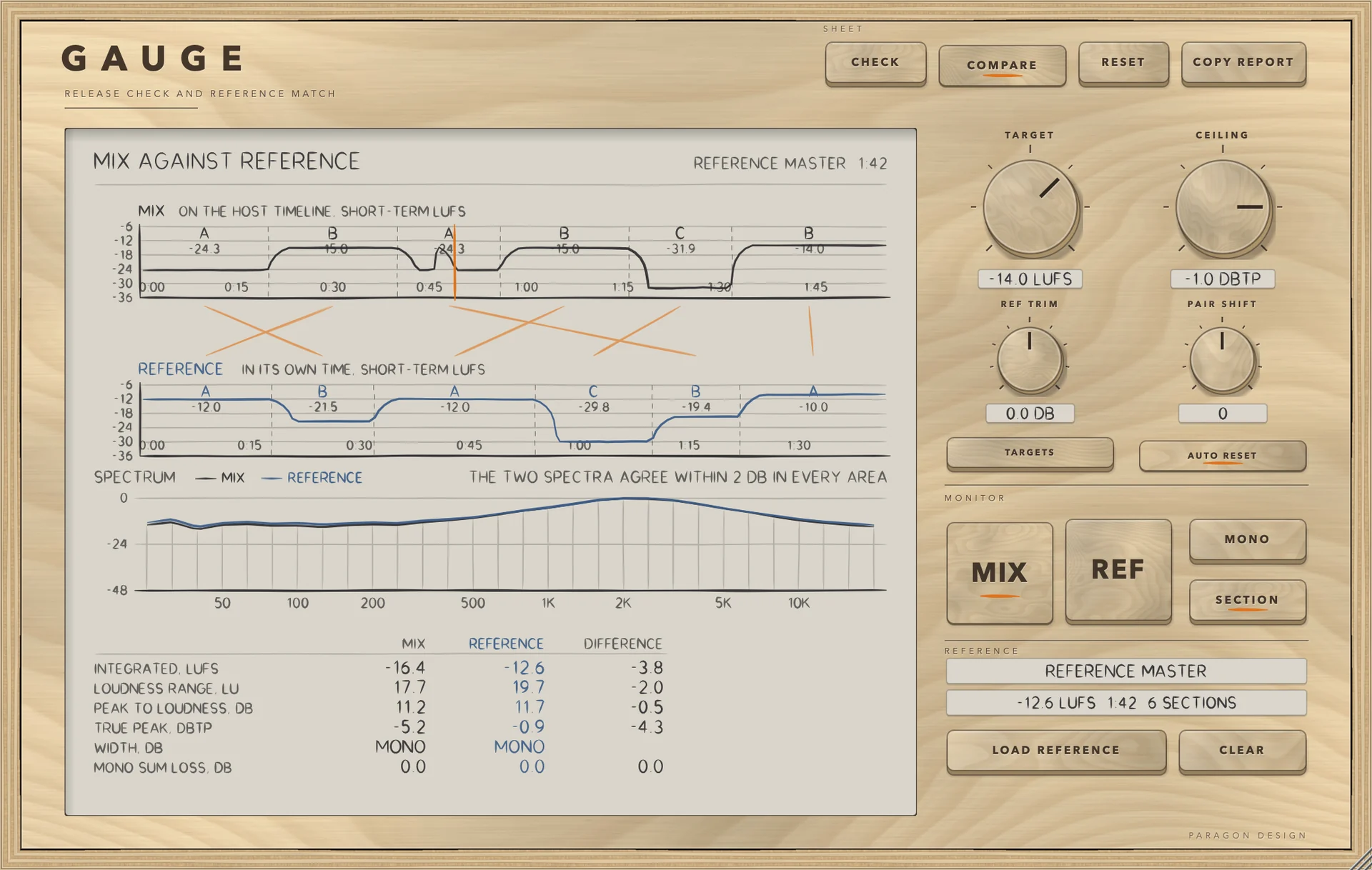
These are captures of the built plug-in, drawn by the plug-in itself at twice the size.

GAUGE: A release check: -16.3 LUFS against a target of -14
A release check: -16.3 LUFS against a target of -14
GAUGE: The mix against a reference, section by section
The mix against a reference, section by section
GAUGE: Listening to the reference, at your loudness
Listening to the reference, at your loudness
GAUGE: Waiting for music
Waiting for music

Specifications

Formats
Audio Unit, VST3
Listed in your host as
Gauge Mix Check and Reference
Channels
Mono or stereo, same in and out
Latency
None
Measures
LUFS (integrated, short-term, momentary), loudness range, true peak, correlation, mono loss, balance, spectrum, DC offset, clipping
Targets
Any level from -30 to -6 LUFS; a menu names Spotify's three levels and EBU R128
Reference
Any file macOS can read
Parameters
9

Measured

  1. 0.05 LUIntegrated loudness against ffmpeg's EBU R128 meter: -18.23 LUFS here, -18.2 from ffmpeg. Loudness range 13.24 against 13.2.
  2. 0.02 LUWorst difference between a section's loudness and a direct measure of the same stretch.
  3. 0.03 LUThe reference, heard section by section, comes within 0.03 LU of the mix's loudness.

On synthetic test signals, by this plug-in’s own tests. Not a listening test.

The first minutes

From empty to useful.

  1. 1

    Play the song

    Put GAUGE last on the master. Play the song from the start. Read the verdict.

  2. 2

    Load a reference

    Choose a reference track or drop a file on the window. Its sections are found and paired.

  3. 3

    Listen by section

    Switch REF on. The reference plays the paired section at your loudness. Switch back to MIX at any moment.