Paragon WorkshopThe free ones

SCRAPER

A de-esser with one band.

Place one band with FREQUENCY and Q, set how far it may be turned down with RANGE, and SCRAPER turns it down while its level is over THRESHOLD, with a knee, decibel for decibel up to RANGE. THRESHOLD can follow the voice, so one setting suits a loud take and a quiet one. WIDE turns the whole signal down by the amount the band would have been, and LISTEN plays the band the detector hears. The display draws the cut, the band's level against the threshold and the reduction over the last five seconds. There is no delay and no tail.

$39Available from next weekTell me when
Formats
Audio Unit, VST3
Channels
Mono in and mono out, or stereo in and stereo out; any other layout is refused
Latency
None: 0 samples at every setting at 44.1, 48, 88.2, 96, 176.4 and 192 kHz, and with BYPASS on
SCRAPER at work

What it does

SCRAPER in six parts.

  1. 01

    One band, placed by ear

    FREQUENCY from 3 to 12 kHz and Q from 0.5 to 8 place the band, and LISTEN plays what the detector hears, the signal through the band-pass at that frequency and Q, over a 5 ms crossfade. A steady tone at FREQUENCY is read at its own level at every Q, within 0.01 dB.

  2. 02

    A knee and a ceiling

    Nothing is taken off 3 dB or more under THRESHOLD. Around it there is a knee 6 dB wide, which takes 0.75 dB off at the threshold itself, and 3 dB and more over it the band is turned down decibel for decibel, up to RANGE, from 0 to 18 dB. A tone at FREQUENCY that is far over the threshold is turned down by exactly RANGE and never more.

  3. 03

    A threshold that follows the voice

    With RELATIVE on, THRESHOLD is measured against the voice's own running level (the band 120 Hz to 4 kHz, averaged over 0.3 s), so one setting follows a loud take and a quiet one: the same programme 12 dB louder gives the same reduction. Off, it is a level in dBFS.

  4. 04

    The band, or the whole signal

    With WIDE off only the band is turned down, a bell of the same Q. With it on, the whole signal is turned down by the amount the band would have been: a 7 kHz tone 10 dB over the threshold is turned down by about 10 dB, and so is a 1 kHz tone beside it.

  5. 05

    Times you can set

    ATTACK, from 0.1 to 10 ms, reaches 63 percent of a step in that time plus about 0.2 ms, the detector's own rise. RELEASE, from 10 to 300 ms, lets the reduction fall to 1/e of its size in that time, measured within 0.042 ms.

  6. 06

    Nothing until you ask

    With RANGE at 0 dB the output is the input, bit for bit, with WIDE on or off. There is no delay at any setting and no tail: after a burst of noise the cut is under -100 dBFS within 2.25 ms at the longest. BYPASS crossfades to the input over 5 ms.

SCRAPER · The point of it

It draws the cut it makes, and it turns down only the band.

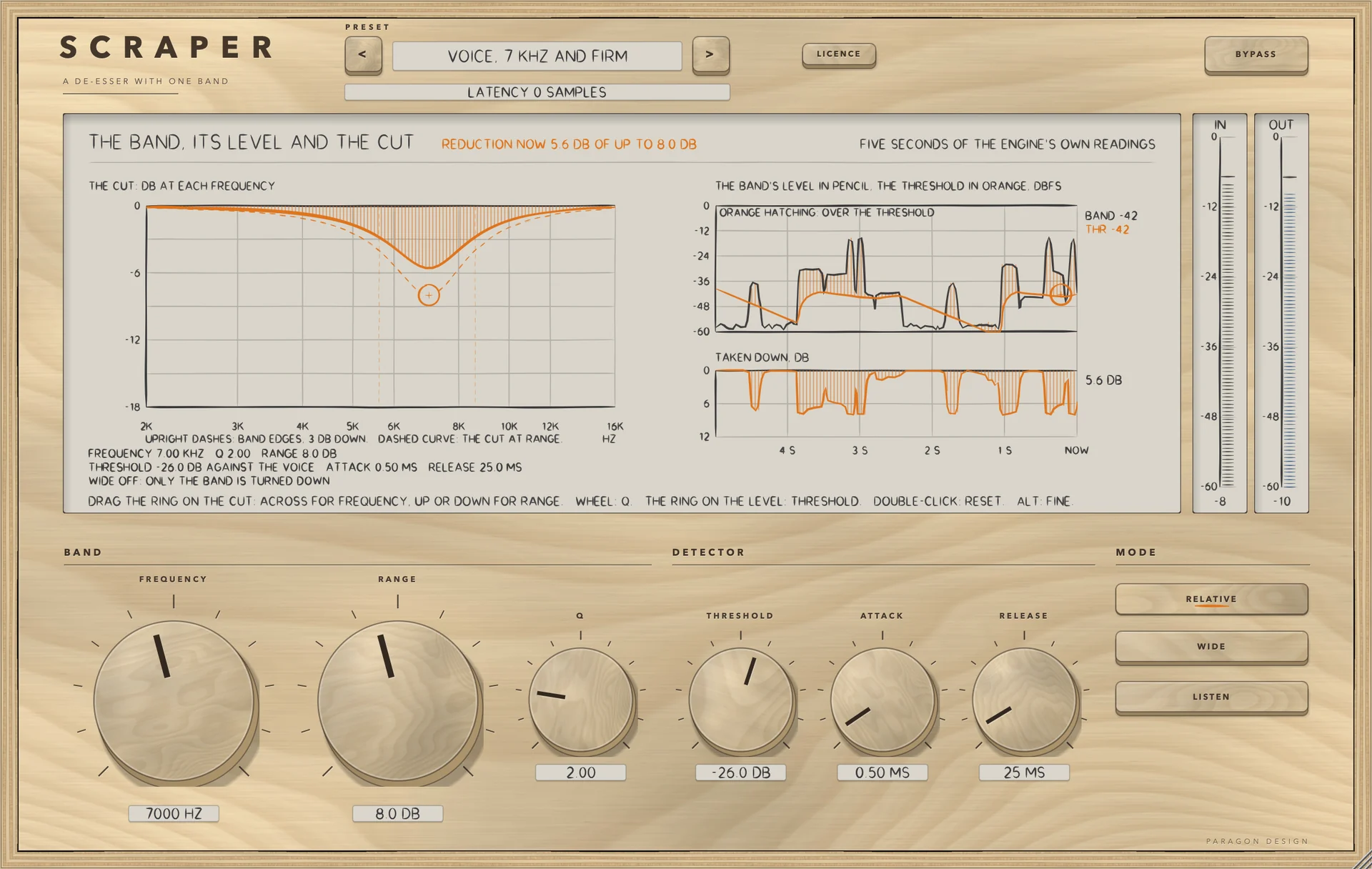
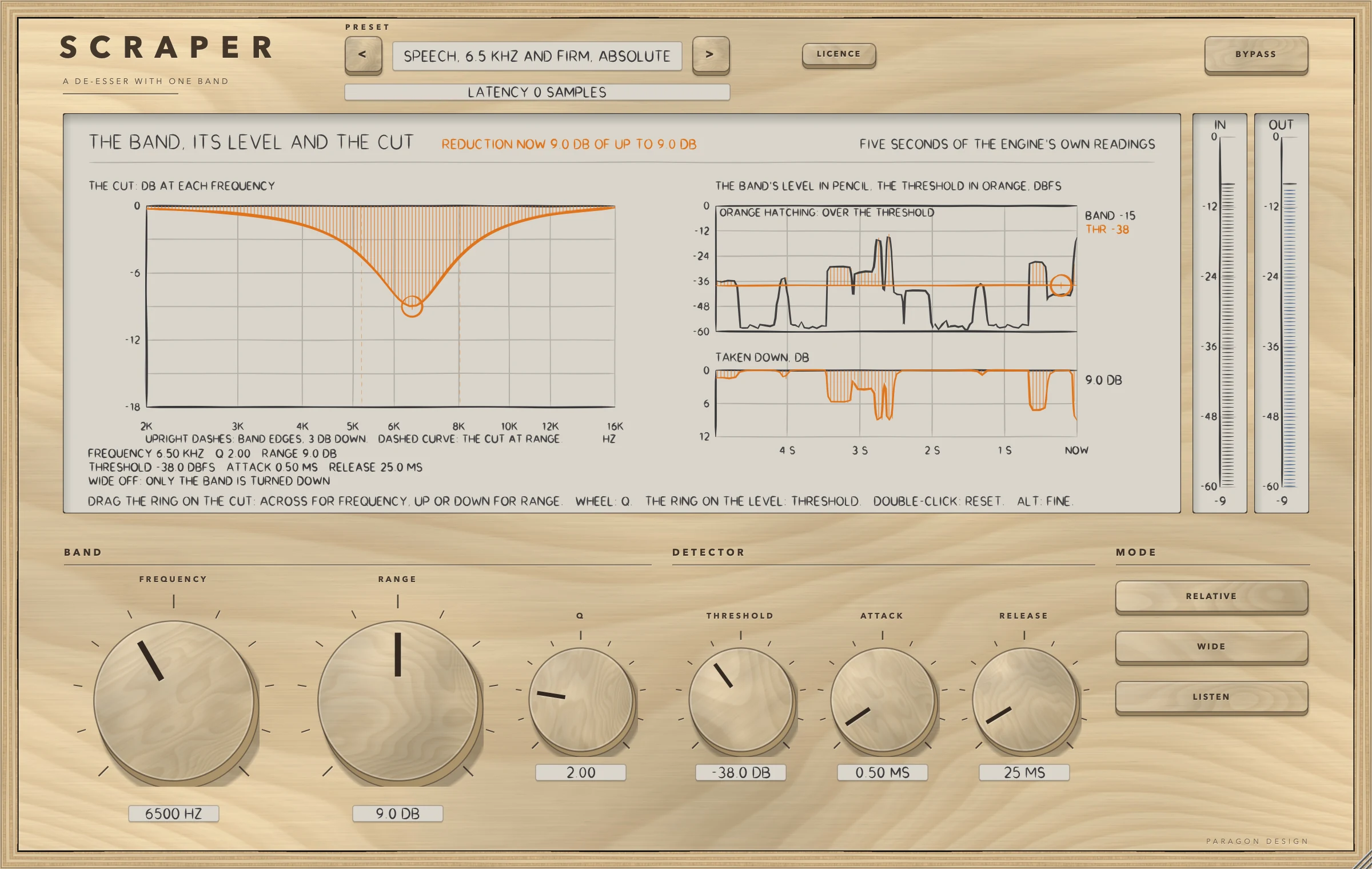
The display is three pictures drawn from the engine's own readings: the cut at each frequency, hatched at the reduction now and dashed at the most RANGE allows, with the band's edges marked where the detector is 3 dB down (a straight line when WIDE is on, because the whole signal is turned down); the band's level against the threshold over the last five seconds, hatched where it is over; and the reduction in dB. One ring on the cut sets FREQUENCY and RANGE, the wheel over it sets Q, and a ring on the level lane sets THRESHOLD.

Every one of the 20 presets is written as what it changes from the defaults and is held to two to four measurements, 60 in all, on programmes made with the sibilance centred on the preset's frequency: how far the bursts come down, how much the voiced part changes, the largest reduction and the delay. The installed Audio Unit and the engine differed in 0 of 1,152,000 samples in each of six stereo settings.

  • 0 of 432Runs in which the copy of LATHE's de-esser module differed from the original: WIDE on and off, FREQUENCY 3 to 12 kHz, Q 0.5 to 8, RANGE 0 to 18 dB, THRESHOLD absolute and relative, ATTACK, RELEASE, LISTEN on and off, four sample rates, noise, sibilant bursts and the voice, with the setting moved three times in a run.
  • Bit for bitWith RANGE 0 the output is the input, with WIDE on or off and a delay of 0, in the engine's 144 runs and in the processor at six sample rates in both layouts. A denormal input number comes out as itself or 0.
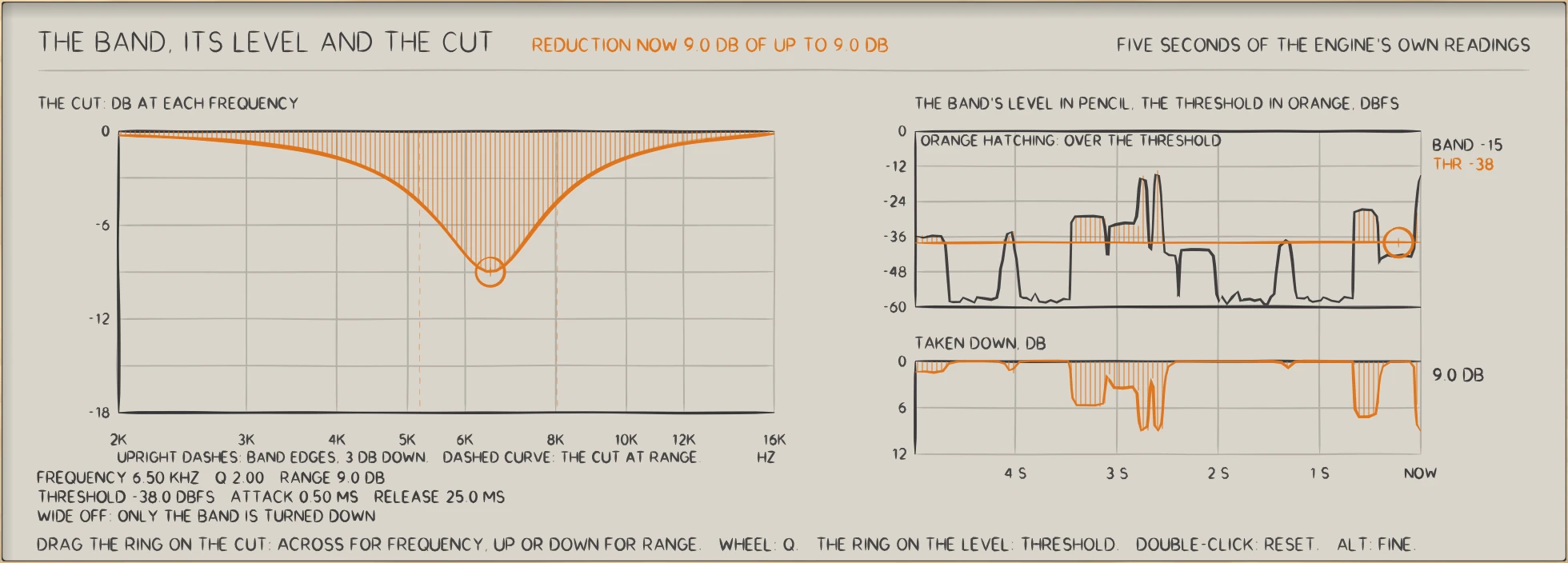
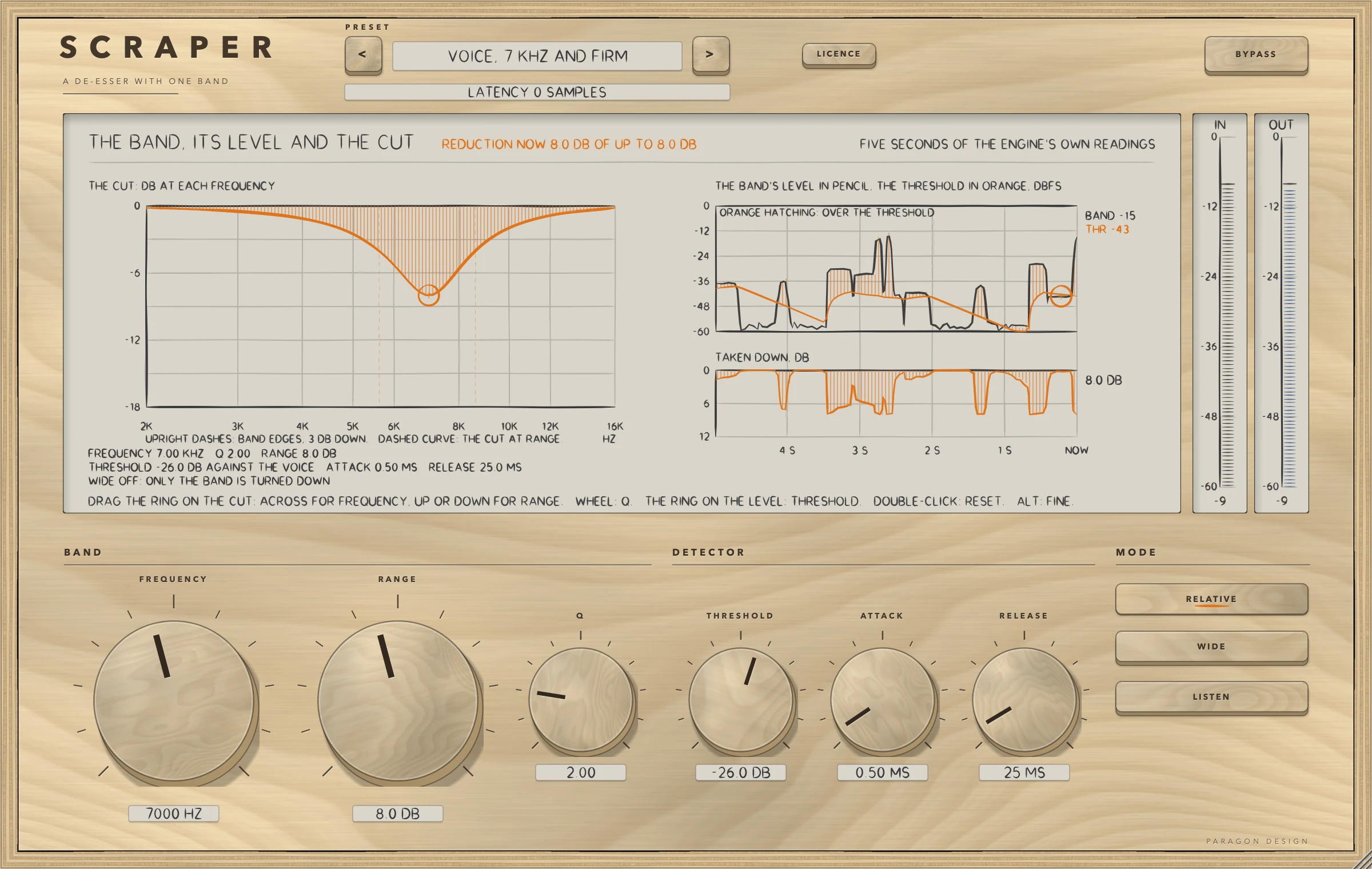
SCRAPER: SCRAPER with a speech preset at work: the cut, the band's level against the threshold, and the reduction.
SCRAPER with a speech preset at work: the cut, the band's level against the threshold, and the reduction.

In use

The real window, as it looks at work.

These are captures of the built plug-in, drawn by the plug-in itself at twice the size.

SCRAPER: Speech, 6.5 kHz and Firm, Absolute with the voice playing: the cut, the band's level against the threshold, the reduction and the meters
Speech, 6.5 kHz and Firm, Absolute with the voice playing: the cut, the band's level against the threshold, the reduction and the meters
SCRAPER: RELATIVE on: the threshold line follows the voice's running level
RELATIVE on: the threshold line follows the voice's running level
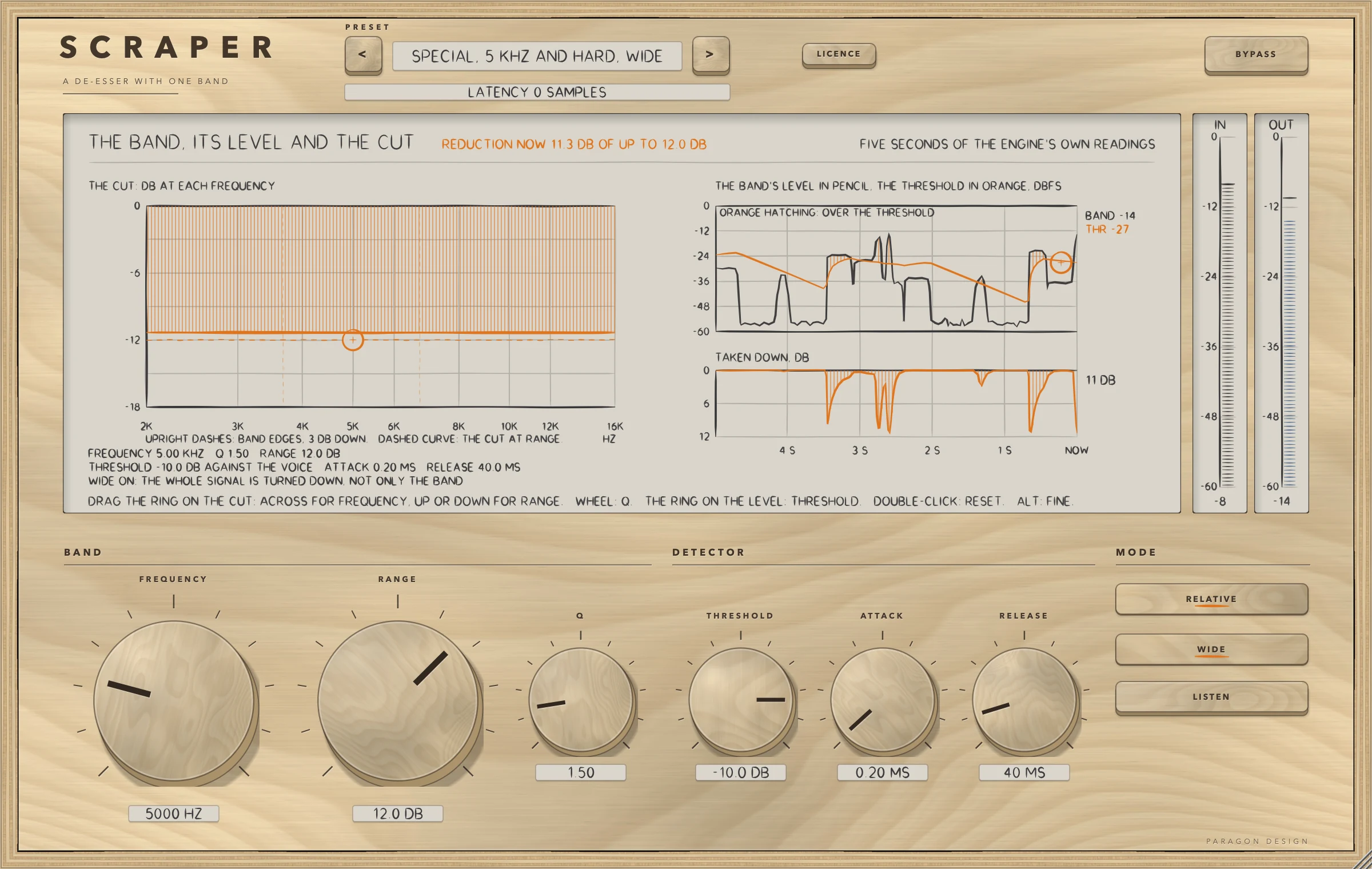
SCRAPER: WIDE on: the whole signal is turned down, so the cut is a straight line
WIDE on: the whole signal is turned down, so the cut is a straight line
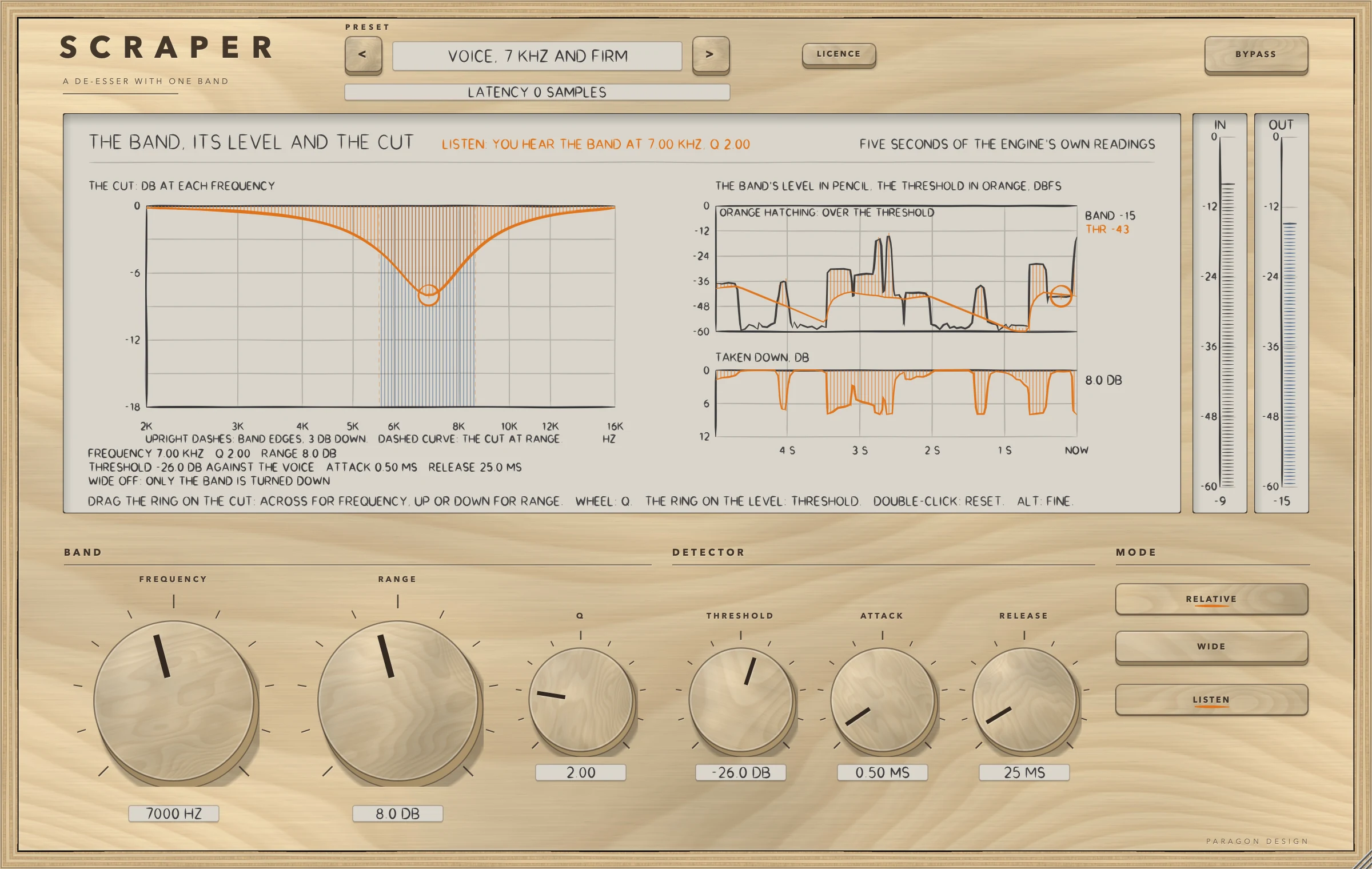
SCRAPER: LISTEN on: the output is the band the detector hears
LISTEN on: the output is the band the detector hears
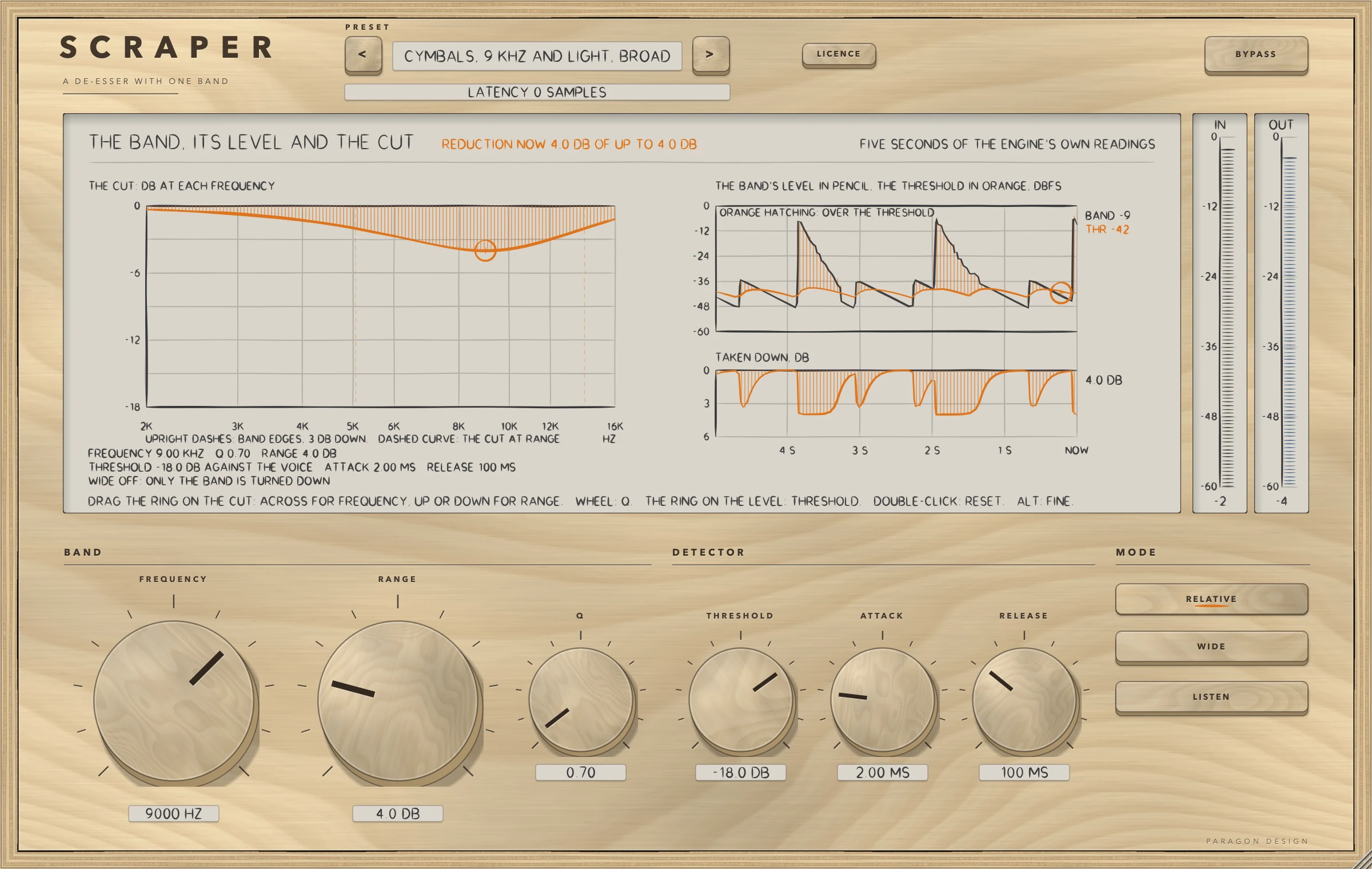
SCRAPER: A very broad band on cymbals: Q 0.7 at 9 kHz
A very broad band on cymbals: Q 0.7 at 9 kHz
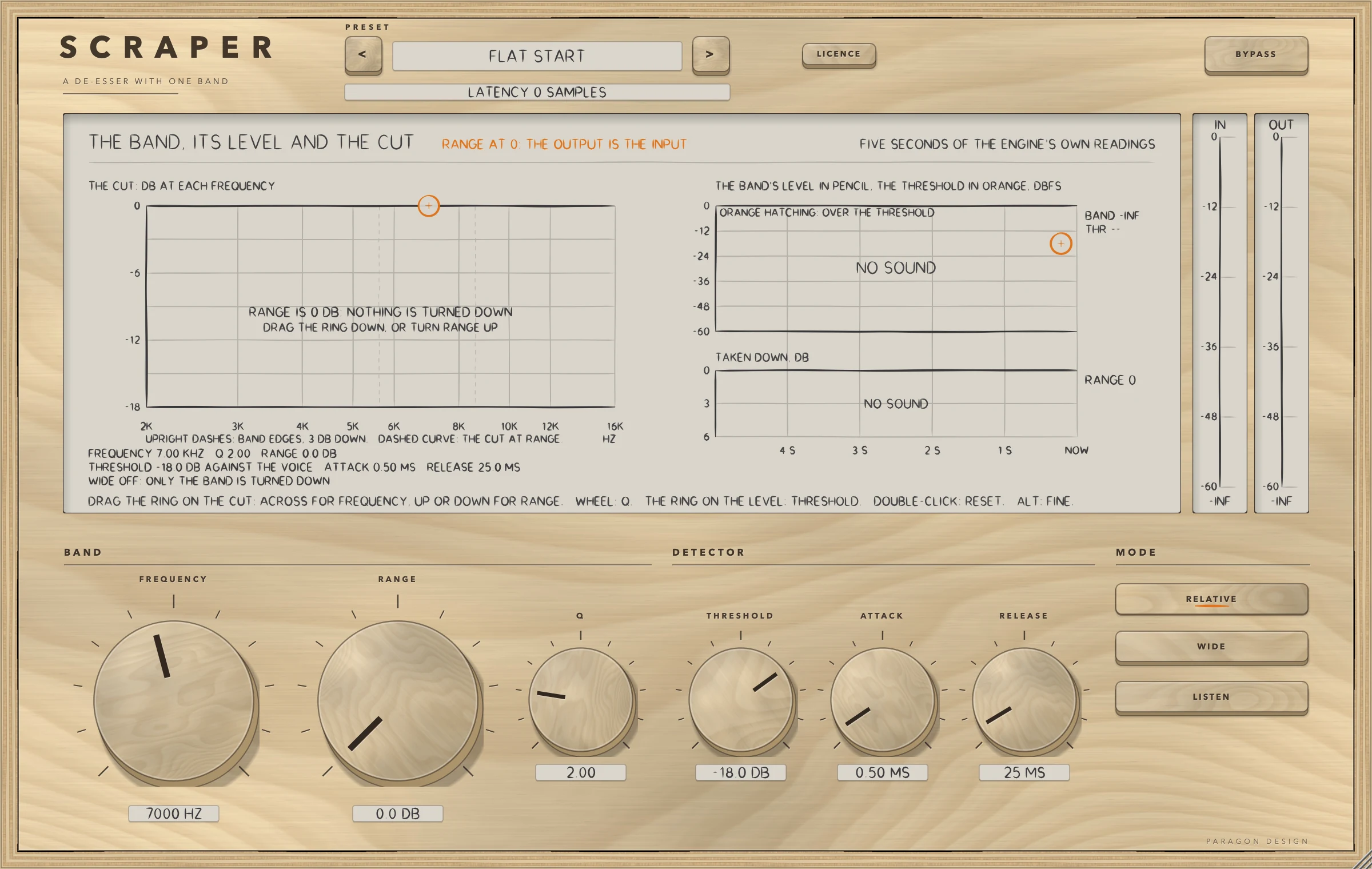
SCRAPER: Flat Start with no sound: RANGE is at 0 dB and the output is the input
Flat Start with no sound: RANGE is at 0 dB and the output is the input

Specifications

Formats
Audio Unit, VST3
Listed in your host as
Scraper De-Esser
Channels
Mono in and mono out, or stereo in and stereo out; any other layout is refused
Sidechain
None: the detector listens to its own input
Latency
None: 0 samples at every setting at 44.1, 48, 88.2, 96, 176.4 and 192 kHz, and with BYPASS on
Tail told to the host
None
Band
3 to 12 kHz, with Q from 0.5 to 8
Cut
Up to 18 dB, with a knee 6 dB wide
Editor
1200 x 760 pixels at 100 percent, resizable from 70 to 170 percent
Parameters
10
Presets
20 in 6 categories
CPU
Flat Start 0.28 to 0.29 percent of one core and the dearest setting, LISTEN, 0.34 (stereo, 48 kHz, 512-sample blocks, thread CPU time, the least of several runs; Intel Core i9, a shared machine at load averages of about 3 and 8, and the cost test inside the whole-program run read 0.47 to 0.70 on a loaded Mac). The budget of 2.0 percent holds in every run

Measured

  1. 0 of 432Runs in which the copy of LATHE's de-esser module differed from the original: WIDE on and off, FREQUENCY 3 to 12 kHz, Q 0.5 to 8, RANGE 0 to 18 dB, THRESHOLD absolute and relative, ATTACK, RELEASE, LISTEN on and off, four sample rates, noise, sibilant bursts and the voice, with the setting moved three times in a run.
  2. Bit for bitWith RANGE 0 the output is the input, with WIDE on or off and a delay of 0, in the engine's 144 runs and in the processor at six sample rates in both layouts. A denormal input number comes out as itself or 0.
  3. 3.000 dBWhat RANGE 3 turned a tone at FREQUENCY 30 dB over the threshold down by (6.000, 9.000, 12.000 and 18.000 dB for RANGE 6, 9, 12 and 18): a tone far over the threshold is turned down by exactly RANGE and never more.
  4. 60 measurementsTwo to four for each of the 20 presets, all inside their bounds on named programmes made with the sibilance centred on the preset's frequency: how far the bursts come down, how much the voiced part changes, the largest reduction and the delay.
  5. 0 of 1152000Samples that differed between the installed Audio Unit and the engine's own strip in each of six stereo settings (0 of 576000 in a mono one). The test exists because Apple's compiler once made another plug-in's installed build play only part of its sound while every other test passed.

On synthetic test signals, by this plug-in’s own tests. Not a listening test.

Presets

20 presets, named for the job.

Starting points chosen from measurements, not tuned by ear. Each one sets every control, so the result does not depend on what was dialled in before it.

Start

  • Flat Start

Voice

  • Voice, 7 kHz and Light
  • Voice, 7 kHz and Firm
  • Voice, 5.5 kHz and Firm, Broad
  • Voice, High and Light
  • Voice, 6.5 kHz and Firm, Narrow

Speech and Podcast

  • Speech, 6 kHz and Firm
  • Speech, 5 kHz and Medium, Broad
  • Speech, 7 kHz and Hard
  • Speech, 6.5 kHz and Firm, Absolute

Guitar and Cymbals

  • Cymbals, 8 kHz and Medium, Wide
  • Cymbals, 9 kHz and Light, Broad
  • Guitar, 4.5 kHz and Light
  • Guitar, 3.5 kHz and Medium, Narrow

Mix Bus

  • Mix Bus, 8 kHz and Light, Broad
  • Mix Bus, 10 kHz and Light
  • Mix Bus, 6 kHz and Medium, Absolute

Special

  • Special, 5 kHz and Hard, Wide
  • Special, 12 kHz and Firm, Narrow
  • Special, 3 kHz and Medium, Broad

The first minutes

From empty to useful.

  1. 1

    Choose a preset

    Pick Speech, 6.5 kHz and Firm, Absolute. It sets FREQUENCY 6500 Hz, RANGE 9 dB, THRESHOLD -38 dBFS and RELATIVE off. Flat Start puts everything back.

  2. 2

    Find the band

    Press LISTEN and drag the ring on the cut across until you hear the sibilance in the band, then press it again. The wheel over the ring sets Q.

  3. 3

    Set the threshold

    Drag the ring on the level lane up until only the sibilance goes over the threshold, and watch the reduction lane.